
Table of Contents
Virtual Desktop Infrastructure revolutionizes how businesses manage desktop environments by hosting them on centralized servers. This technology allows users to access their operating system, applications, and data remotely through a network connection, providing flexibility, security, and centralized management.
By virtualizing desktops, VDI supports seamless remote work and efficient IT operations, making it an essential solution for modern organizations.
What is Virtual Desktop Infrastructure?
Virtual Desktop Infrastructure (VDI) technology hosts desktop environments on centralized servers, rather than on individual devices, by virtualizing them. Users access these virtual desktops remotely via a network, allowing for centralized management, enhanced security, and consistent user experiences across different devices.
VDI is commonly used for remote work, improving flexibility and scalability while reducing hardware costs. It supports persistent and non-persistent desktop setups, making it adaptable to various organizational needs.
How does Virtual Desktop Infrastructure Work?
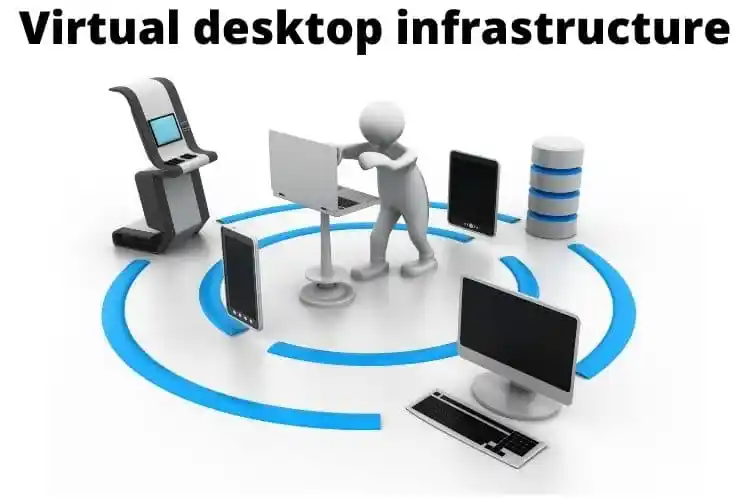
Here’s an overview of how Virtual Desktop Infrastructure (VDI) works:
- Centralized Servers: VDI desktops are hosted on powerful servers located in a data center. These servers run the virtual desktop environments, allowing for centralized management and resource allocation.
- Hypervisor: The hypervisor is software that creates and manages multiple virtual machines (VMs) on the centralized servers. It abstracts the physical hardware and allows each VM to operate as an independent desktop environment.
- User Access: Users connect to their virtual desktops via client devices using remote display protocols such as RDP (Remote Desktop Protocol) or PCoIP (PC over IP). These protocols transmit the desktop interface to the user’s device and relay input from the user back to the virtual desktop.
- Connection Broker: The connection broker is responsible for managing user connections to virtual desktops. It authenticates users, assigns them to available virtual desktops, and ensures that each user is connected to the correct session.
- Data Storage: Centralized storage systems hold all user data and applications. This setup ensures that data is consistently accessible across all virtual desktops and simplifies backup and recovery processes.
- Session Management: Each user interacts with their virtual desktop through a managed session, which is overseen by the VDI software. This management ensures a consistent user experience and maintains the session state, allowing users to pick up where they left off.
- Resource Allocation: The hypervisor dynamically allocates resources such as CPU, memory, and storage to each VM based on current demand. This ensures optimal performance and efficient use of server resources.
Key Components of Virtual Desktop Infrastructure
- Hypervisor:
- Role: The hypervisor, or virtual machine monitor, is crucial for creating and managing multiple virtual machines (VMs) on physical servers. It abstracts the underlying hardware and allocates resources (CPU, memory, storage) to each VM.
- Function: It allows multiple virtual desktops to run concurrently on a single server by efficiently managing resource allocation and isolation.
- Virtual Desktops:
- Role: These are virtualized instances of desktop operating systems (such as Windows or Linux) running within VMs on the server.
- Function: Each virtual desktop operates independently, providing users with a familiar desktop environment that can be accessed remotely from any device.
- Connection Broker:
- Role: The connection broker is responsible for handling user connections to virtual desktops.
- Function: It authenticates users, manages their access permissions, and assigns them to appropriate virtual desktops based on their profiles or needs. It also manages session load balancing and reconnection.
- Client Device:
- Role: This is the hardware used by end-users to connect to their virtual desktops. It can include thin clients, traditional desktops, laptops, tablets, or smartphones.
- Function: The client device runs VDI client software or uses a web browser to access and interact with the virtual desktop environment hosted on the server.
- Storage:
- Role: Centralized storage systems store all data, applications, and user profiles used by virtual desktops.
- Function: High-performance storage solutions ensure that data is reliably available and that virtual desktops perform efficiently. This includes managing backups and redundancy to prevent data loss.
- Remote Display Protocol:
- Role: This protocol is responsible for transmitting the graphical interface of the virtual desktop to the client device.
- Function: It handles the display of the virtual desktop’s user interface on the client device, processes user input (keyboard and mouse), and manages data transmission to ensure a responsive and interactive user experience.
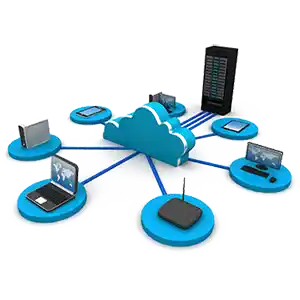
Those tradeoffs get harder to manage in-house as the deployment grows, which is usually when the VDI rollout becomes a broader cloud computing project.
Benefits of Virtual Desktop Infrastructure
- Disaster Recovery: With centralized storage and virtual desktops, VDI can simplify disaster recovery efforts. If a physical location is compromised, users can still access their desktops from a different location.
- Centralized Management: VDI allows IT administrators to manage all desktops from a single location. This centralization simplifies the deployment, patching, and updating of software, reducing the overall management overhead.
- Security: Since data is stored on centralized servers and not on individual client devices, VDI can provide better security. If a client device is lost or stolen, the data remains safe on the server.
- Remote Access: VDI enables users to access their desktop environment from anywhere with an internet connection. This is especially useful for remote work, allowing employees to work from any location.
- Cost Efficiency: VDI can reduce hardware costs since it allows the use of thin clients or older devices to access powerful virtual desktops hosted on servers.
- Scalability: VDI allows organizations to quickly scale the number of virtual desktops up or down based on demand, making it a flexible solution for growing businesses.
Elevate Growth with Virtual Desktop Infrastructure
Adopting Virtual Desktop Infrastructure (VDI) can significantly drive growth by optimizing resource management, enhancing security, and enabling flexible remote work. By leveraging Virtual Desktop Infrastructure, businesses can streamline operations, reduce costs, and improve overall productivity. This ultimate guide has provided insights into how VDI can be a transformative tool, offering scalable solutions and robust performance.
FAQs
What is VDI?
VDI (Virtual Desktop Infrastructure) delivers virtual desktops from centralized servers to users over a network.
How does VDI differ from traditional desktops?
VDI desktops are hosted on servers and accessed remotely, unlike traditional desktops, which run on local hardware.
What are the benefits of VDI?
Centralized management, enhanced security, remote access, cost savings, and scalability.
Is VDI secure?
Yes, VDI enhances security by centralizing data and using encrypted connections.
Can VDI support remote work?
VDI allows users to access their desktops from any location with an internet connection.