
Table of Contents
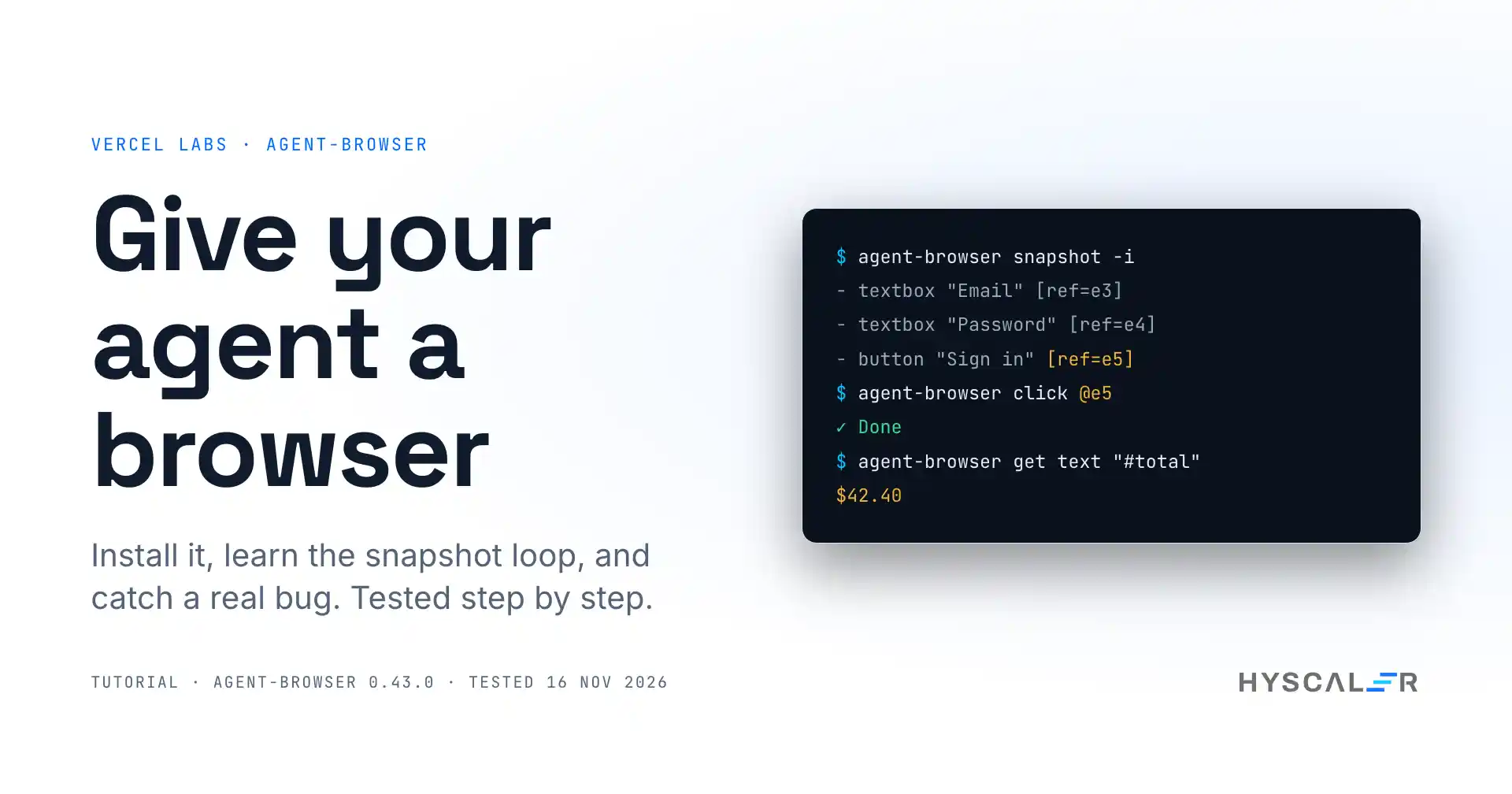
The agent-browser is an open-source command-line tool from Vercel Labs that gives an AI coding agent a real browser. The agent opens a page, reads it as a short text list of elements, and clicks or types by referring to those elements, one shell command at a time.
This agent-browser tutorial shows how to use agent-browser from scratch: the install, the core loop, and a worked example where the tool catches a pricing bug in a demo store. Every command and output below comes from our own test of version 0.43.0 (commit 5338477) on 16 November 2026, including four gotchas we hit along the way.
Key points
- agent-browser is a Rust CLI that drives Chrome for an AI agent through plain shell commands. It is Apache-2.0 licensed.
- A page is returned as a compact accessibility snapshot. On our demo page, the interactive snapshot was 420 bytes against 3,037 bytes of HTML.
- You need Node.js to install it from npm or Homebrew. No account or API key is required.
- Setup took under a minute in our test: 5 seconds for the CLI and 52 seconds to download a 188 MB Chrome.
- It is not a test framework. For a fixed regression suite that runs in CI, Playwright tests are still the better tool.
What is agent-browser?
agent-browser is a browser automation CLI built for AI agents instead of for test scripts. The project started in January 2026, is written in Rust, and had 51,915 stars on 16 November 2026. It gained 4,217 stars in the week before our test, which put it on GitHub Trending for the week and the month. Version 0.43.0 came out on 12 November 2026.
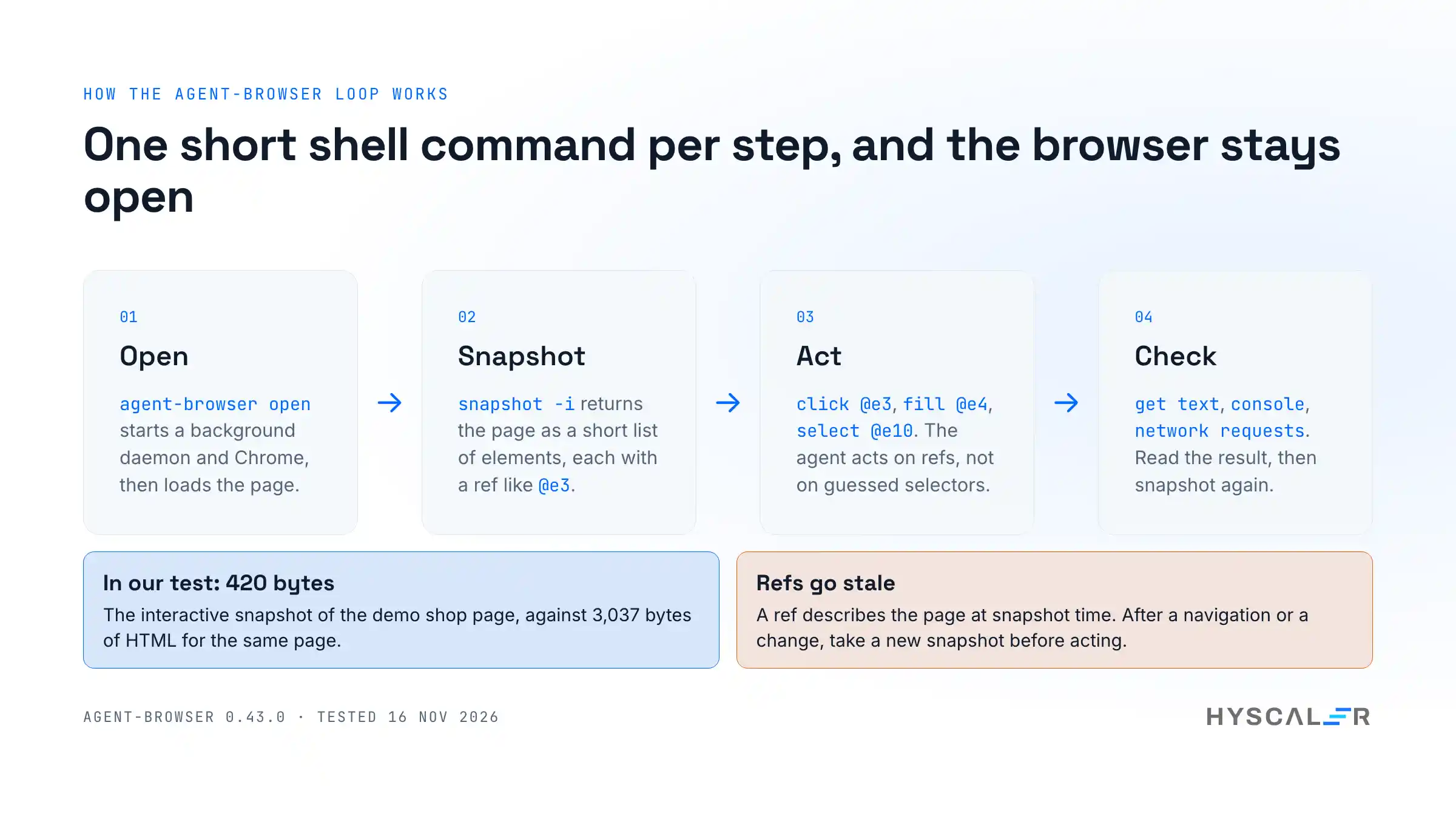
The idea is small. A coding agent already knows how to run shell commands, so it makes the browser a set of shell commands: open, snapshot, click, fill, get. The browser stays open in the background between commands, so each step is one short call.
Why it matters for teams using coding agents
An agent that writes front-end code cannot see what it built. It changes a component, the tests pass, and the page is still broken for a reason no unit test covers: a banner over the button, a total that is wrong, and a request that fails.
In client work, I review everything before it ships, and “the tests passed” has never been enough for a UI change. A tool like this lets the agent do the first check itself: open the page, use it the way a person would, and report what happened. That makes the human review shorter, not optional. If you are building agents into a team workflow, our piece on multi-agent systems covers the wider picture.
How the agent-browser works
- The CLI sends each command to a background daemon. The daemon starts on the first command and controls Chrome over the Chrome DevTools Protocol.
- The snapshot is the page’s accessibility tree as text. Every element the agent can act on gets a ref such as
@e3. - Refs are how the agent acts:
agent-browser click @e3. A ref describes the page at the time of the snapshot, so after the page changes you take a new snapshot. - The daemon closes a headless browser and exits after one hour without commands by default.
By default, it uses Chrome for testing, a separate Chrome build that it downloads for itself. It does not touch your own Chrome profile unless you ask it to.
How to install the agent-browser step by step
1. Check the prerequisites
You need Node.js for the npm install (we used 24.11), or Homebrew. About 400 MB of disk space covers the CLI and its browser.
2. Install the CLI
npm install -g agent-browser
agent-browser --version
Our run: 8 packages added in 5 seconds, and the version printed agent-browser 0.43.0. Homebrew users can run brew install agent-browser instead.
3. Download the browser
agent-browser installThis downloads Chrome for testing once. In our test, it fetched 188 MB (Chrome 157.0.8103.78) in 52 seconds and stored it under ~/.agent-browser/browsers/.
4. Open your first page
agent-browser open example.com
agent-browser snapshot -i
open starts the daemon and the browser, so it is the slow step: 6.8 seconds on our very first run and 3.9 seconds on a later one. After that, each command took about a second or less. snapshot -i lists only the interactive elements, which is what an agent needs most of the time.
5. Check it worked
For example.com, our snapshot was a single line: - link "Learn more" [ref=e1]. We ran agent-browser click @e1, then agent-browser get url, and it printed https://www.iana.org/help/example-domains, the page that link leads to. Run agent-browser close when you are done.
How to use the agent browser on a real page: a worked example
To test it on something closer to real work, we wrote a small demo store with a sign-in page, a cookie banner, three products, a coupon, and a checkout button. The store is ours, built for this test, with two faults planted in it: a wrong discount and a checkout request that fails. It ran on http://127.0.0.1:8765.
Read the page
agent-browser open http://127.0.0.1:8765/
agent-browser snapshot -i
- heading "Sign in" [level=1, ref=e1]
- textbox "Email" [required, ref=e3]
- textbox "Password" [required, ref=e4]
- button "Sign in" [ref=e5]
- button "Accept" [ref=e2]Five lines describe the whole page. That is the part an agent pays for in tokens: the raw HTML of our shop page was 3,037 bytes, the full snapshot was 1,013 bytes, and the interactive snapshot was 420 bytes.
Act and get told the truth
Our first click failed, on purpose:
✗ Element '@e3' is covered by <div#cookie> at its click point, so the input would land on that element instead.This is the behavior I like most. Many automation tools would report success here and leave the agent confused two steps later. It refuses the click and says what is in the way. Dismiss the banner and carry on:
agent-browser click @e2
agent-browser fill @e3 ava@example.com
agent-browser fill @e4 demo-pass
agent-browser click @e5
agent-browser get url
The last command printed http://127.0.0.1:8765/shop.html, so the sign-in worked.
Catch the pricing bug
On the shop page, a new snapshot gave new refs. We added a desk lamp and a notebook, then applied the coupon:
agent-browser click @e14
agent-browser click @e12
agent-browser get text "#total"
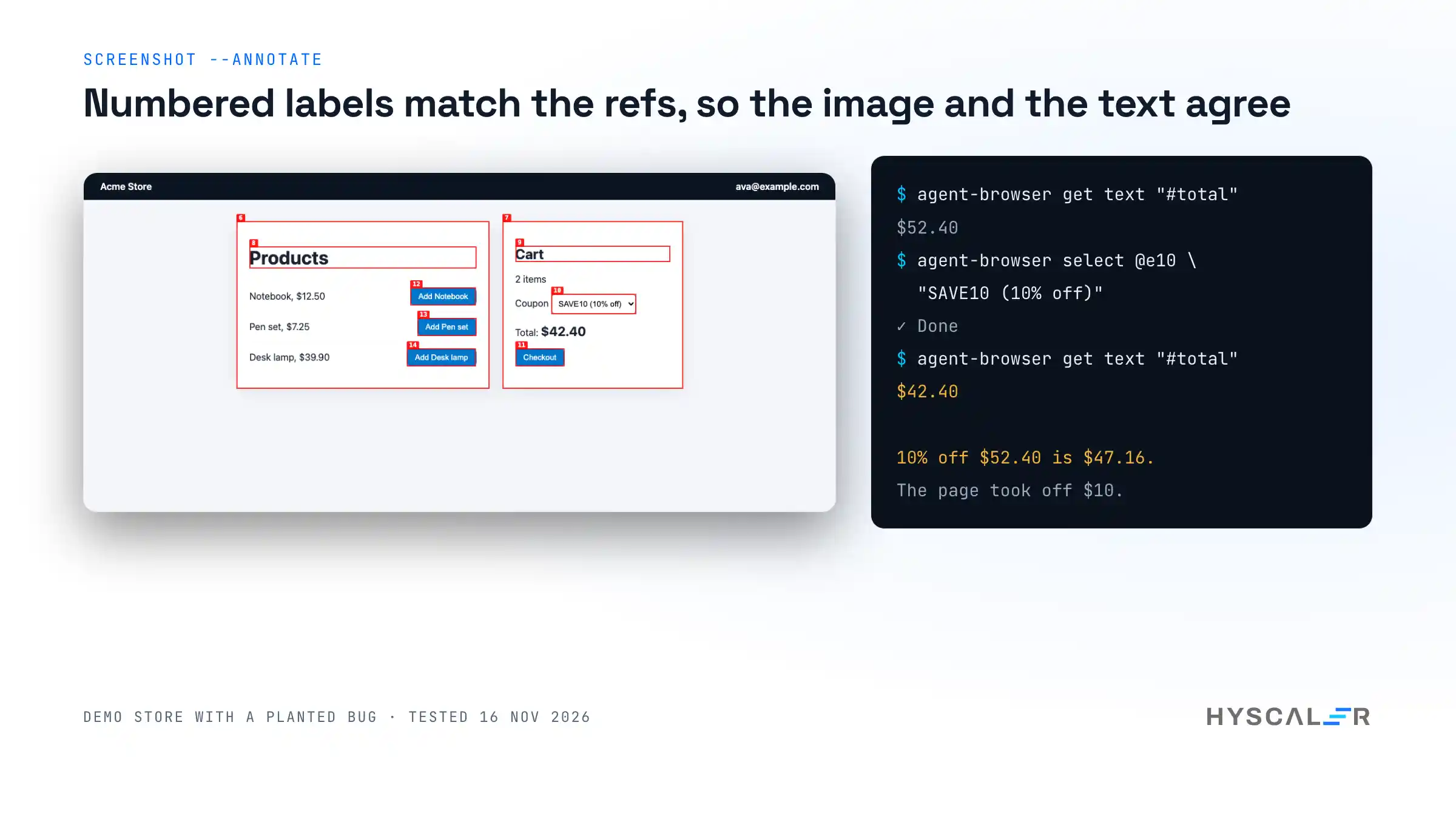
agent-browser select @e10 "SAVE10 (10% off)"
agent-browser get text "#total"
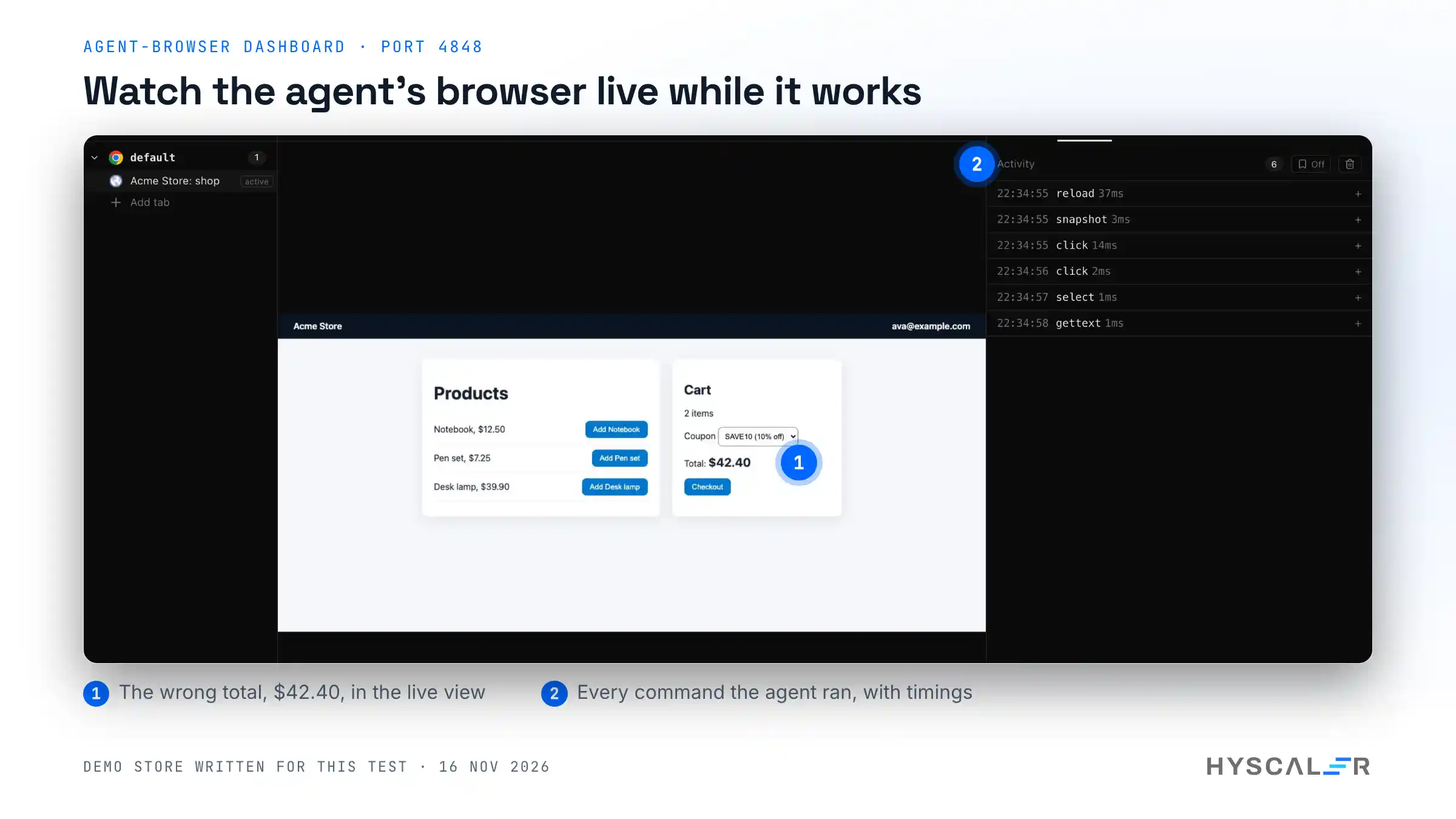
The total went from $52.40 to $42.40. Ten percent off $52.40 is $47.16. The page took off ten dollars instead of ten percent. A unit test on the cart function might catch that; an agent that only checks “the total changed after the coupon” would not. Reading the real number off the real page did.
Find out why checkout fails
agent-browser click @e11
agent-browser get text "#status"
agent-browser console
agent-browser network requests
The page said “Could not place the order.” The console showed [error] checkout failed: HTTP 501, and the network list showed POST http://127.0.0.1:8765/api/checkout (Fetch) 501. Three commands took the agent from “something is wrong” to the failing request.
Two more checks worth having
agent-browser a11yruns axe-core on the page. Our shop page returned 0 violations and 34 passes with axe-core 4.12.1.agent-browser vitalsprints Core Web Vitals. For the local page: TTFB 1.3 ms, FCP 52 ms, LCP 52 ms, CLS 0.
Using agent-browser with Claude Code and other agents
The CLI ships its own instructions, matched to the installed version. agent-browser skills get core printed a 260-line guide (16,230 bytes) covering the loop, refs, and waiting.
The README gives two ways to tell an agent about it. One is npx skills add vercel-labs/agent-browser, which installs a small skill for your agent harness. The other is two lines in your AGENTS.md:
Use `agent-browser` for browser automation. Before the first use, run
`agent-browser skills get core` and follow it.
We did not run the skill installer in this test because it changes your agent’s configuration; read what it adds before you run it. For MCP clients, agent-browser mcp start an MCP server over stdio.
Security and privacy: what leaves your machine
- No telemetry found. We searched the CLI source at this commit for analytics and telemetry calls and found none. The matches were filters that strip analytics requests from recorded flows.
- One outbound check. The docs describe a browser version check: agent-browser compares your Chrome version with the Chrome Releases blog and warns about known CVEs. Set
AGENT_BROWSER_NO_VERSION_CHECK=1to turn it off. - Keep the agent on your site. With
--allowed-domains "127.0.0.1", an attempt to openexample.comfailed withDomain 'example.com' is not in the allowed domains list, and the browser stayed on our page. - Page text is untrusted. A web page can contain text that looks like instructions.
--content-boundarieswraps page output in markers so the agent can tell it apart, and--max-outputcaps how much a page can pour into the context.
For a wider view of the risks in AI-written code, see our article on vibe coding and security debt.
Limits and gotchas
From our test, in the order we hit them:
- A long home path breaks every command. In a deeply nested sandbox folder, each command failed with
Session name 'default' is too long. Socket path would be 149 bytes (max 103). SettingAGENT_BROWSER_SOCKET_DIR=/tmp/ab-sfixed it. Expect this in CI workspaces and containers with long paths. - Refs go stale. After we reopened a page and reused an old ref, the click failed with
Unknown ref: e2. Take a new snapshot after any navigation or page change. errorsis notconsole. Our failed checkout logged withconsole.error.agent-browser errorsprinted nothing, because it lists uncaught page errors;agent-browser consoleshowed the message. Tell your agent to check both.- Screenshots need the folder to exist.
agent-browser screenshot shots/cart.pngfailed with “No such file or directory” until we createdshots/. - It is young and moves fast. Four releases in the first twelve days of November 2026, and 588 open issues and pull requests on the day we tested. Pin a version for a team.
Comparison: agent-browser vs Playwright MCP vs Chrome DevTools MCP
People search for these three together, and they do overlap. We tested only the agent-browser for this guide; the other two columns come from each project’s own documentation.
| agent-browser | Playwright MCP | Chrome DevTools MCP | |
|---|---|---|---|
| Made by | Vercel Labs | Microsoft | Google Chrome DevTools team |
| How the agent calls it | Shell commands (an MCP server is also included) | MCP tools | MCP tools |
| How the page is read | Accessibility snapshot with refs | Accessibility snapshot | Snapshots plus DevTools data |
| Strongest at | Short, cheap steps from any agent that has a shell | Agents that work through MCP, and teams already on Playwright | Debugging and performance traces |
| Needs an MCP client | No | Yes | Yes |
| Licence | Apache-2.0 | Apache-2.0 | Apache-2.0 |
My take: if your agent has a shell, start with agent-browser, because there is nothing to configure and every step is visible in the terminal. If your agent only speaks MCP, or your team already lives in Playwright, use Playwright MCP. Reach for Chrome DevTools MCP when the question is “why is this page slow?” and you need a trace.
Frequently asked questions
What is agent-browser?
agent-browser is an open-source Rust command line tool from Vercel Labs that lets an AI agent control a real Chrome browser with shell commands. It returns each page as a compact accessibility snapshot with element refs, so the agent can click, type, and check results one command at a time.
How do I install agent-browser?
Run npm install -g agent-browser, then agent-browser install to download Chrome for Testing. Homebrew also works with brew install agent-browser. In our test on an Apple M5 Mac, the CLI installed in 5 seconds and the 188 MB browser download took 52 seconds. No account is needed.
Is agent-browser better than Playwright MCP?
It depends on the agent. agent-browser suits agents with shell access, because each step is a short command with compact output. Playwright MCP suits agents that work through MCP tools and teams already using Playwright. Both read pages as accessibility snapshots; we tested only agent-browser for this guide.
Does it work with Claude Code?
Yes. Claude Code can run agent-browser like any other shell command. The project recommends installing its skill with npx skills add vercel-labs/agent-browser, or adding two lines to AGENTS.md that tell the agent to run agent-browser skills get core before the first use.
Is agent-browser free?
Yes. agent-browser is free and open source under the Apache-2.0 licence, and it runs a local Chrome on your own machine with no account or API key. Cloud browser providers such as Browserbase are optional integrations and have their own pricing.
Does agent-browser send telemetry?
We found no telemetry or analytics calls in the CLI source at commit 5338477. The documentation describes one outbound request, a browser version check against the Chrome Releases blog, which you can turn off with AGENT_BROWSER_NO_VERSION_CHECK=1. The browser download itself comes from Google’s Chrome for Testing storage.
How do I stop an agent from visiting other websites?
Use the domain allowlist: agent-browser --allowed-domains "myapp.com,*.myapp.com" open https://myapp.com. In our test with only 127.0.0.1 allowed, opening example.com was refused and the browser stayed on our page. The docs note that WebSocket blocking is best effort.
Why does agent-browser say “Session name is too long”?
The daemon uses a Unix socket, and socket paths are limited to about 103 bytes. A long home or workspace path pushes it over. Set AGENT_BROWSER_SOCKET_DIR to a short folder such as /tmp/ab-s, or use a shorter session name, and the commands work again.
Watch the setup video
The video records the same steps on the real tool: the install, the snapshot and ref loop, the pricing bug, and the failed checkout, with the dashboard showing the browser live. Link to follow once it is on the HyScaler YouTube channel.
Try it
The code and docs are at github.com/vercel-labs/agent-browser and agent-browser.dev. If your team is putting coding agents to work on real products and wants a second pair of eyes on the workflow, HyScaler builds and reviews these setups for clients. Disclosure: I work at HyScaler.
References
- agent-browser README, version 0.43.0, commit
5338477 - agent-browser documentation: installation, snapshots, security, dashboard
- agent-browser security notes: threat model, domain allowlist, version check
- Playwright MCP
- Chrome DevTools MCP
- Chrome for Testing
- axe-core, used by
agent-browser a11y