

Table of Contents
Canva is popular for quick graphics, but its cloud lock-in, rigid templates, and paywalls do not fit every workflow. You may need pixel-level photo editing, live spreadsheet charts, self-hosted privacy, or editable vector slide decks.
Here are the best Canva alternatives by primary use case:
- Marketing templates & Photoshop linking: Adobe Express or VistaCreate.
- Free, unified multi-format workspace with self-hosting & BYOK AI: HyCanvas.
- Business reports & live spreadsheet charts: Visme.
- Quick browser graphics without creating an account: Polotno Studio.
- Advanced photo editing & PSD files: Photopea.
- UI design systems & interactive prototypes: Figma.
How We Evaluated These Tools
We evaluated each platform through direct testing alongside published documentation and pricing as of October 2026, focusing on four criteria:
- Editing Engine: Fixed templates, raster photo canvases, or editable vector scene graphs.
- File Portability & Privacy: Cloud lock-in versus open file schemas (
.hyc, PSD, SVG) and self-hosting options. - Export Limits & Watermarks: Resolution caps, paywalled formats, and free-tier watermarks.
- Transparent Pricing: Verified free-tier limits, subscription costs (USD), and API billing terms.
Canva Alternatives at a Glance
| Tool | Best For | Core Advantage | Main Limitation | Pricing (US Rates) |
|---|---|---|---|---|
| HyCanvas | Multi-format design & privacy | Free suite (graphics, slides, whiteboards, docs) with BYOK AI | Younger catalog; self-hosting needs Docker or Go | Free & open source (AGPL-3.0); BYOK AI billed directly |
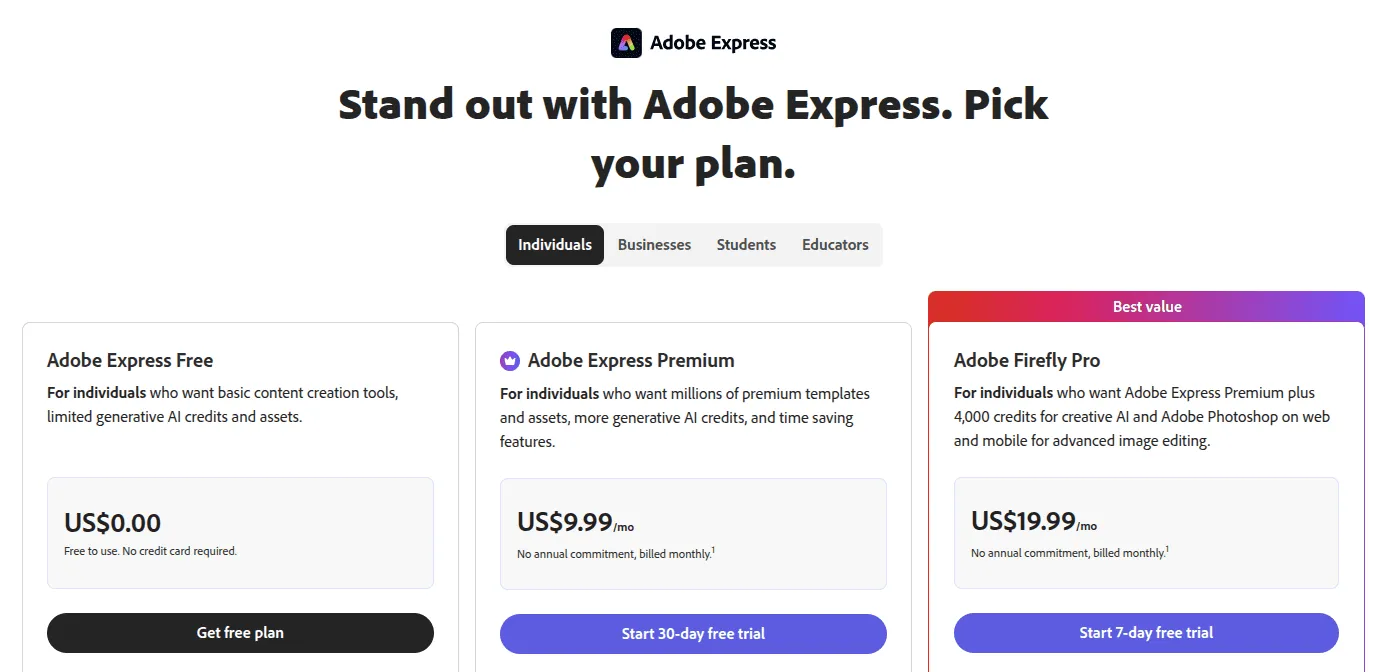
| Adobe Express | General marketing & CC | Live Photoshop/Illustrator asset links and Firefly AI | Advanced brand controls require a paid plan. | Free tier (5 GB storage); premium from $9.99/mo |
| Visme | Business reports & charts | 30+ chart types with live spreadsheet sync | The free tier applies a watermark on downloads | Free Basic plan; Starter from $12.25/mo (annual) |
| Polotno Studio | Quick browser graphics | No account required; unwatermarked PNG, SVG, PDF | Session storage: no cloud folders without an account | Free web studio; Studio Starter ($19/mo), Studio Growth ($49/mo); SDK licensed separately |
| Snappa | Fast social media graphics | Access to all templates and graphics on the free tier | Free tier strictly capped at 3 downloads per month | Free tier; Pro: $10/mo (billed yearly) or $15/mo monthly (1 user) |
| Photopea | Photo retouching & PSDs | Client-side PSD, AI, RAW editing via WebAssembly | Steeper learning curve; ad-supported free version | Free with ads; premium passes from €5/month |
| VistaCreate | Print-ready marketing assets | Direct VistaPrint fulfillment with print bleed guides | Background eraser & unlimited brand kits require Pro. | Free Starter tier; Pro from $10/mo (annual) |
| Figma | UI design & prototypes | Auto-Layout, design tokens, and Figma Slides | Steeper learning curve; per-seat editor pricing | Free Starter tier; Professional from $16/editor/mo (billed annually) |
1. HyCanvas: Best for a Unified Multi-Format Workspace and Self-Hosted Design
HyCanvas is an open-source, privacy-first Canva alternative built as a unified workspace for social media graphics, presentation slide decks, interactive whiteboards, visual documents, and spreadsheets.
Key Capabilities
- Unified Workspace: Create social graphics, multi-page slide decks, whiteboards, and visual docs in one interface without switching apps.
- Zero Paywalls: Access all design and export tools without feature gates, resolution caps, or watermarks.
- Editable Vector Layers: Every element, text, shapes, cards, remains an independent vector layer on an interactive Canvas2D engine.
- BYOK AI: Connect your API credentials for OpenAI, Claude, Gemini, Bedrock, or DeepSeek and pay the provider directly.
- Self-Hosting & File Portability: Deploy via Docker or Go with PostgreSQL. Designs save to open, readable
.hycfiles. - Licensing: Licensed under open-source AGPL-3.0 (v0.3.17+) with commercial options available on GitHub.
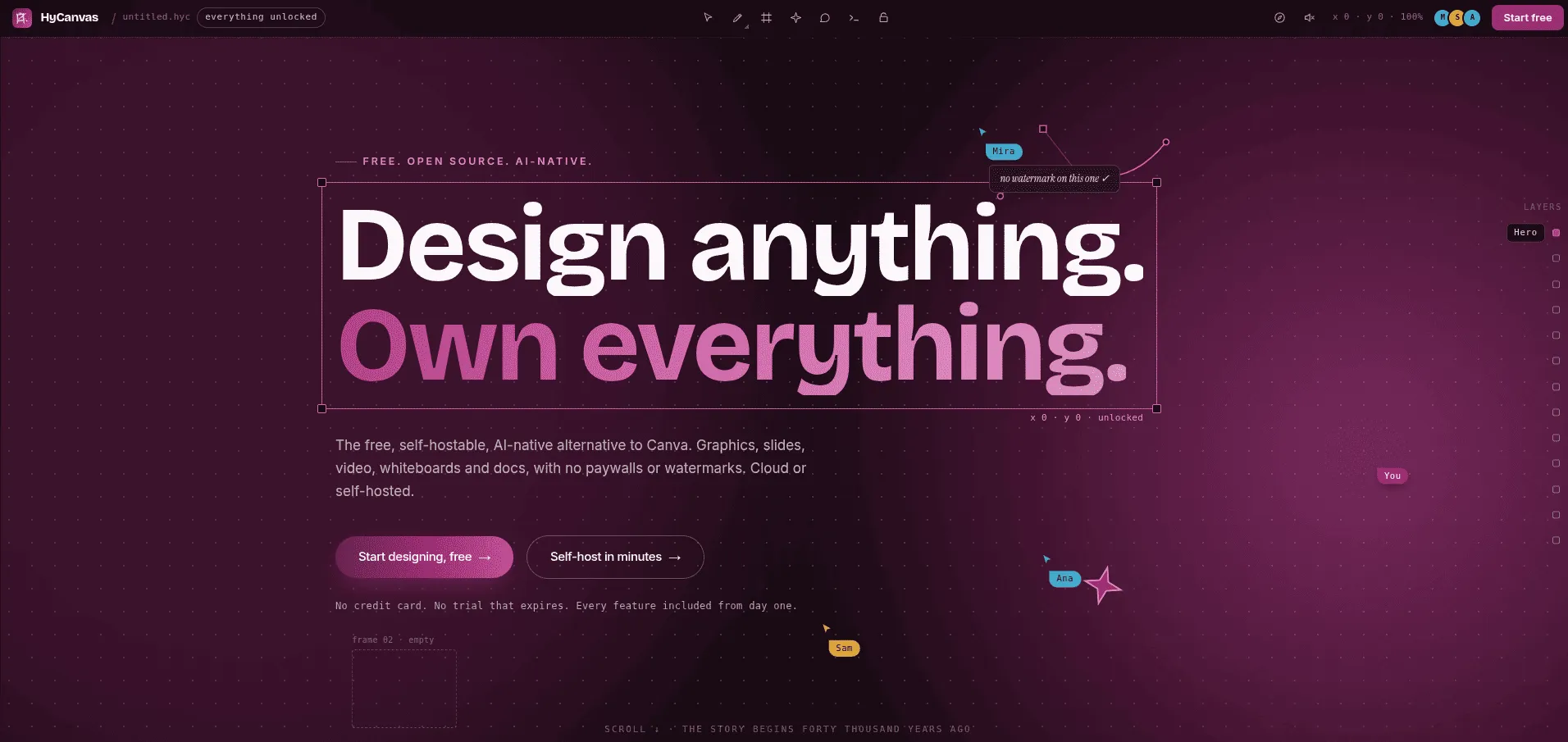
The HyCanvas collaborative visual workspace, showing live vector canvas editing and the open .hyc project format.
Pricing and Trade-offs
- Pricing: Free and open source (AGPL-3.0) with zero subscription fees. Commercial licenses available from HyScaler. AI API costs are billed directly by your connected provider.
- Trade-offs: The template catalog is smaller than Canva’s consumer library. Self-hosting requires basic familiarity with Docker or Go.
2. Adobe Express: Best for Marketing and Creative Cloud Integration
Adobe Express is Adobe’s direct alternative to Canva, designed for marketers wanting drag-and-drop templates integrated with professional creative software.
Key Capabilities
- Creative Cloud Asset Linking: Two-way links with Photoshop (.psd) and Illustrator (.ai) update templates automatically when master assets change.
- Adobe Firefly AI: Generates text-to-image and generative fill with enterprise IP indemnification for commercial safety.
- Video & Social Scheduling: Includes a multi-track drag-and-drop video timeline and direct social post publishing.
Pricing and Trade-offs
- Pricing: The free plan includes core design tools, 5 GB storage, and 25 monthly Firefly credits. The Premium plan costs $9.99/mo (or $99.99/yr) on the Adobe Express pricing page, adding 100 GB of storage, the full Adobe Stock library, 250 credits, and shared brand kits.
- Trade-offs: Advanced brand management and team collaboration workspaces require a paid subscription. The editor can feel sluggish on older hardware.
Is Adobe Express Better Than Canva?
- Adobe Express wins for teams using Creative Cloud. Live linking with Photoshop and Illustrator avoids manual re-exports, and Firefly AI includes commercial IP indemnification.
- Canva wins for non-designers wanting a vast consumer template catalog and simpler onboarding.
3. Visme: Best for Business Reports and Data Visualization
If your primary visual task is communicating figures, such as executive briefs, research reports, infographics, and client proposals, Visme offers far more data depth than Canva.
Key Capabilities
- Dynamic Charting: Features 30+ interactive charts, including funnel diagrams, Gantt schedules, radar plots, and maps.
- Live Spreadsheet Sync: Link charts to Google Sheets or Excel files to update visuals automatically.
- Interactive Publishing: Share presentations and whitepapers as web pages with clickable popups, animations, and audio.
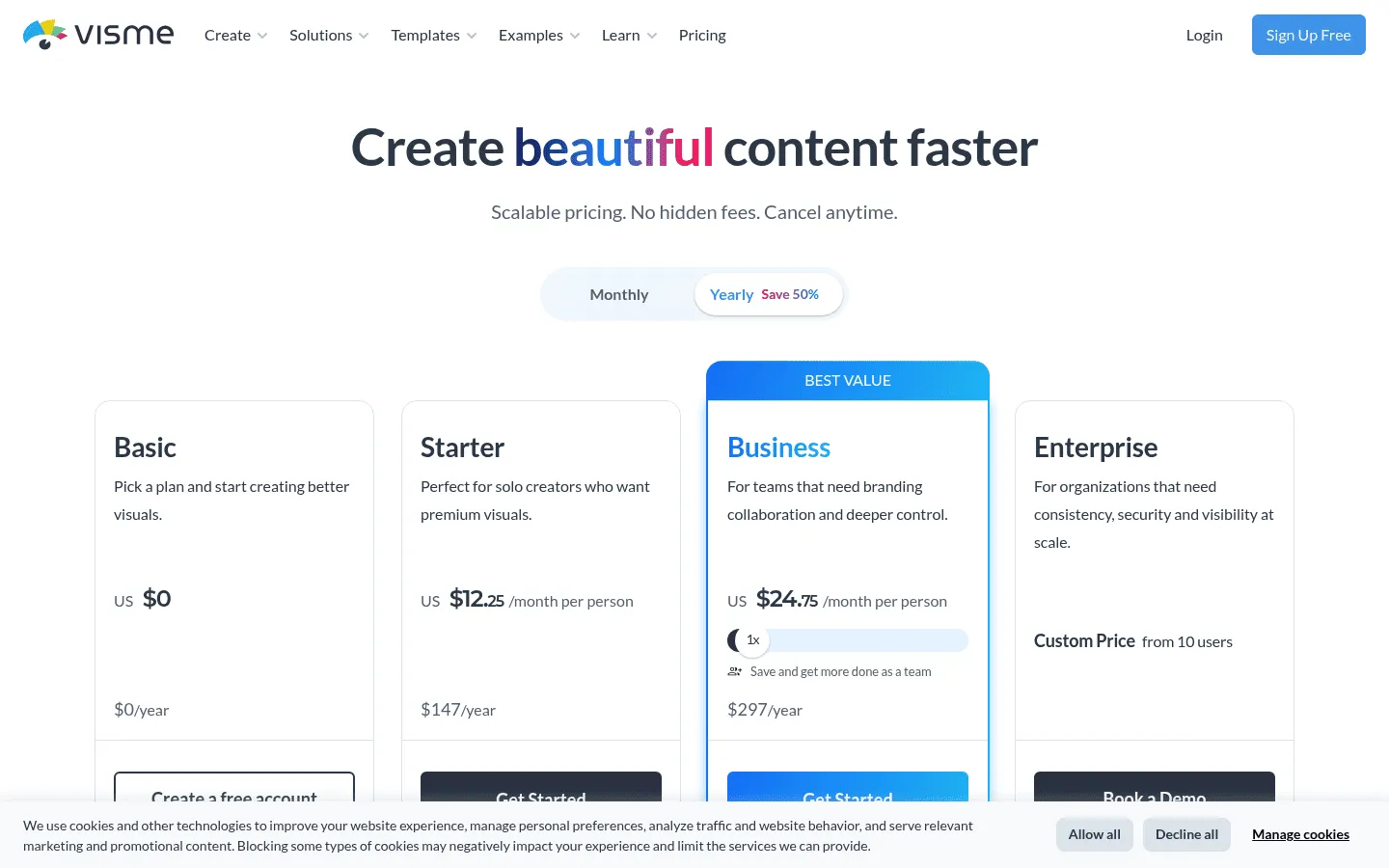
Visme pricing tiers, showing the free Basic plan alongside Starter and Business subscription options.
Pricing and Trade-offs
- Pricing: The free basic plan includes limited templates and watermarked downloads. On the Visme pricing page, the Starter plan costs $29/month per person, or $12.25/month billed yearly ($147/yr). The Pro plan costs $24.75/mo billed annually ($297/yr) or $59/mo for 5 GB storage, PPTX exports, and brand kits.
- Trade-offs: Free downloads carry a visible Visme watermark. The interface is more complex than Canva, making it slower for quick social banners.
4. Polotno Studio: Best for Quick Account-Free Graphics
When you need to crop an image, place text on a background, and export a clean graphic without registering an account or password, Polotno Studio works instantly.
Key Capabilities
- No Account Required: Open the site and start designing immediately, no login or password needed.
- Unwatermarked Exports: Download high-resolution PNG, JPG, SVG, and vector PDF files for free.
- Local Browser Storage: Drafts save in local browser session storage without uploading to cloud servers.
- Developer SDK: Embeddable JavaScript Canvas SDK available for internal software builders.
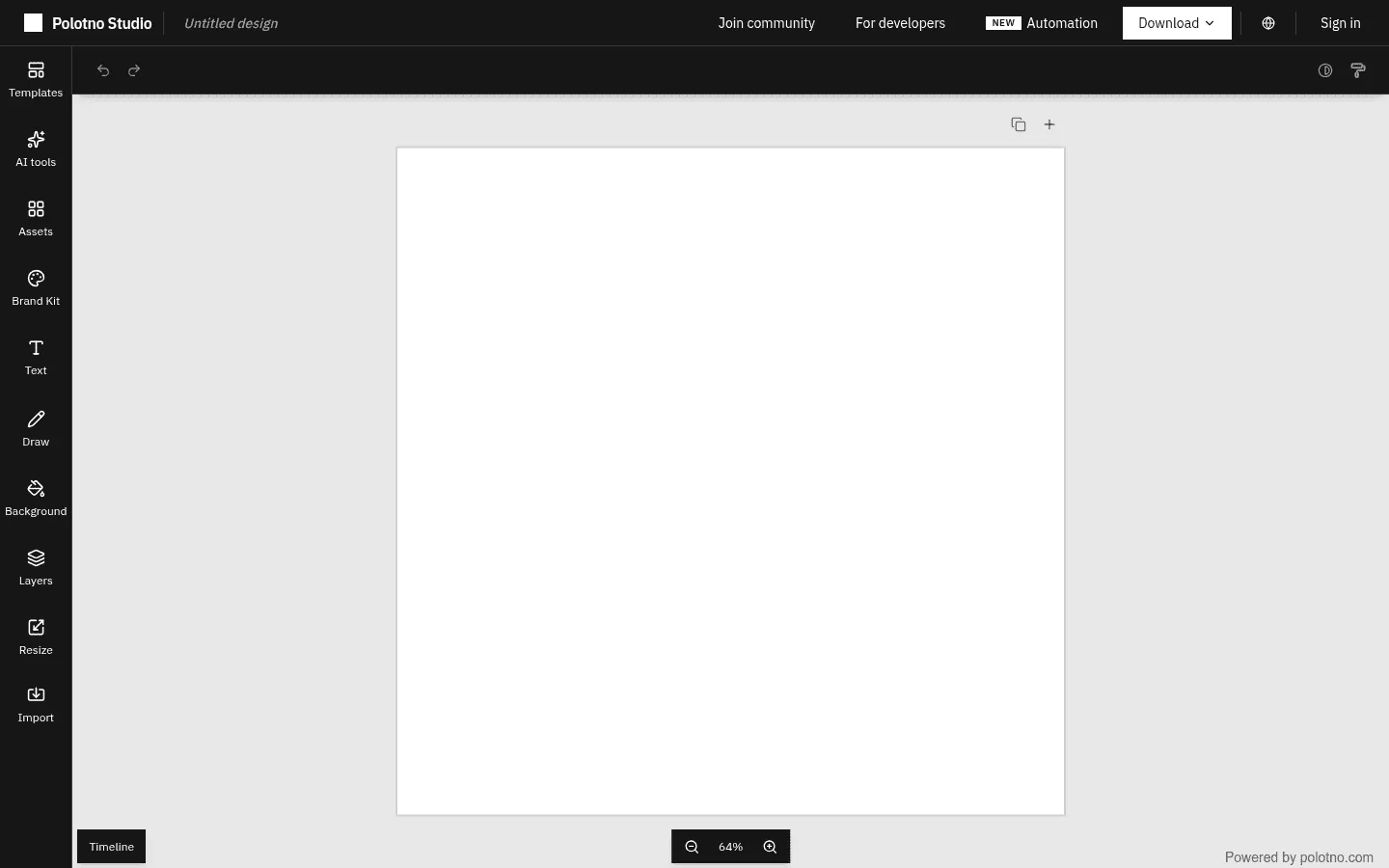
Polotno Studio account-free browser canvas, featuring quick graphic tools and unwatermarked export capabilities.
Pricing and Trade-offs
- Pricing: Free to use online without an account. The Studio Starter plan costs $19.00/month (12,000 credits, 5 GB storage), and Studio Growth costs $49.00/month (30,000 credits, 25 GB storage). The developer SDK is sold separately on the Polotno pricing page.
- Trade-offs: No team folders, shared brand kits, or real-time collaboration. Closing your browser session without downloading clears your work.
5. Snappa: Best for Fast Social Media Graphics
Many creators find Canva’s expanding collection of whiteboards, video editors, and documents bloated. Snappa deliberately focuses on static social media imagery, display banners, and blog graphics.
Key Capabilities
- Platform Dimension Guides: Pre-sized canvas dimensions with visible safe-zone overlays for profile avatars and interface buttons.
- Full Asset Access on Free: Access the complete template and graphic library on the free tier.
- One-Click Resizing: Convert an Instagram graphic into a Twitter banner or Pinterest pin instantly.
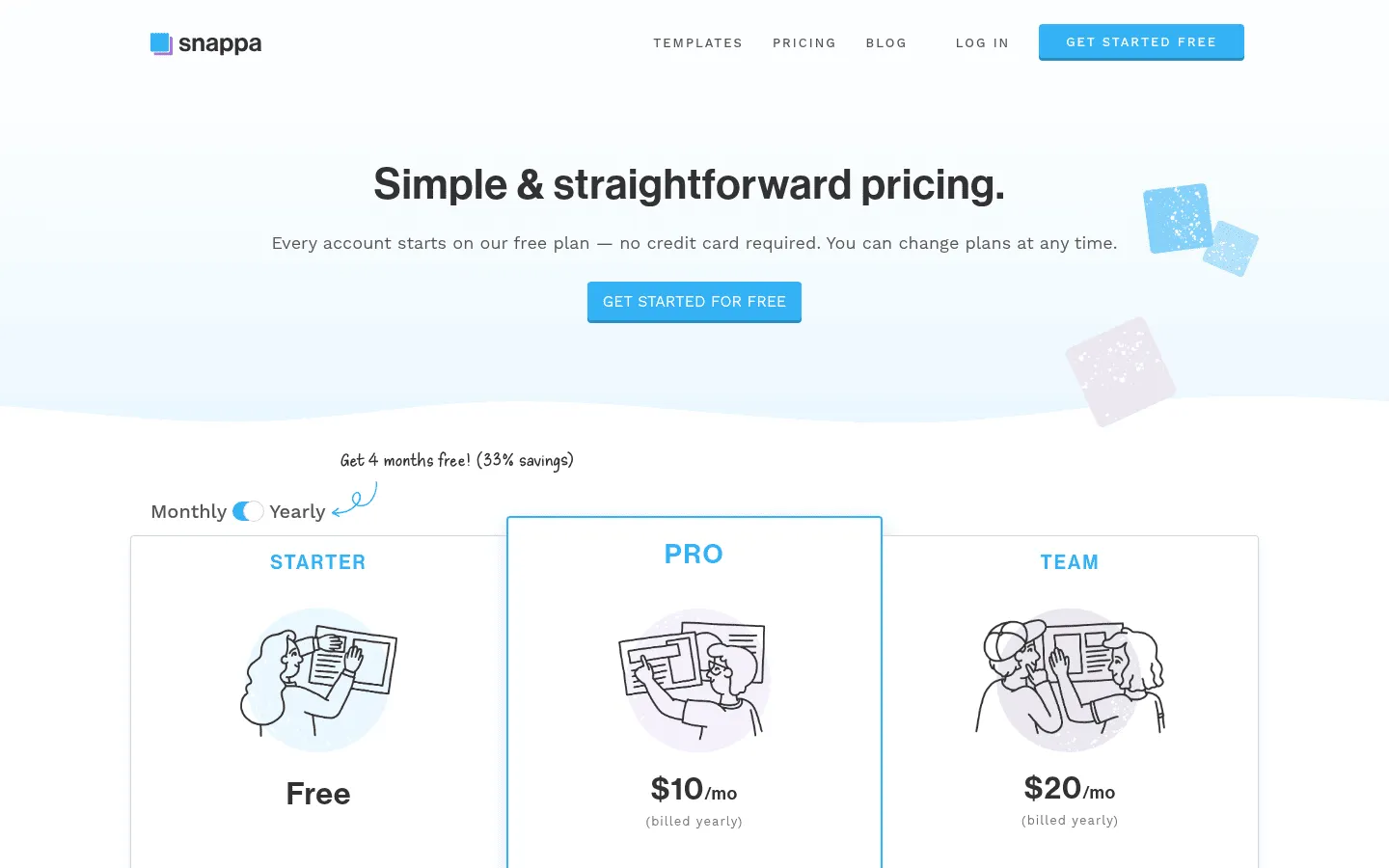
Snappa pricing plans, showing the free Starter tier with 3 monthly downloads alongside the annual $10/month Pro tier.
Pricing and Trade-offs
- Pricing: The free tier includes full template access but is strictly limited to 3 downloads per calendar month. On the Snappa pricing page, the Pro plan costs $10/mo (billed yearly) or $15/mo monthly, both for 1 user. A team plan costs $20/mo billed annually for up to 5 users.
- Trade-offs: The 3-download monthly limit is restrictive for regular publishers. Snappa has no presentation tools, vector drawing, or multi-page layouts.
6. Photopea: Best for Advanced Photo Retouching and PSD Editing
Canva relies on simple template cards, making it ill-suited for pixel-level photo manipulation, layer masking, frequency separation, or RAW camera files.
Photopea is a browser-based raster and vector image editor created by developer Ivan Kutskir, functioning as a web-native alternative to Adobe Photoshop.
Key Capabilities
- Broad File Support: Open and edit native Photoshop (.psd), Illustrator (.ai), Sketch, RAW, and SVG files with layer masks and smart objects.
- Client-Side WebAssembly: Processes images locally inside your browser sandbox without uploading pixels to remote servers.
- Professional Retouching: Full clone stamp, healing brushes, pen tool paths, color curves, and raster filters.
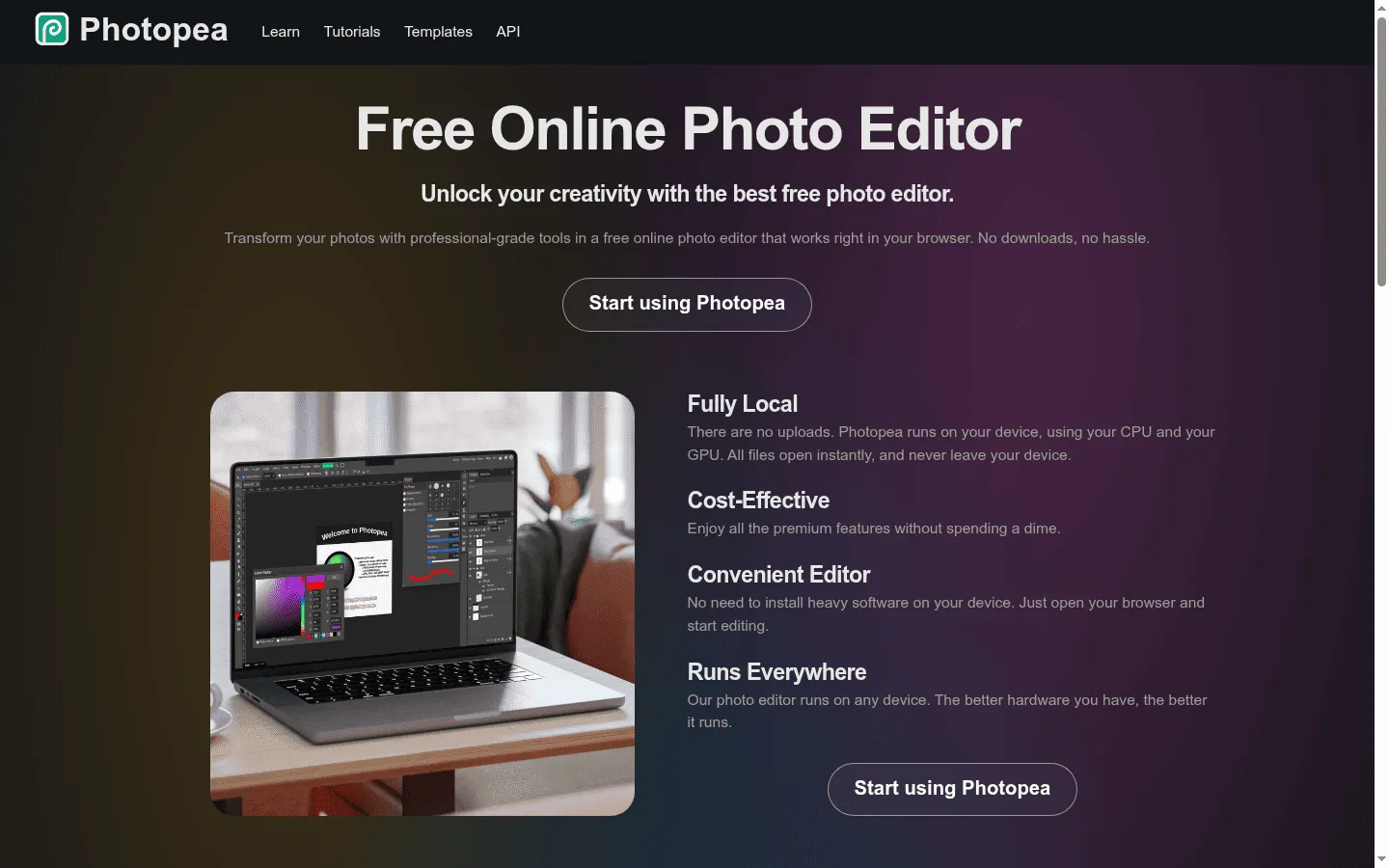
Photopea web platform, detailing client-side WebAssembly processing without server file uploads.
Pricing and Trade-offs
- Pricing: Free with ads. Premium access is available from €5/month.
- Trade-offs: Photopea is a photo editor, not a drag-and-drop template tool. It has a steep learning curve and lacks pre-made social media layouts.
7. VistaCreate: Best for Print-Ready Marketing Collateral
Formerly Crello, VistaCreate is owned by VistaPrint, one of the world’s largest commercial printers. While it supports digital graphics, its primary advantage is preparing physical print materials.
Key Capabilities
- Print-Ready Bleeds: Formats business cards, flyers, and merchandise with bleed margins and direct VistaPrint ordering.
- Depositphotos Media: Built-in access to royalty-free photography, vectors, and background textures.
- Brand Kits: Save logos, color swatches, and approved fonts for standardized collateral.
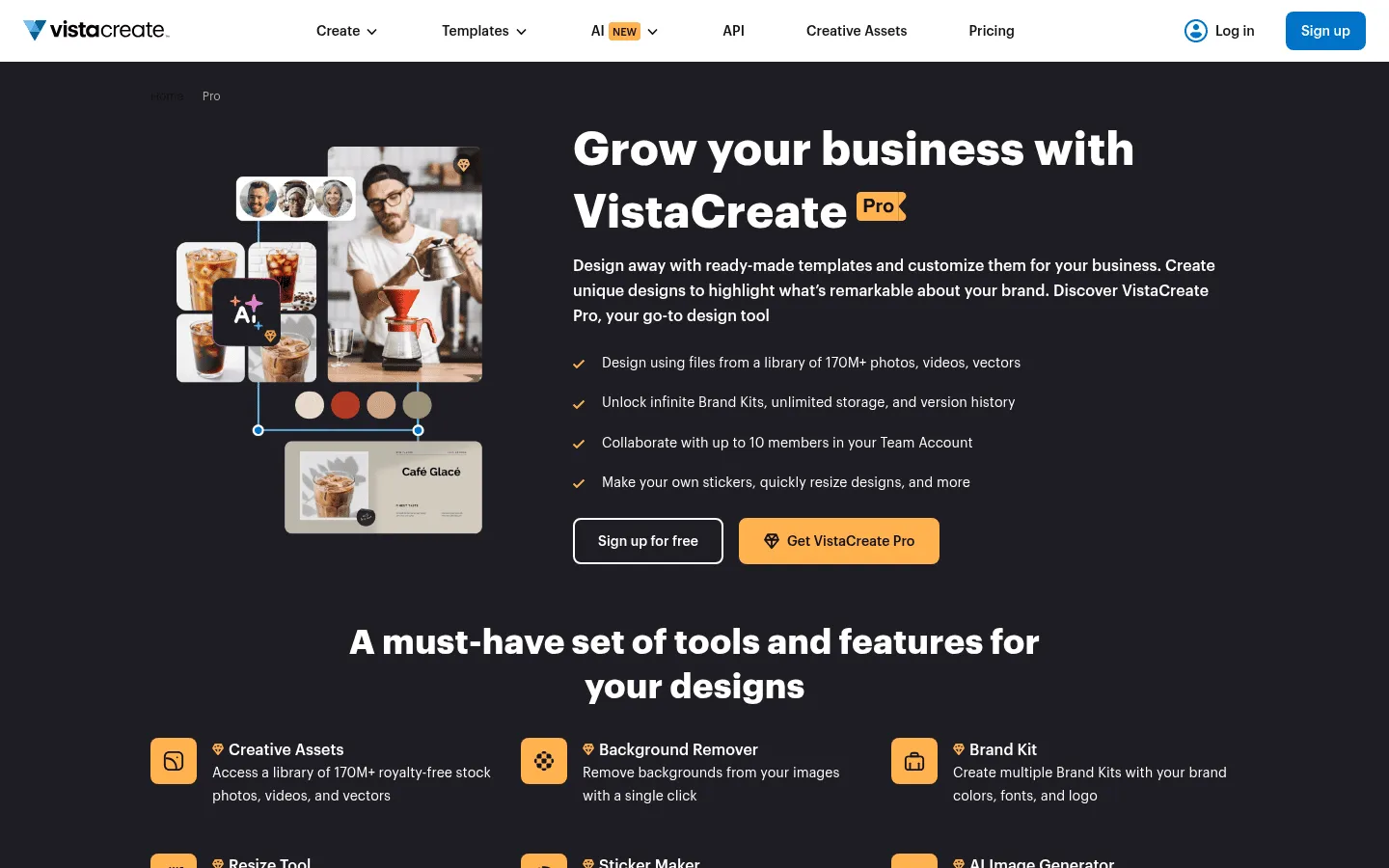
VistaCreate Pro capabilities, including team collaboration for up to 10 members and unlimited brand assets.
Pricing and Trade-offs
- Pricing: The Starter plan is free with 100,000+ templates and 10 GB storage. On the VistaCreate pricing page, the Pro plan is $13 USD/mo or $10 USD/mo billed yearly ($120/yr), with both options supporting up to 10 team members (seats), background erasers, and unlimited storage.
- Trade-offs: Automated background removal and multiple brand kits require a paid Pro subscription.
8. Figma: Best for Product Interfaces and Design Systems
When marketing graphics meet digital product design, Canva falls short. Figma is the industry standard for UI/UX teams, combining Auto-Layout and shared design tokens with a dedicated presentation builder (Figma Slides).
Key Capabilities
- Auto-Layout Constraints: Operates like CSS flexbox to adapt layouts cleanly as text lengths change.
- Shared Design Tokens: Update a master brand color or button style to cascade changes across all linked assets.
- Figma Slides: Combines drag-and-drop slide creation with live interactive prototypes and vector precision.
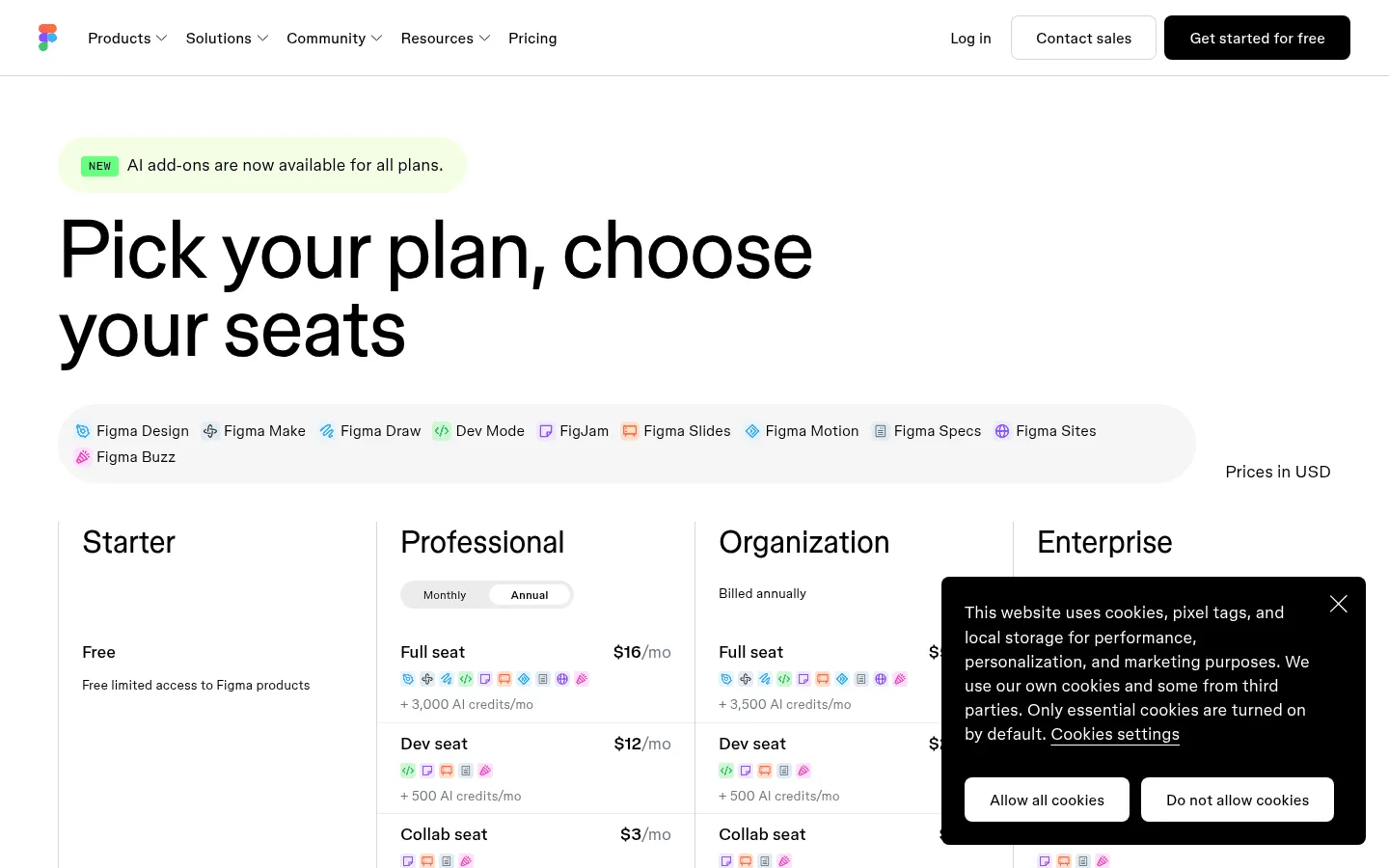
Figma seat-based pricing structure, showing Professional Full Seat ($16/month annual) and Dev Mode options.
Pricing and Trade-offs
- Pricing: Free Starter tier supports up to 3 collaborative design files and 3 FigJam files. Under Figma’s seat structure on the Figma pricing page, a Full Seat on the Professional plan costs $20/mo or $16/mo billed yearly ($192/yr), with 3,000 AI credits/mo included in both plans. Dev Mode seats cost $12/month billed annually ($15 monthly), while view-only access is free.
- Trade-offs: Figma has a steep learning curve for non-designers and lacks pre-made consumer holiday templates.
Which Canva Alternative Should You Choose?
To quickly pick the best platform for your workflow:
- For marketing banners with Creative Cloud links: Choose Adobe Express.
- For a free, unified suite with BYOK AI & self-hosting: Choose HyCanvas.
- For corporate slide decks connected to live data: Choose Visme.
- For fast graphic crops without an account: Choose Polotno Studio.
- For social media graphics on a budget: Choose Snappa.
- For pixel-level photo retouching and PSD layers: Choose Photopea.
- For physical print marketing and business cards: Choose VistaCreate.
- For product UI design and shared component tokens: Choose Figma.
How to Switch from Canva: A 4-Step Checklist
- Rebuild One Asset: Recreate an 8-slide deck or banner to test layout speed and typographic control.
- Check Export Quality: Export to vector PDF, SVG, or high-res PNG to verify sharp vectors and clean fonts.
- Review AI & Data Terms: Ensure model processing fits your privacy rules (self-hosting and BYOK offer maximum control).
- Test Live Collaboration: Invite a team member to test concurrent co-editing and comments.
Frequently Asked Questions
Can you use Canva offline? (And does Affinity from Canva require the internet?)
No. Canva is cloud-first. Its desktop and mobile apps only cache your active tab in memory; you cannot create new designs, browse elements, or export files offline. In contrast, Serif’s Affinity suite (acquired by Canva in 2024) consists of native desktop programs with perpetual licenses that run 100% offline without internet. For offline Canva alternatives, Photopea runs in-browser via WebAssembly, and HyCanvas can be self-hosted locally on a workstation via a Go binary or Docker container, saving designs to local .hyc files.
How do you download Canva slides to Google Slides?
In Canva, click Share > More > Microsoft PowerPoint Document (.pptx) and download the file. In Google Drive, upload the .pptx and select Open with > Google Slides. Note that missing fonts may substitute to system fallbacks, causing text shifts. For native vector exports, HyCanvas exports direct vector PDFs, and Visme supports PowerPoint downloads on paid tiers.
Is there a free version of Canva, and what is it good for?
Yes. Canva’s free tier covers basic templates, fonts, and standard exports, ideal for personal flyers and simple social posts. However, premium stock, background removal, SVG exports, and brand kits require Canva Pro ($120/year), and designs remain locked in Canva’s cloud. For an unwatermarked, multi-format design suite with zero paywalls, consider HyCanvas.
What is a Canva template, and what is better than Canva for full design control?
A Canva template is a pre-designed layout with fixed text and image frames. While fast, altering underlying structures can break the design. For complete control:
– For file ownership & self-hosting: HyCanvas (open .hyc files, AGPL-3.0).
– For photo retouching & layer masks: Photopea (PSD/RAW editing).
– For UI & design systems: Figma (auto-layout, components).
– For live data dashboards: Visme (spreadsheet sync).
What is the best free alternative to Canva with no watermarks?
Polotno Studio requires no account and exports unwatermarked PNG, SVG, and PDF files directly from the browser. For multi-format projects (social graphics, slide decks, whiteboards, and visual docs), HyCanvas is free under the open-source AGPL-3.0 with no paywalls or watermarks.
Can I self-host a Canva alternative on private servers?
Yes. HyCanvas can be deployed on private servers or local workstations using a lightweight compiled Go to the binary or standard Docker container connected to PostgreSQL. Setup details are available in the HyCanvas documentation.
Which Canva alternative is best for presentations?
Visme is best for data-heavy business reports with live spreadsheets. HyCanvas is best for prompt-assisted slide decks with individually editable vector layers and BYOK AI. Figma Slides is best for product teams requiring interactive prototypes and design tokens.
How do design platforms handle AI input data and training?
Consumer cloud platforms process prompts under vendor terms that may share data with third-party model providers. With HyCanvas, you use Bring Your Own Key (BYOK) AI, meaning prompts go directly to your connected provider (OpenAI, Anthropic, Google, Amazon Bedrock, DeepSeek) under your own API agreement and privacy terms.