
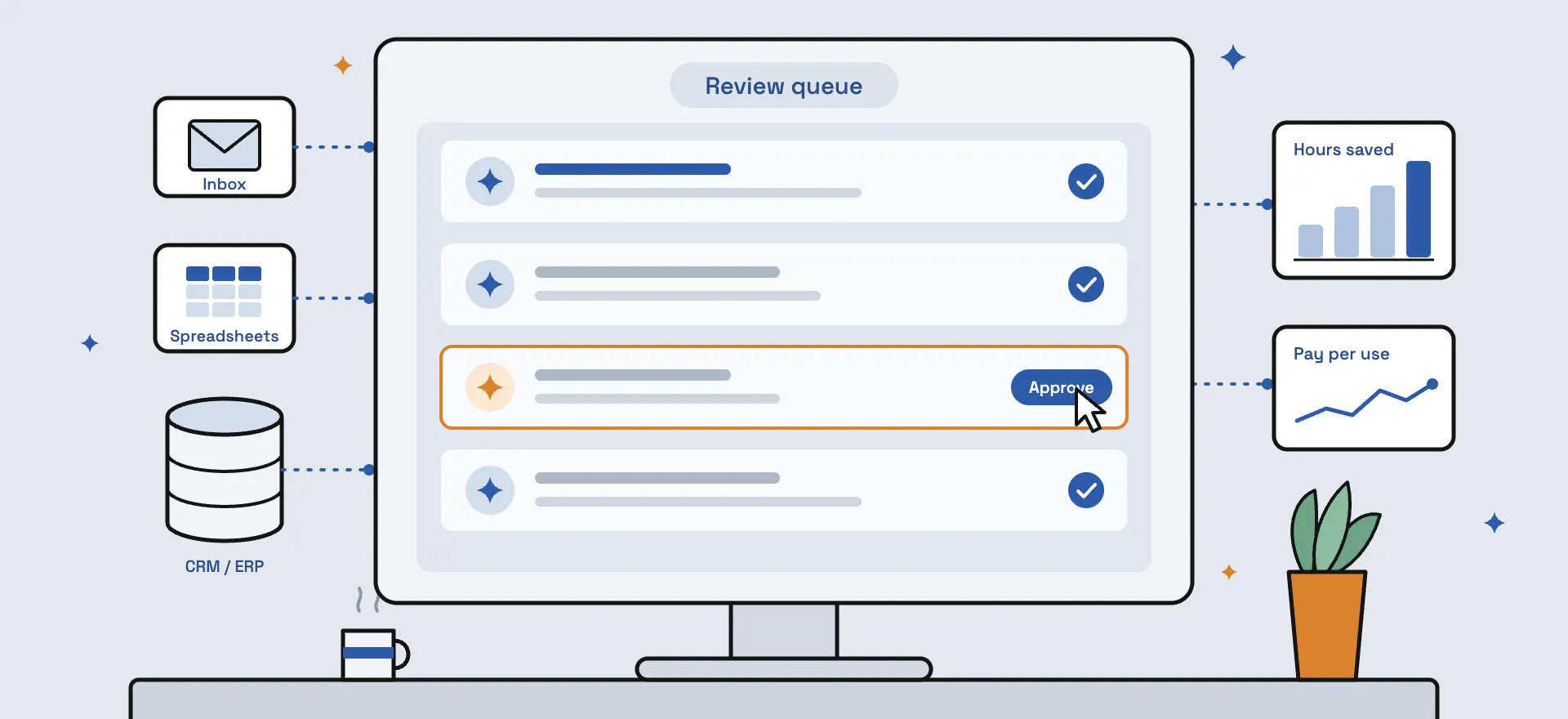
For a mid-market company, using AI for your business does not mean replacing people or software. Practical AI automation means one clean source of data alongside the systems you already run, an AI model that does the routine reading and matching, and a person who signs off on the exceptions, paid for by what it actually uses.
In 2013, one of America’s most respected cancer hospitals set out to do something extraordinary. The MD Anderson Cancer Center in Houston would use IBM’s Watson to help diagnose certain cancers and recommend how to treat them.
Four years later, the project was put on hold. Costs had topped $62 million, and the system had yet to be used on a single patient.
The story, told by Thomas Davenport and Rajeev Ronanki in a 2018 Harvard Business Review article, has a second half that gets far less attention. While the moon shot stalled, the same hospital’s technology team had been running smaller projects aimed at what the authors called “much less ambitious jobs.” Those results were “much more promising.”
That second half is the one worth remembering, because it describes how AI actually earns its keep in an established business: small, specific jobs rather than grand transformations. Most mid-market leaders who consider AI for business run into four fears before they get that far: that it will cost jobs, that it means replacing the software they rely on, that it takes months to build, and that the bills will be unpredictable. The research, and our own work, say otherwise on all four.
Will AI take our jobs?
Usually not. The strongest research so far shows AI making existing staff more productive, and newer staff even more so.
It is the first thing a frontline team hears when an executive says “automation.” The evidence points the other way. As an AI consulting firm, we hear this concern often, and our answer is usually the same. The company needs automated workflows handled by AI, and the AI needs experts who handle those workflows on a daily basis. If a company fires their team in favor of automations and AI agents, they lose the expertise the AI depends on to work well.
If your firm is automating work, your people become more valuable, not less. A sound AI workforce strategy keeps the experts and changes what they spend their day on.
In 2023, three economists, Erik Brynjolfsson of Stanford and Danielle Li and Lindsey Raymond of MIT, got an unusually close look at the question. They followed 5,179 customer support agents while an AI assistant was rolled out to them in stages. Their findings, later published in the Quarterly Journal of Economics, showed agents resolving 14% more issues per hour on average. For the newest and least experienced agents, the gain was 34%.
The tool wasn’t used to replace anyone. It appeared to pass along what the best agents already knew, so newcomers caught up faster. Customers were happier, and more agents stayed in their jobs. The veterans, tellingly, barely gained at all. The AI was mostly teaching what they had already learned the hard way.
A second study explains why a person still needs to stay in the room. Researchers from Harvard Business School, Wharton, MIT Sloan and Warwick Business School ran an experiment with 758 consultants at Boston Consulting Group. On tasks the AI handled well, consultants using it finished 12.2% more work, 25.1% faster, at more than 40% higher quality.
But on a task that looked just as hard and sat beyond what the AI could do, consultants using it were 19 percentage points less likely to reach the right answer than colleagues working without it. The researchers called this the “jagged frontier.” The line between what AI does well and what it does badly is uneven, and hard to see from the outside.
In a conversation with one of our clients, the discussion revolved around automating their sales reps’ email outreach entirely, versus keeping a person in the loop to approve each draft. If automated entirely, the system would depend on the AI agent never making things up and giving 100% accurate responses every single time. This is rarely the case. If the agent makes something up or gives an incorrect response, the client pays the price of losing a customer.
That is the case for keeping a [human in the loop](https://hyscaler.com/insights/human-in-the-loop-vs-on-the-loop-ai-guide/), and that is how it plays out in real life. We set up a system for the client where each email response is pre-drafted and waiting for the sales rep to approve. This cuts down the time taken to draft a response, while ensuring that only validated, correct information reaches their customers’ inboxes. The reps now save time which would otherwise go to drafting, and response rates for sales reps increase as the AI logs every email that comes in and drafts responses accordingly.
Where the “human” touch comes in depends on who sees the result of the tasks being automated. For back-office work, such as matching invoices to orders, software can clear the routine items and send only the exceptions to a person. For anything a customer will read, a person must approve every draft because one wrong answer costs more than the minutes saved.
Do we have to rip out the software we already have?
No. AI automation that works keeps your CRM and ERP in place and adds a clean data layer and an AI model alongside them.
The second fear usually arrives with a vendor pitch: scrap the old systems, move everything onto one new platform, and the problems go away. MD Anderson’s $62 million suggests a different instinct. The article’s own subtitle puts it in four words: don’t start with moon shots.
For a mid-market company, the small road usually looks like this. The CRM or ERP system, whether that is Salesforce, NetSuite, SAP or something built in-house, stays exactly where it is, as the record everyone trusts. Alongside it goes one tidy database, in the company’s own cloud account, that gathers what is currently fragmented across marketplace portals, inboxes and spreadsheets.
Getting that data into one place is the first step of any sensible AI data strategy, and it often fixes problems on its own, before any AI is involved, simply because people can finally see the same numbers. Our AI data readiness checklist covers what to look for. Only then does an AI model, running privately through a service such as Amazon Bedrock, get connected to read, match and flag, which is the heart of AI-powered automation. The company’s records never leave its own account, and the systems your teams rely on never change underneath them.
Doesn’t building this take months?
Not usually. A rough prototype can be working within a day, and a production version within weeks.
Most firms assume anything involving custom builds belongs in a development queue measured in quarters. Often it does not.
A sales rep at one of our clients wanted prospects researched against a very specific checklist: country, size, the systems they run. A configurable assistant, such as a Gemini Gem or a custom GPT, was up in an afternoon and put to work the same day. It wasn’t perfect, and it didn’t need to be. It told everyone, quickly and cheaply, whether the idea was worth building properly. The rep then followed up with details on the workflow and how he imagined it. We had it live in two weeks: connected to the company’s own database and CRM, tested, and monitored.
The lesson is less about the tool than the timing. Try the idea cheaply first, and build the permanent version once people are actually using it.
What does it actually cost?
Most AI software is still sold by the seat, often $30 or more per user per month, billed a year in advance. That model makes little sense when the work is done by a program that runs at three in the morning and never logs in.
The alternative is paying only for what gets used: the cloud database and scheduler doing the plumbing, plus the AI model’s usage, billed by volume. In a quiet month the bill shrinks on its own. In a busy one it grows with the work, rather than prompting a new hire or a pricier license tier. And because every line of the bill maps to work the system actually did, finance can see exactly what it is paying for.
Where do you start?
Start with the one process that eats the most staff hours.
HyScaler runs AI implementation on a fixed 90-day plan we call CWR90: Crawl, Walk, Run. In the first 30 days, we find the one process eating the most staff hours and give its data a clean home. In the next 30, we connect the AI and build the review queue, so routine items clear on their own and the odd ones reach a person. In the last 30, the workflow goes live with monitoring, and the hours saved are measured against the monthly bill before anyone talks about the next department.
It is the MD Anderson lesson applied on purpose: one less ambitious job, done properly, before the next one. Whoever you work with, ask for a plan that starts this small. Our guides to [choosing an AI automation company](https://hyscaler.com/insights/ai-automation-solutions-company/) and the [best AI consulting companies in the USA](https://hyscaler.com/insights/best-ai-consulting-companies-in-the-usa-2026/) cover what else to check.
If a spreadsheet your team quietly dreads comes to mind, our AI transformation services and data engineering services are built for exactly this kind of project: small to start, measurable, and fitted around the systems you already run.