

Table of Contents
Until recently, businesses often resorted to outsourcing every stage needed to develop a mobile app, largely due to tight budgets and lengthy timelines. However, with the proliferation of user-friendly development platforms and intuitive software tools, many small businesses are now taking the reins and building apps in-house.
As a consequence, an increasing number of companies are recognizing the transformative potential of developing a mobile app, whether for internal processes or customer engagement. Despite the initial apprehension that comes with embarking on app development, the journey proves to be immensely rewarding.
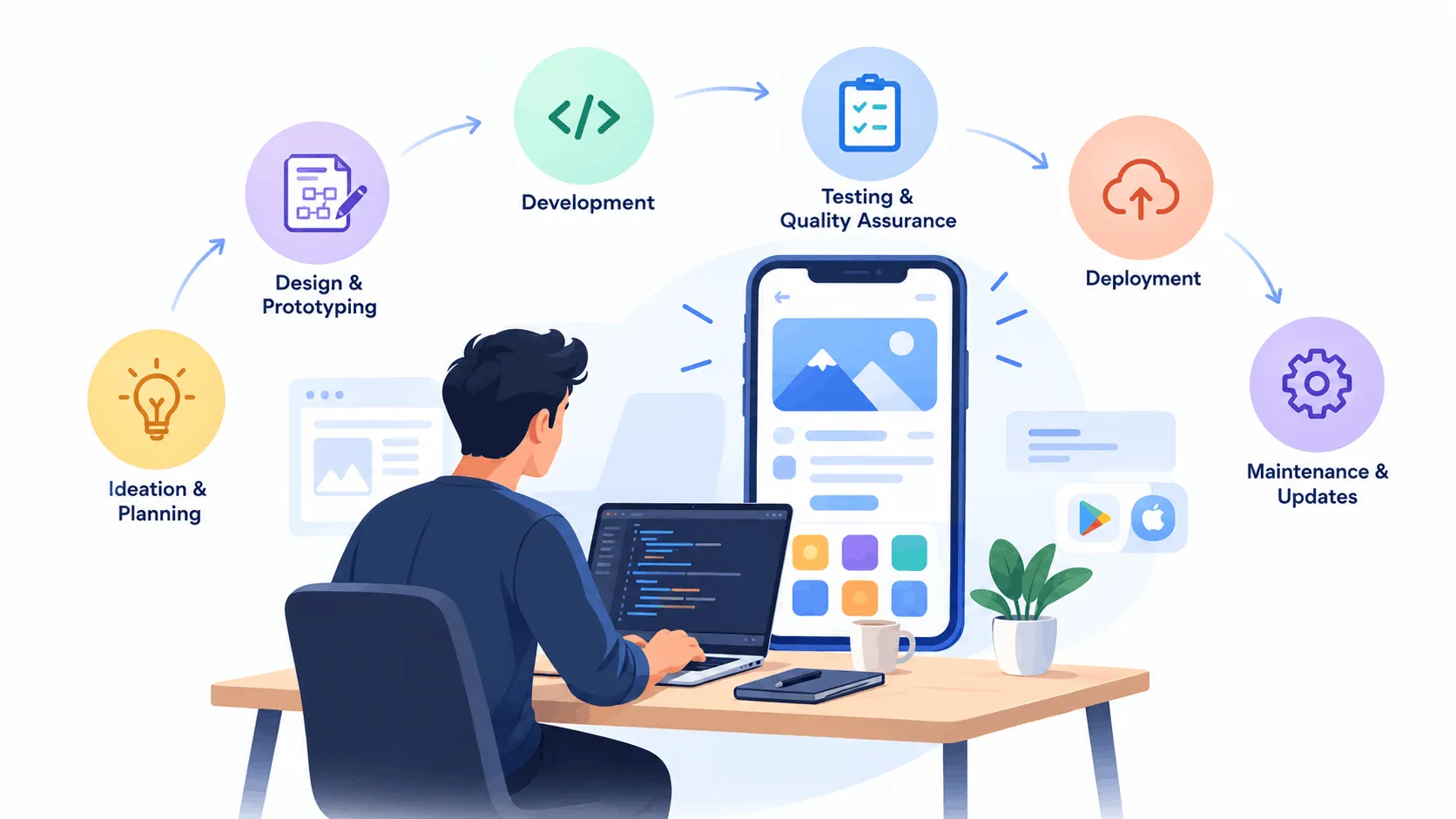
This comprehensive guide walks through the intricacies of the app development lifecycle, empowering you to harness the power of mobile technology. From conceptualization to deployment, each step below is meticulously outlined to ensure nothing gets missed.
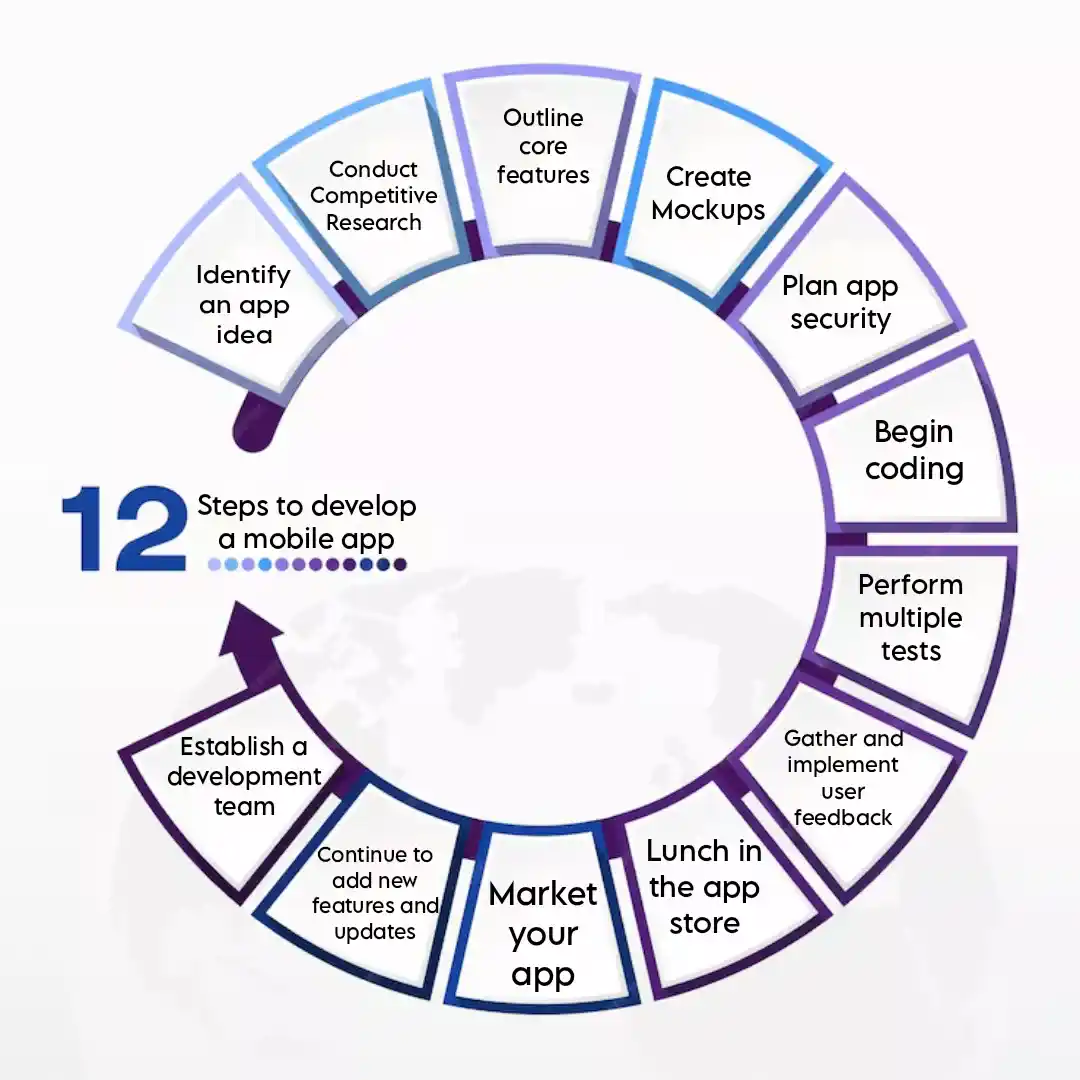
How to Develop a Mobile App in 12 Steps
Developing a mobile app is a complex process that involves numerous stages, each crucial to the app’s success. Here’s a comprehensive 12-step guide to develop a mobile app efficiently:
1. Identify an App Idea
To develop a mobile app, one should start with a compelling idea by identifying a unique problem or market gap. Consider the target audience and how the app adds value. Use surveys, focus groups, and online tools to gather insights and validate the idea. Aim for a clear, concise app concept that addresses a specific problem or enhances an existing solution. For example, churches are increasingly turning to mobile apps to engage their communities, offering features like online giving, event updates, and sermon streaming. Apps for churches are a great example of how organizations can use mobile platforms to meet the specific needs of their audience.
2. Conduct Competitive Research
To develop a mobile app, one should begin with a solid idea, conduct competitor research, and analyze similar apps. This analysis helps understand strengths and weaknesses, identify differentiation opportunities, and avoid replication. Examining features, user reviews, and ratings reveals market trends and user expectations, guiding the app’s unique functionality and design.
- Study 3–5 direct competitor apps in depth, not just skim their listings
- Mine their reviews and ratings for recurring user complaints
- Use the gaps you find to shape real differentiation, not just feature parity
3. Outline Core Features
To develop a mobile app, the team should outline core features based on market needs and competition, prioritizing essential functionalities. They should focus on creating a Minimum Viable Product (MVP) with these core features to launch quickly and gather initial user feedback. This feedback will guide further development and improvements.
- List every possible feature, then cut ruthlessly down to an MVP set
- Prioritize by user value, not internal preference or ease of build
- Treat the MVP as a learning tool for the next release, not the finished product
4. Create Mockups
Mockups are visual representations of a mobile app’s interface, showing how it will look and function before a single line of code is written. When teams develop a mobile app, most now build these mockups in Figma or Adobe XD, both of which support real-time collaborative review between designers, developers, and stakeholders. This helps visualize the user journey and catch design issues early, ensuring everyone is aligned on layout and user experience before development begins.
- Build interactive mockups in Figma or Adobe XD, not static screens
- Walk through the full user journey screen by screen before coding
- Get designer, developer, and stakeholder sign-off before development starts
5. Plan App Security
Security is pivotal any time you develop a mobile app, and it needs to be planned early rather than bolted on later. This means designing for data protection from day one: encryption in transit and at rest, secure user authentication (including biometric and multi-factor options), and regular security audits throughout the build. Compliance with regulations like GDPR or CCPA should be mapped out wherever the app handles personal or payment data. Addressing security at the planning stage prevents costly breaches later and builds user trust from the first download.
- Encrypt data in transit and at rest from the very first build
- Add secure, multi-factor or biometric authentication early, not as an afterthought
- Map GDPR/CCPA compliance wherever the app touches personal or payment data
6. Begin Coding
With a solid plan and mockups, the team starts coding. Choosing the right technology stack based on requirements and target platform (iOS, Android, or both) is crucial. Utilizing development frameworks and tools, whether native (Swift for iOS, Kotlin for Android) or cross-platform (React Native, Flutter), is necessary. Breaking down the development process into manageable tasks and following agile methodologies ensures iterative progress and timely feedback.
7. Perform Multiple Tests
Testing is vital any time a team sets out to develop a mobile app, covering functionality, usability, and performance. Unit, integration, and system testing each catch different categories of issues. Automated tools expedite repetitive testing, while manual checks catch nuanced, real-world problems automation tends to miss. Beta testing with a select group of real users offers insight no internal QA process can fully replicate. Comprehensive testing before launch means fewer surprises and fewer one-star reviews after release.
- Run unit, integration, and system tests, not just a final smoke test
- Automate repetitive checks; manually test the nuanced, real-world flows
- Beta test with a small group of real users before public release
8. Gather and Implement User Feedback
After testing, gathering feedback from the people who actually used the app is one of the most valuable things a team can do before launch. Surveys, app store reviews, and direct outreach all help surface how real users experienced the product versus how the team assumed they would. Any team that wants to develop a mobile app people actually stick with should treat this feedback loop as an ongoing input, not a one-time checkpoint, analyzing it to refine features, fix friction points, and adjust priorities before wider release.
- Collect feedback via surveys, app store reviews, and direct user outreach
- Separate one-off complaints from genuinely recurring patterns
- Feed validated fixes into the next sprint rather than a backlog that never ships
9. Launch in the App Store
After testing and refining, the next step is preparing for launch. Creating compelling store listings with detailed descriptions, high-quality screenshots, and preview videos is essential. Following the submission guidelines of both the Google Play Store and Apple App Store closely helps avoid rejection delays. Any team that wants to successfully develop a mobile app and get it in front of real users should also optimize listings for relevant keywords well before submission; discoverability starts at launch, not after.
- Write clear, keyword-optimized store listings with detailed descriptions
- Prepare high-quality screenshots and a short preview video
- Follow Apple and Google’s submission guidelines closely to avoid rejection delays
10. Market Your App
Effectively marketing the app post-launch is crucial for success. Developing a strategy encompassing social media promotion, influencer partnerships, content marketing, and paid advertising is essential. Utilizing app store optimization (ASO) techniques boosts the app’s search ranking. Engaging with potential users across channels and encouraging downloads and shares fosters user growth. You can also leverage the expertise of best PPC agencies to refine your targeting parameters and maximize immediate visibility across highly competitive search results.
11. Continue to Push New Features and Updates
No team is done the moment they develop a mobile app and ship it; continuously pushing new features and updates is what keeps an app relevant and engaging long-term. Monitoring user behavior and feedback helps identify which functionalities people actually value versus which ones go unused. Regular updates fix bugs, improve performance, and add incremental value. Keeping users informed via in-app notifications and clear release notes maintains engagement and reduces churn.
- Monitor real usage data, not assumptions, to prioritize updates
- Ship fixes and improvements on a regular, predictable cadence
- Communicate changes clearly via release notes and in-app messages
12. Establish a Development Team
Establishing a dedicated development team is vital for sustained support and enhancements well beyond launch. Whether you build in-house or partner with an external team to develop a mobile app, you’ll want the same core disciplines covered: developers, designers, QA testers, and marketers, working collaboratively rather than in silos. Fostering ongoing learning within the team helps it stay current as frameworks, platform guidelines, and user expectations continue to shift.
- Cover developers, designers, QA, and marketing, not just engineering
- Decide in-house vs. external partner based on long-term support needs
- Build in ongoing learning so the team keeps pace with platform changes
By following these 12 steps, anyone can develop a mobile app that is well-planned, user-friendly, and successful in the competitive app market. Each step is vital in ensuring that the app not only meets user expectations but also stands out in a crowded marketplace.
Related Article:
Custom Mobile App Development: Empower Business by 2X Growth
Summing Up: Insights into App Development
Following these 12 steps can streamline the successful development of a mobile app. Each stage is crucial in ensuring the app’s viability and user satisfaction from ideation to launch and beyond. By identifying an innovative idea, conducting thorough research, and assembling a skilled team, developers can confidently navigate the complexities of app development. With diligent planning, testing, and continuous improvement, creating a standout mobile app becomes an achievable goal.
FAQs
How long does it take to develop a mobile app?
Most apps take three to nine months from idea to launch, depending on feature complexity, platform count, and team size.
What’s the difference between native and cross-platform apps?
Native apps are built per platform for best performance; cross-platform frameworks like Flutter or React Native share one codebase across both.
What is an MVP, and do I really need one?
An MVP is the smallest usable version of your app built around core features; it’s the fastest, cheapest way to validate an idea with real users.
What are the most common reasons apps fail?
Poor onboarding, solving a problem too few people have, weak post-launch marketing, and skipping real user testing before release.
What’s the best way to test an app before public launch?
Run a closed beta with a small group of real target users in addition to internal QA; they’ll surface usability issues your team won’t notice.
How do app stores decide whether to approve my app?
Both stores review for policy compliance, crashes, broken links, and misleading metadata; following their submission guidelines closely avoids most rejections.
Is Flutter or React Native better?
Both are strong choices; Flutter tends to edge out on UI consistency across platforms, while React Native benefits from a larger existing JavaScript talent pool.