

Table of Contents
Data powers every modern business, and its loss can lead to serious operational and financial consequences. Whether it’s a ransomware attack, accidental deletion, or a hardware failure, organizations without a reliable cloud backup strategy are one incident away from irreversible damage. Investing in the right online data backup infrastructure is no longer a luxury; it is a foundational requirement for operational continuity. This guide covers how it works, why it matters, what features to look for in a platform, and how to implement a strategy that actually holds up when a crisis hits.
What is Cloud backup?
Cloud backup is the process of copying and storing data from local devices, servers, or applications to a remote, internet-accessible storage environment managed by a third-party provider. Unlike traditional backups that rely on physical media, tapes, external drives, or on-premise servers, it stores your data off-site in secure, redundant data centers.
This means your data security is maintained even if your physical office is destroyed, flooded, or compromised. Modern backup software automates the entire process, running scheduled or continuous backups without requiring manual intervention from your IT team.
How Cloud backup works
A cloud backup solution typically operates through the following stages:
- Data identification: The software scans your systems to identify files, databases, and configurations that need protection.
- Compression and deduplication: Data are compressed, and duplicate blocks are removed to reduce storage usage and speed up transfers.
- Encryption: Before transmission, data is encrypted, usually with AES-256, so it cannot be read in transit or at rest.
- Transfer: Encrypted data is uploaded over a secure connection to the provider’s remote servers.
- Indexing and verification: The platform indexes stored data and runs integrity checks to confirm every file is complete and recoverable.
- Recovery on demand: Authorized users can restore individual files, entire folders, or full system images directly from the dashboard.
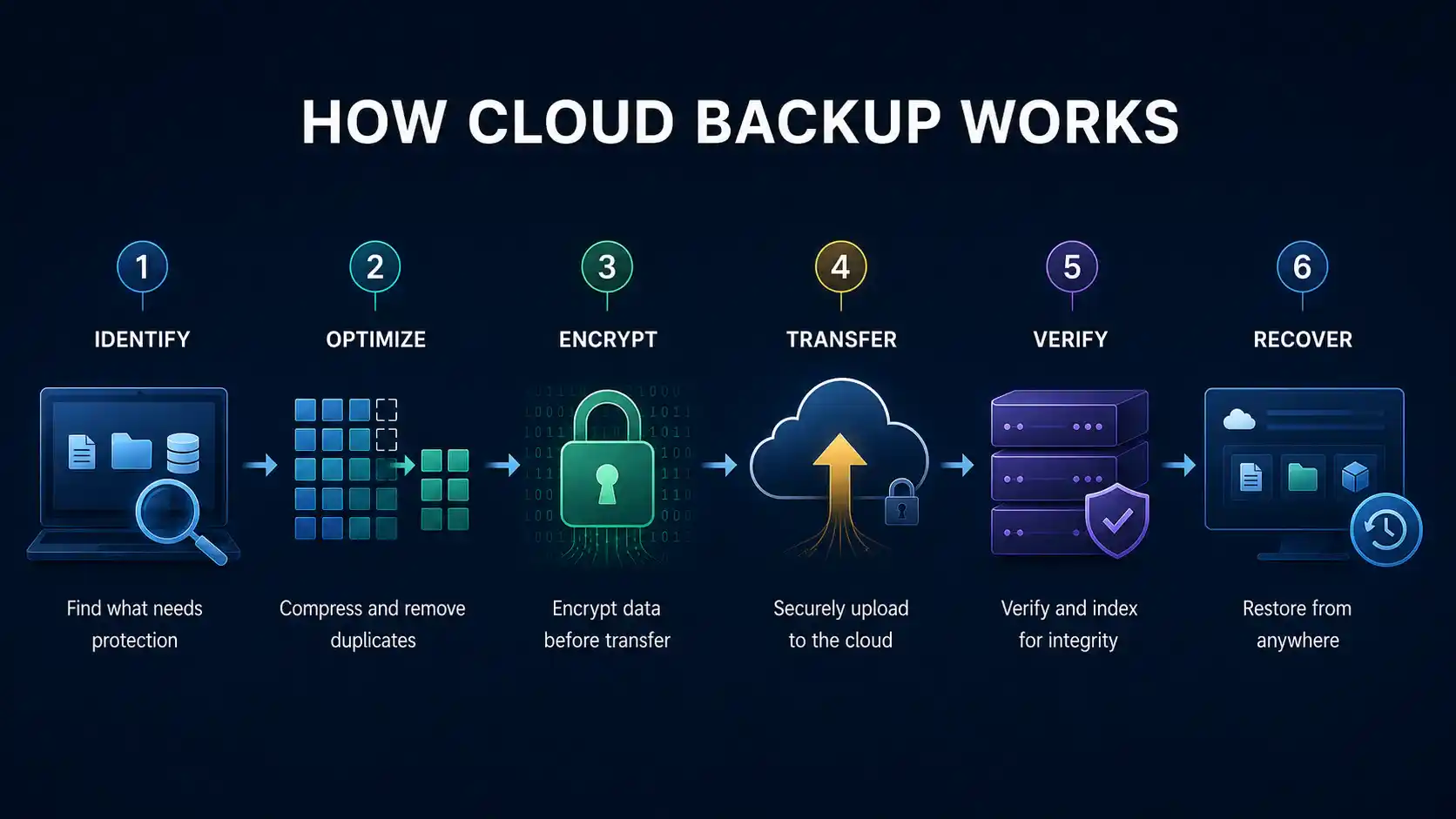
This end-to-end pipeline is what makes cloud backup fundamentally more resilient than relying on local storage alone. Each stage is designed to eliminate a specific point of failure in deduplication, keep storage costs manageable, and ensure integrity checks that keep you from being surprised during a real data recovery event.
Why Businesses Need It
Many organizations underestimate how quickly data loss translates into financial and operational damage. Here is why a strong cloud backup strategy has become a business necessity:
Protection against ransomware
When attackers encrypt your local data and demand payment, an up-to-date ransomware data recovery plan powered by cloud backup lets you restore systems without paying the ransom and without losing weeks of work. Ransomware protection starts with ensuring your backups are immutable and stored off-site, out of reach of attackers who often target local backup copies first.
Regulatory compliance
Healthcare, finance, and legal sectors are legally required to retain and protect data for defined periods. Failing an audit due to missing records can result in significant fines and reputational damage. Cloud backup compliance features built-in audit logs, tamper-proof storage, and configurable retention policies simplify adherence to HIPAA, GDPR, SOC 2, and similar frameworks, reducing the compliance burden on your internal team.
Disaster recovery readiness
Natural disasters, power outages, and physical theft can destroy on-premise infrastructure overnight. A solid backup and disaster recovery strategy ensures your data exists independently of any single physical location, letting your team resume operations quickly from any device.
Reduced IT overhead
Managing tape libraries and local servers demands dedicated staff and physical space. A managed cloud backup service provider offloads this operational burden, often at a lower total cost than maintaining equivalent on-premise infrastructure.
Key Features to Look For
Not every platform is equal. When evaluating cloud backup solutions, prioritize these capabilities:
Automated and Continuous Backup
Look for solutions that run on a defined schedule, hourly, daily, or in real time, so your most recent data is always protected without human intervention.
Granular Recovery Options
The ability to restore a single file without recovering an entire system image saves significant time during incidents. A quality platform supports file-level, folder-level, application-level, and full-system recovery.
End-to-End Encryption
Ensure the provider uses AES-256 encryption during transfer and at rest, and confirm whether you can manage your own encryption keys for added control.
Versioning and Retention Policies
Version history lets you roll back to a specific point in time, essential when malware silently corrupts data before detection. Review the number of backup versions stored and the duration for which they are maintained.
Scalable Storage
As your organization grows, your storage needs will expand. A scalable cloud backup solution lets you increase capacity on demand without hardware procurement delays.
Recovery Time Objectives (RTO) Support
The best platforms provide recovery time estimates and support rapid restoration to minimize business downtime.
How It Differs from Cloud Storage
A common misconception is that services like Google Drive or Dropbox serve as a cloud backup solution. They do not.
| Feature | Cloud Storage | Backup Service |
|---|---|---|
| Primary purpose | File sharing and access | Data protection and recovery |
| Versioning | Limited | Comprehensive (multiple restore points) |
| Automation | Manual sync | Scheduled or continuous |
| Recovery scope | Individual files | Files, systems, databases |
| Compliance features | Minimal | Audit logs, retention policies |
Cloud storage is built for convenience and collaboration; it is excellent for sharing files and accessing documents across devices. But it lacks the automated scheduling, deep versioning, system-image recovery, and compliance-grade audit trails that true data protection demands. Cloud backup is built for resilience. Relying on storage platforms alone leaves significant gaps in your recovery capability, particularly after a ransomware attack, where you need to restore an entire environment, not just a handful of files.
Types of Backup Solutions
Understanding the different models helps you choose the right approach for your infrastructure:
1. Full Backup
A full backup captures a complete copy of all selected data at a single point in time.
- What it does: Copies every file, folder, database, and system configuration included in the backup scope; nothing is skipped.
- Storage impact: High; every full backup consumes as much space as the total data being protected.
- Speed: Slowest of all backup types due to the volume of data transferred in every job run.
- Recovery speed: Fastest since everything is in one place; restoring requires only a single backup set.
- Best for: Weekly scheduled jobs that serve as the baseline for incremental or differential cycles.
- Typical use case: A business runs a full backup every Sunday night, then builds incremental or differential jobs on top throughout the week.
Key trade-off: Maximum data completeness at the cost of storage and time. Do not rely on full backups alone for daily protection.
2. Incremental Backup
An incremental backup copies only the data that has changed since the last backup job — whether that was a full or a previous incremental run.
- What it does: Tracks changes at the block or file level and transfers only what is new or modified since the last job.
- Storage impact: Very low; each incremental job is a small fraction of a full backup.
- Speed: Fastest backup type after the initial full run, making it suitable for hourly or real-time schedules.
- Recovery speed: Slower restoring requires the last full backup plus every incremental job run since, applied in sequence.
- Best for: Daily or continuous data protection where minimizing backup windows and storage costs is a priority.
- Typical use case: A full backup runs Sunday; incremental jobs run Monday through Saturday, each capturing only that day’s changes.
Key trade-off: Efficient and fast to run, but recovery is more complex since multiple backup sets must be chained together.
3. Differential Backup
A differential backup captures all data that has changed since the last full backup, regardless of how many incremental or differential jobs have run in between.
- What it does: Each differential job grows progressively as more changes accumulate since the last full backup, but always references the same baseline.
- Storage impact: Medium, larger than incremental but smaller than a full backup; grows day by day until the next full cycle resets it.
- Speed: Moderate, slower than incremental but faster than a full backup.
- Recovery speed: Fast, restoring requires only two backup sets: the last full backup and the most recent differential job.
- Best for: Organizations that want a balance between backup efficiency and recovery simplicity.
- Typical use case: A full backup runs on Sunday; a differential job runs each subsequent day. By Friday, it is large, but recovery only ever needs Sunday’s full amount plus Friday’s differential.
Key trade-off: Simpler and faster recovery than incremental, but differential jobs consume more storage as the week progresses.
4. Hybrid Backup
A hybrid backup strategy combines local on-premise backup with off-site protection, giving organizations the speed benefits of local storage and the resilience of remote redundancy.
- What it does: Data is backed up locally first for fast access, then automatically replicated to a remote environment for disaster recovery and long-term retention.
- Storage impact: Higher overall, data exists in two or more locations simultaneously.
- Speed: Local recovery is near-instant; remote recovery speed depends on internet bandwidth and data volume.
- Recovery speed: Best of both worlds, use local storage for rapid day-to-day restores and remote storage when local infrastructure is unavailable or destroyed.
- Best for: Businesses that need fast recovery SLAs for routine incidents AND off-site protection for catastrophic events like fires, floods, or ransomware.
- Typical use case: A company backs up to a NAS device on-premise for quick file restores, while a nightly replication job sends the same data to a remote provider for disaster recovery.
Key trade-off: The most comprehensive approach, but also the most complex to manage and the highest in combined storage costs.
Best Practices for Implementation
A cloud backup solution is only as effective as the strategy behind it. Follow these practices to maximize protection:
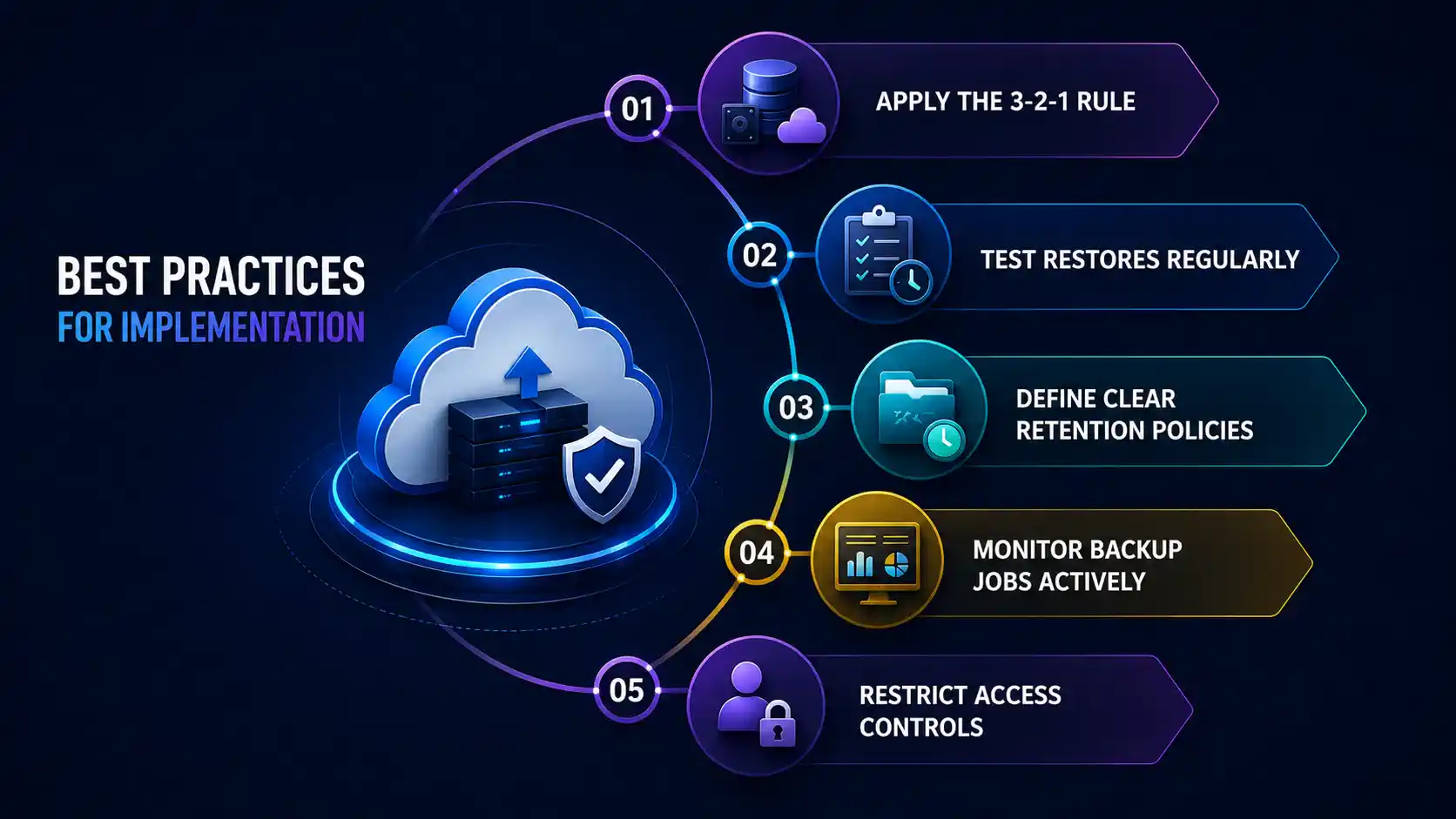
Apply the 3-2-1 rule
Maintain three copies of your data: two on different local media types and one off-site cloud backup copy. This standard ensures that no single failure point can eliminate all copies.
Test restores regularly
Backing up data is only half the job. A backup that cannot be reliably restored is worthless. Schedule quarterly restore tests to confirm your system can recover individual files, application data, and full system images within your required timeframes. Document each test result and use it to refine your recovery playbooks.
Define clear retention policies
Decide how long each data type should be retained before it is purged. Regulatory records may require retention for seven or more years, while operational logs may only need 90 days. Mapping each data category to a retention period and configuring your platform to enforce it automatically keeps storage costs under control while maintaining compliance.
Monitor backup jobs actively
Failed backups are a silent risk. Set up alerting so your team is immediately notified if a job fails, is delayed, or produces errors. Many platforms also offer centralized dashboards where administrators can review backup health across all protected workloads at a glance, an essential feature as your environment scales.
Restrict access controls
Limit who can access, delete, or modify configurations. Role-based access control prevents both accidental changes and deliberate sabotage.
Choosing the Right Provider
The market includes a wide range of cloud backup providers, from hyperscaler-native services like AWS Backup and Azure Backup to dedicated platforms such as Veeam, Acronis, and Backblaze Business. When selecting a provider, evaluate:
- Geographic redundancy: Does the provider replicate your data across multiple data centers?
- SLA and uptime guarantees: What recovery time and data durability commitments are offered?
- Compliance certifications: Does the provider hold SOC 2, ISO 27001, or HIPAA BAA certifications required by your industry?
- Support quality: Is expert support available 24/7 during critical incidents?
- Pricing transparency: Understand whether costs are based on data volume, device count, or recovery actions; hidden fees in cloud backup pricing are common.
Final Thoughts
Cloud backup is no longer optional for businesses that depend on data to operate. A well-designed cloud backup and recovery strategy protects against ransomware, enables regulatory compliance, reduces recovery time during disasters, and removes the burden of managing physical backup infrastructure.
Start by auditing what business data backup needs your organization has and classifying data by criticality; customer records and financial data demand different protection levels than archived project files. Define your RTO and RPO for each category, and build a policy that maps directly to those targets. Automate wherever possible, assign ownership clearly, and review your strategy at least annually or whenever your infrastructure changes significantly.
The question is not whether you can afford it; it is whether you can afford to operate without it. Data loss is not a matter of if; for most organizations, it is a matter of when. The businesses that recovered quickly and cleanly are the ones that invested in a solid online data backup strategy before the incident, not after.
FAQs
Is cloud backup actually safe? Can the provider read my files?
Reputable providers encrypt your data both in transit and at rest using AES-256, and many offer zero-knowledge or bring-your-own-key (BYOK) options, meaning even the provider cannot access your files.
How often should I run cloud backup?
Most businesses run daily automated incremental backups, but the right frequency depends on your Recovery Point Objective (RPO), essentially the maximum amount of data loss your business can tolerate before it becomes a serious problem.
What happens to my data if my cloud backup provider shuts down?
A good backup strategy never relies on a single provider; following the 3-2-1 rule, two local copies and one off-site, ensures your data survives even a provider outage, acquisition, or shutdown.
Will running cloud backup slow down my computer or internet?
Modern solutions use incremental backups and run during off-peak hours, so after the initial full backup, the performance impact on your machine and network is minimal in everyday use.
What is version history and why does it matter?
Version history lets you restore a file to a specific earlier state, which is critical when ransomware silently corrupts files days before detection; without it, even your backup could contain infected data.
Can cloud backup protect against ransomware?
Yes, if your backup retention goes back far enough, you can restore a clean version of your data from before the infection; the key is ensuring backup storage is immutable or isolated so ransomware cannot reach it.
What should I do if I forget my encryption passphrase?
If you use a personal encryption key or passphrase, losing it means permanent loss of access to your data, even the provider cannot help, so always store your passphrase securely in a password manager or offline safe location.