
Table of Contents
Introduction to Llama 3
Llama 3 is available in two variants: an 8 billion parameter model and a larger 70 billion parameter model. These models are trained on an extensive amount of text data, making them versatile for a wide range of tasks. These tasks include but are not limited to, generating text, translating languages, creating diverse types of creative content, and providing informative answers to user queries. Meta has positioned Llama 3 as one of the top open models currently available, although it is still a work in progress. Here’s a comparison of the performance of the 8B model against Mistral and Gemma, according to Meta.
Performance of Llama 3
- The new 8B and 70B parameter Llama 3 models are a significant improvement over Llama 2, establishing a new state-of-the-art for LLM models at these scales.
- Thanks to advancements in pretraining and post-training, the pretrained and instruction-fine-tuned models are currently the best at the 8B and 70B parameter scale.
- Post-training improvements have led to a substantial reduction in false refusal rates, improved alignment, and increased diversity in model responses.
- Llama 3 has greatly improved capabilities like reasoning, code generation, and instruction following, making it more steerable.
- In the development of Llama 3, performance was evaluated on standard benchmarks and optimized for real-world scenarios.
- A new high-quality human evaluation set was developed, containing 1,800 prompts covering 12 key use cases.
- To prevent accidental overfitting, even the modeling teams do not have access to this evaluation set.
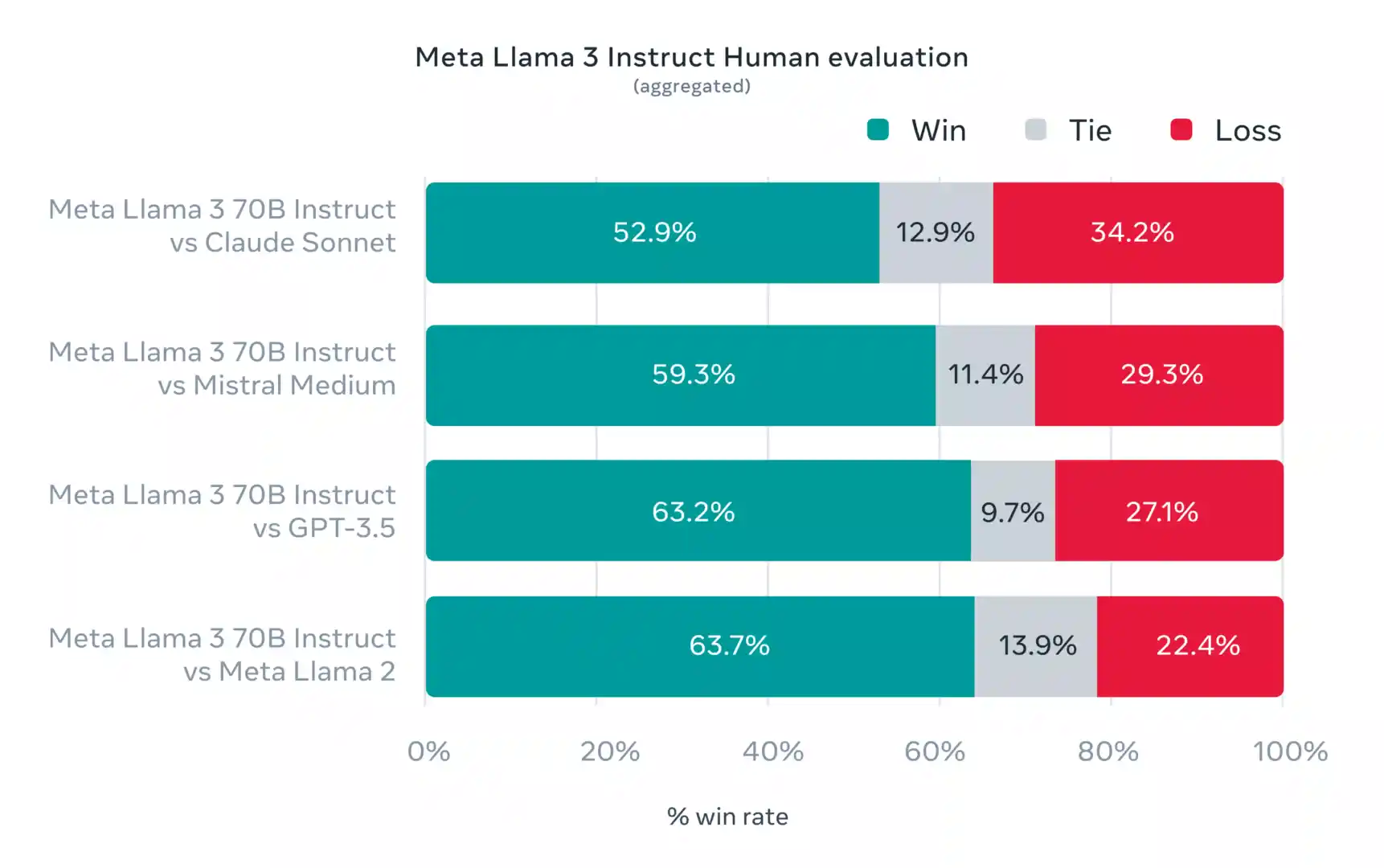
- Preference rankings by human annotators based on this evaluation set highlight the strong performance of the 70B instruction-following model in real-world scenarios.
- The pretrained model also establishes a new state-of-the-art for LLM models at these scales. Please see the evaluation details for setting and parameters with which these evaluations are calculated.
How to Run Llama 3 Locally? Step-by-step guide
To run these models locally, we can use different open-source tools. Here are a couple of tools for running models on your local machine.
Run Llama 3 Locally Using Ollama
STEP 1: INSTALL OLLAMA
Ollama is another open-source software for running LLMs locally.
To use Ollama, you have to download the software. From here: https://github.com/ollama/ollama
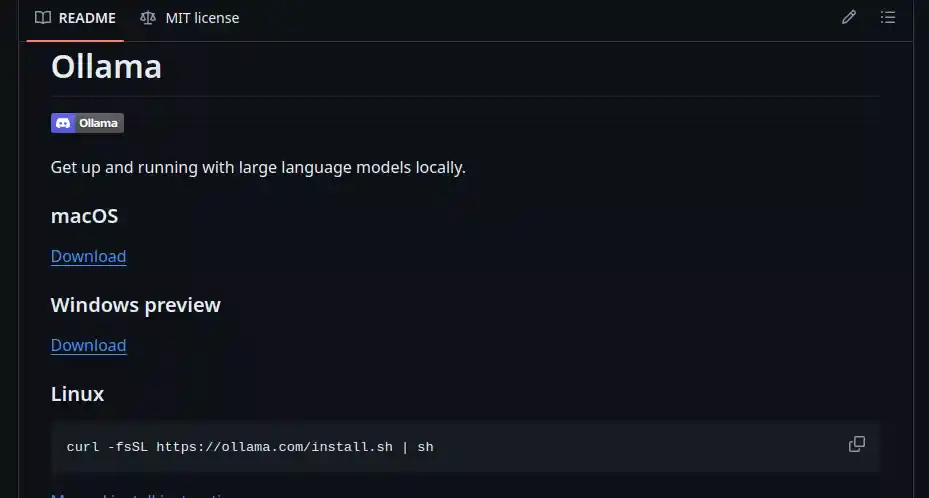
Or use this:
Linux
curl -fsSL https://ollama.com/install.sh | sh
STEP 2: DOWNLOADING AND USING LLAMA 3
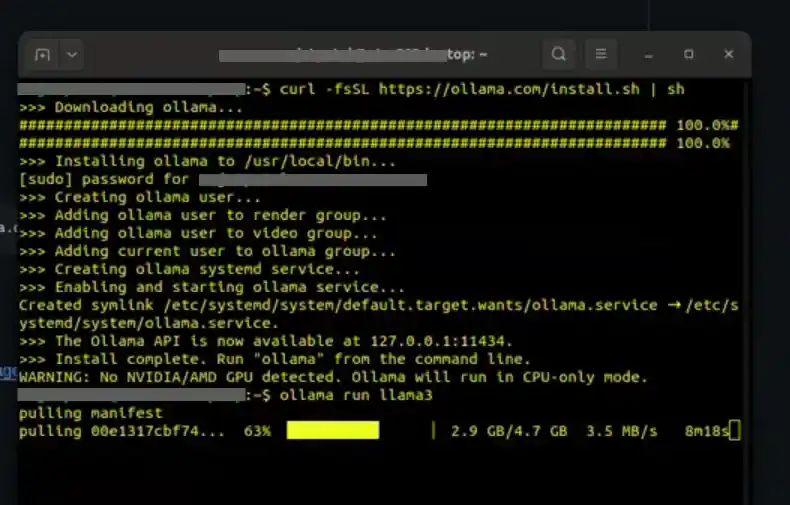
To download the Llama 3 model and start using it, you have to type the following command in your terminal/shell.
ollama run llama3it will take almost 15-30 minutes to download the 4.7GB model.
STEP 3: READY TO USE
LLama 3 is ready to be used locally as if you were using it online.
Prompt:
"Describe the use of AI in Drones"
Conclusion
Our journey into the realm of language modeling has led us to some truly exciting discoveries. Among these is Llama 3, a cutting-edge language model that’s making waves in the tech world. But what’s even more thrilling is that we can now run Llama 3 right on our local machines! Thanks to innovative technologies like Hugging Face Transformers and Ollama, the power of Llama 3 is now within our grasp.
This breakthrough has opened up a plethora of possibilities across various industries. Whether it’s automating customer service, generating creative content, or even aiding in scientific research, the applications of Llama 3 are virtually limitless. For businesses looking to apply these capabilities to their own products and workflows, LLM integration services can help move from local experimentation to practical AI applications.
But perhaps the most promising aspect of Llama 3 is its open-source nature. This means that it’s not just a tool for the tech elite, but a resource that’s accessible to developers all over the world. It’s a testament to the spirit of innovation and accessibility that drives the tech community.