

Table of Contents
Microsoft recently released a new app named Copilot for Android users. This app lets users use their Copilot AI chatbot separately. It’s not like the Bing app, which is mostly for searching. This new app is all about Microsoft’s AI technology. It has been on the Google Play Store for about a week, but there’s no version for iOS yet. If you’re interested in Microsoft Copilot for Android, check it out on the Google Play Store.
The fresh app called ‘Microsoft Copilot’ is now available on the Google Play Store, made by the ‘Microsoft Corporation’. According to Microsoft’s description, the app aims to be your everyday AI companion. As of now, the app has been downloaded just over 5,000 times from the Android Play Store.
If you’re looking for an AI companion, consider checking out the ‘Microsoft Copilot for Android’ on the Google Play Store, where you can find and download the application developed by Microsoft Corporation for your Android device.
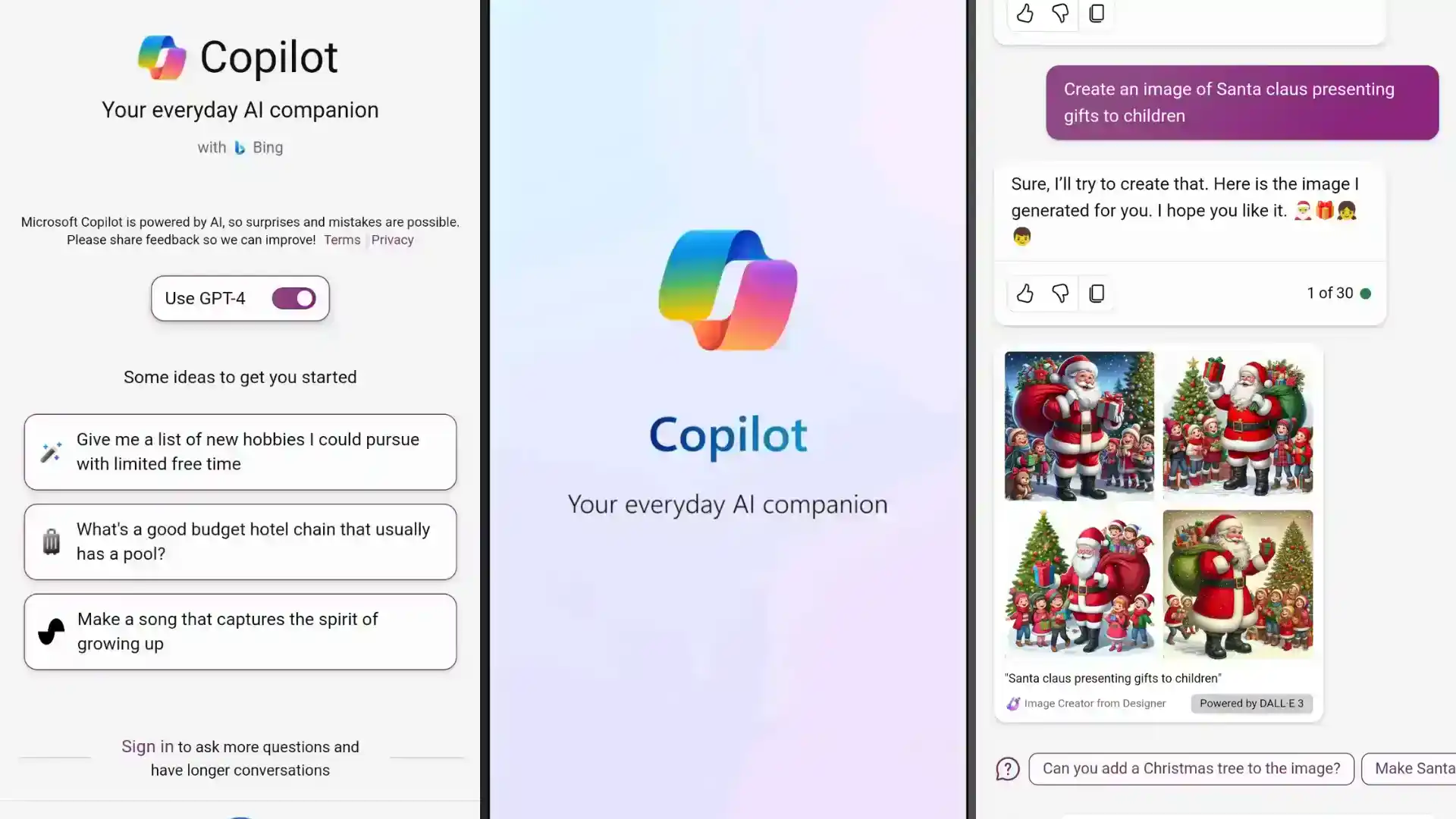
Features of Microsoft Copilot for Android
Microsoft Copilot for Android works a lot like the ChatGPT Android App launched earlier. With this app, you can chat with the chatbot, make images using DALL-E 3, and assist in writing emails and documents. The cool thing is it includes the GPT-4 model from OpenAI for free, which typically requires a subscription for ChatGPT.
Plus, you can use your voice to interact with it. It’s versatile: input text, add images, or even talk to get things done. This app brings powerful features to your Android, making tasks easier and more accessible. Microsoft Copilot for Android is a game-changer!
Over a month ago, Microsoft renamed Bing Chat to Copilot. Initially, Microsoft’s AI was part of Bing, displaying a ChatGPT-like interface in search results. Although this feature remains, Microsoft now highlights Copilot as a distinct platform. You can also use it directly on its website, copilot.microsoft.com.
This change emphasizes Copilot’s independence from Bing. The Copilot for Android enhances user experience by offering a dedicated platform for AI-driven interactions. Accessible through copilot.microsoft.com, it ensures a seamless experience on Android devices, providing users with advanced AI chatbot capabilities beyond the confines of the Bing search engine.
Microsoft is making Copilot its platform with new mobile apps, like Microsoft Copilot for Android. Bing Chat Enterprise is now called Copilot, aligning with these changes. Although there’s no Copilot app for iOS yet, it’s expected to arrive soon. Meanwhile, iOS users can access Copilot features through the Bing app on their iPhones and iPads.
This move reflects Microsoft’s commitment to enhancing Copilot’s accessibility and functionality, ensuring users on both Android and iOS can experience the benefits of this innovative AI chatbot application. Stay tuned for the upcoming release on iOS for an even more seamless Copilot experience.
Microsoft Copilot’s Future
The journey doesn’t end here; it evolves. Microsoft is committed to refining Copilot’s capabilities, integrating new features, and enhancing its adaptability to cater to the evolving needs of Android users. Copilot signifies the evolving landscape of digital assistance, where technology seamlessly integrates with daily life. Its future iterations aim to further blur the lines between user interaction and AI assistance, creating a truly symbiotic relationship.
In conclusion, the arrival of Microsoft Copilot on the Google Play Store marks a pivotal moment for Android users. As Copilot continues to refine user experiences and streamline tasks, it cements its role as an indispensable digital companion, navigating users through the complexities of the Android ecosystem.
You may also like: Microsoft Copilot AI Chatbot is now generally available, Microsoft Enhances Windows 11 Notepad with Long-Awaited Features