
Table of Contents
No-code development platforms promise rapid software delivery without writing a single line of code. But do they actually deliver on that promise at enterprise scale? This guide compares the 8 best platforms, breaks down real costs, and reveals when custom development becomes the smarter investment.
What Are No-Code Development Platforms?
No-code development platforms are visual software tools. They let non-technical users build applications using drag-and-drop interfaces instead of writing code manually.
These platforms replace traditional programming with pre-built components. Users assemble workflows, databases, and user interfaces through a visual editor. The platform generates the underlying code automatically.
The no-code market is growing at an unprecedented rate. Gartner projects that by 2027, 70% of new enterprise applications will use low-code or no-code technologies. That figure stood at less than 25% in 2020.
However, “no-code” doesn’t mean “no complexity.” It means the complexity is abstracted, not eliminated. That distinction matters when your application needs to scale beyond prototype stage.
How No-Code Platforms Actually Work
No-code platforms use three core mechanisms to eliminate manual coding.
1. Visual Editors: Users drag and drop pre-built components, buttons, forms, tables, and charts, onto a canvas. The platform converts these visual elements into functional code behind the scenes.
2. Logic Builders: Workflows and business rules are configured through visual flowcharts or conditional menus. Instead of writing if/else statements, users select triggers, conditions, and actions from dropdown lists.
3. Managed Infrastructure: The platform handles hosting, databases, security patches, and deployment. Users never interact with servers, containers, or deployment pipelines. Click “Publish,” and the app goes live.
This abstraction is powerful for simple applications. The tradeoff is control. When something breaks at the infrastructure level, you depend entirely on the platform vendor to fix it.
Who Uses No-Code Platforms?
No-code tools serve four primary user groups:
- Business analysts who build internal dashboards and reporting tools.
- Product managers who prototype MVPs before committing engineering resources.
- Operations teams that automate workflows between existing tools.
- Founders and entrepreneurs who validate product ideas without hiring developers.
The term “citizen developer” describes non-technical employees who build applications using no-code tools. Gartner estimates that citizen developers will outnumber professional developers 4:1 by 2027.
Is No-Code Right for Your Project?
Before comparing platforms, answer one question first: should you even use no-code?
Not every project benefits from no-code tools. The wrong choice here costs more than picking the wrong platform.
When No-Code Works
No-code platforms excel in specific scenarios. Here is where they deliver genuine ROI:
- MVP validation: Test a product idea in 4–8 weeks, not 6 months.
- Internal tools: Build dashboards, CRMs, or approval workflows for your team.
- Simple customer portals: Client-facing apps with under 500 users.
- Workflow automation: Connect existing tools without custom middleware.
- Tight budgets: Launch for $3,000–$10,000 instead of $50,000+.
When No-Code Fails
No-code platforms consistently struggle with these requirements:
- Complex business logic: Custom algorithms or multi-step conditional workflows.
- High-volume applications: Apps serving 1,000+ concurrent users.
- Performance-critical products: E-commerce or financial tools needing sub-500ms response times.
- Compliance-heavy industries: Healthcare (HIPAA), finance (SOC 2), or government (FedRAMP).
- Deep third-party integrations: On-premise ERP or legacy system connectivity.
The Real Costs Nobody Mentions
Platform licensing is only the visible cost. The hidden expenses catch teams off guard:
| Cost Factor | No-Code (12-Month) | Custom Development (12-Month) |
|---|---|---|
| Platform license | $600–$24,000 | $0 (you own the code) |
| Vendor lock-in risk | High | None |
| Migration cost (if switching) | $50,000–$200,000 | N/A |
| Per-user pricing at 100 users | $30,000–$120,000/year | One-time build cost |
| Performance optimization | Limited by platform | Full control |
47% of no-code projects exceeded their original budget. The primary culprits were integration costs and unforeseen scalability limits.
What Can You Build with No-Code Platforms?
No-code platforms handle a wider range of applications than most people expect. Here is what you can realistically build — and where the boundaries lie.
Web Applications
Bubble, Softr, and Webflow cover the full spectrum of web development. Bubble handles complex SaaS products. Softr excels at portals. Webflow dominates marketing sites and e-commerce.
Mobile Applications
FlutterFlow builds native iOS and Android apps. Glide creates Progressive Web Apps (PWAs) that behave like native apps. Adalo offers a simpler path to native mobile apps for basic use cases.
Internal Business Tools
Retool, Glide, and AppSheet turn existing databases and spreadsheets into operational dashboards, admin panels, and approval workflows. This is where no-code delivers the fastest ROI.
AI-Powered Applications
Momen and Bubble (via API integrations) let users build AI chatbots, content generators, and intelligent automation tools without writing Python or managing ML infrastructure.
E-Commerce Storefronts
Webflow and Shopify (a specialized no-code platform) handle product catalogs, payment processing, and order management. For custom e-commerce logic, platforms hit their limits quickly.
Game Development (Limited)
No-code game development is possible but constrained. GDevelop (open-source, free) and Buildbox handle 2D games and simple 3D experiences. For anything beyond casual mobile games, traditional game engines like Unity or Unreal remain necessary.
What You Cannot Build
No-code platforms are not suited for real-time multiplayer systems, high-frequency trading platforms, complex scientific computing, custom operating systems, or applications requiring sub-100ms latency. These still require traditional software engineering.
The 10 Best No-Code Development Platforms in 2026
We evaluated dozens of platforms across five criteria: scalability, pricing transparency, integration depth, learning curve, and compliance readiness. Here are the eight that merit serious consideration.
1. Bubble
Bubble is the most powerful visual development platform available today. It handles complex workflows, database operations, and API integrations through its visual editor.
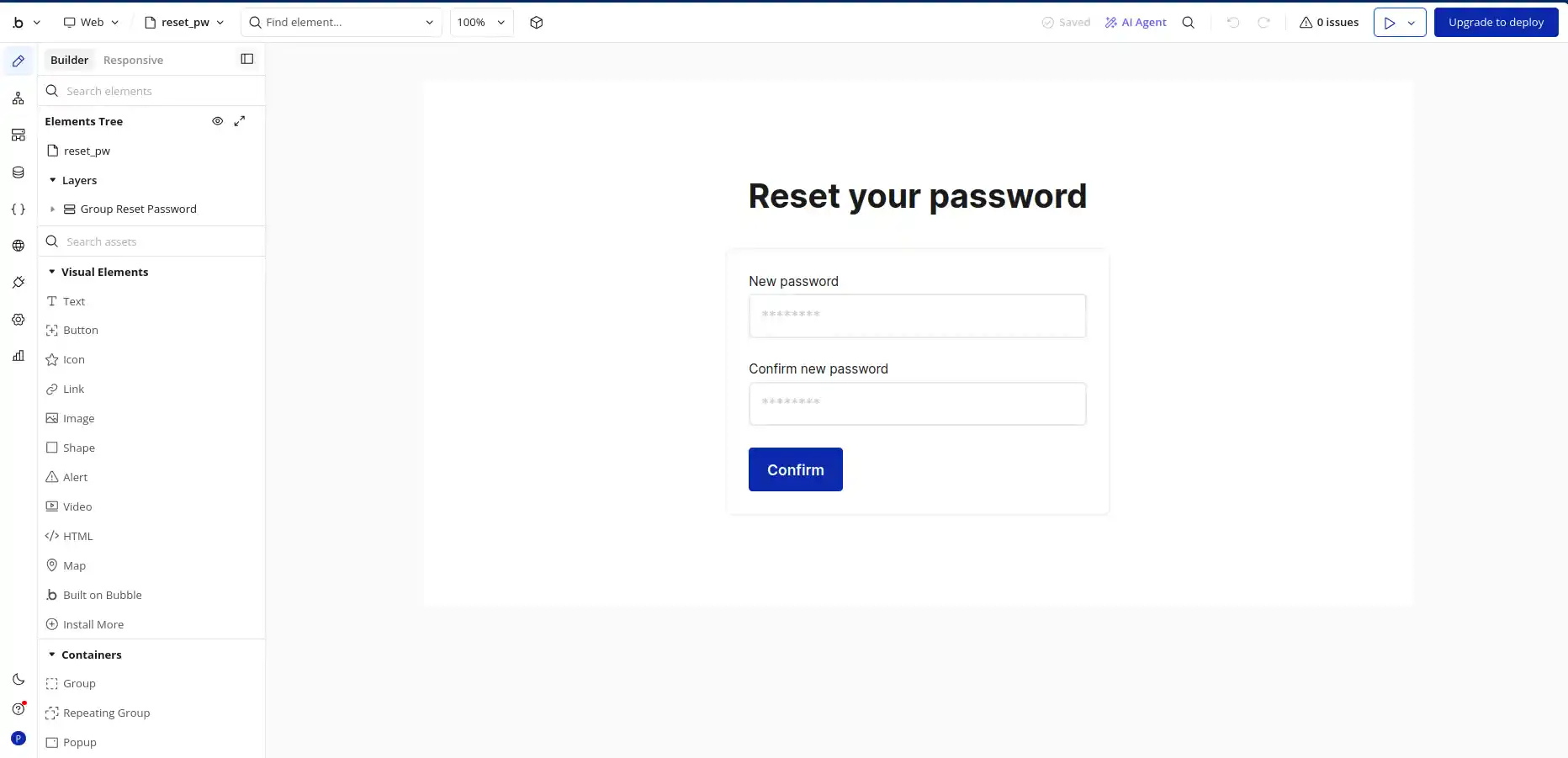
Use cases: SaaS MVPs, marketplaces, internal tools, customer portals, AI-powered apps and more.
Pricing: Free plan available. Paid plans start at $29/month (For Web). Production apps typically require the $42–$449/month tiers. Workload-based pricing adds variable costs.
Pros:
- Most powerful no-code workflow editor on the market.
- Large plugin marketplace with 2,000+ integrations.
- Native mobile app builder available.
- Active community of 3 million+ builders.
Cons:
- Steep learning curve: expect 40–80 hours to reach productivity.
- Workload-based pricing makes costs unpredictable at scale.
- Performance tuning requires platform-specific expertise.
- Page load times average 2–3 seconds without optimization.
Bottom line: Bubble is the closest no-code gets to custom development. But when you hit API concurrency limits or need sub-second response times, a custom backend becomes cheaper than Bubble workarounds.
2. Glide
Glide transforms spreadsheet data into polished mobile applications. It excels at building internal tools for field teams, operations dashboards, and simple CRMs.
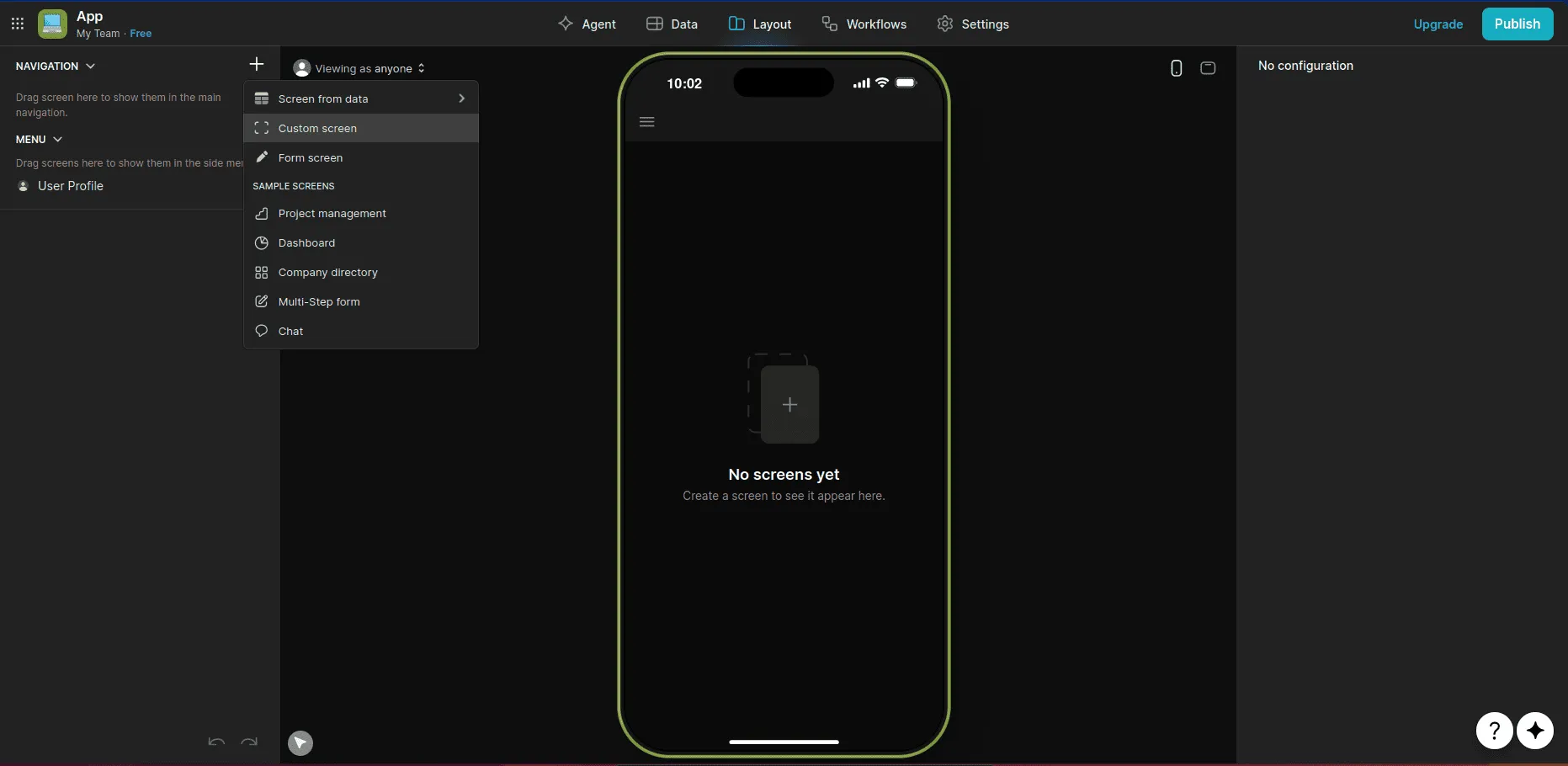
Use cases: Field service apps, inventory trackers, team dashboards, simple CRMs.
Pricing: Free plan for personal use. Business plans start at $25/month. Enterprise plans run $249+/month with custom pricing beyond that.
Pros:
- Beautiful UI templates out of the box.
- Fastest deployment time for a working app in hours, not weeks.
- Progressive Web App (PWA) support for mobile.
- Native AI features for text generation and data analysis.
Cons:
- Limited customization for complex layouts.
- Per-user pricing gets expensive for teams over 25 people.
- Cannot handle complex multi-step business logic.
- Row limits on data (25,000 rows on most plans).
Bottom line: Glide is perfect for your first internal app. When you need backend complexity, custom integrations, or more than 25,000 data rows, you’ll need a developer.
3. Softr
Softr builds web applications and client portals on top of existing data sources. It connects to Airtable and Google Sheets and now supports 14+ data sources, including its own built-in database.
I built a personal book library. Check out the screenshot below.
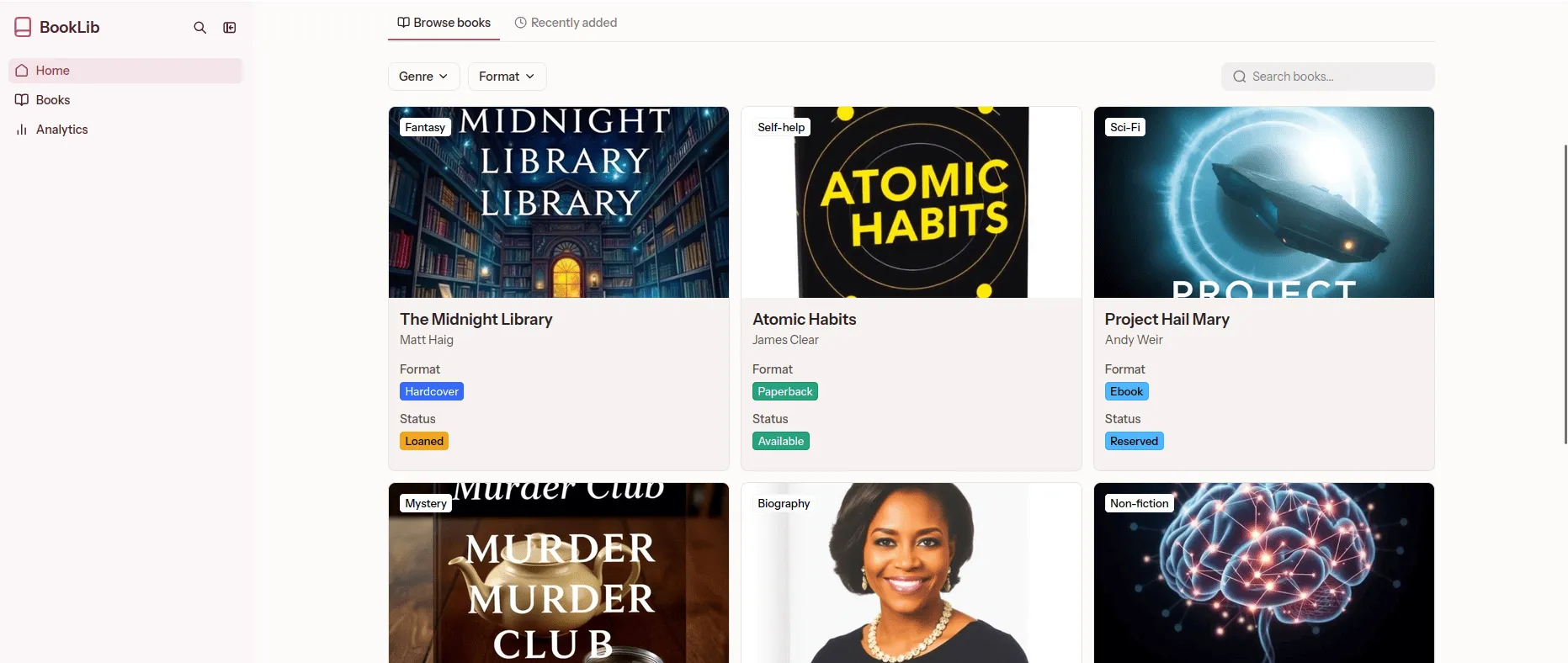
Use cases: Client portals, membership sites, lead capture tools, project dashboards.
Pricing: Free plan available. Paid plans range from $59/month to $323/month. Custom enterprise pricing available.
Pros:
- Fastest setup time for a functional portal in under a day.
- Supports 14+ data sources beyond just Airtable.
- AI-powered app generator for rapid prototyping.
- Clean, professional UI without design expertise.
Cons:
- User count limits become expensive at scale.
- API call limits on lower tiers restrict automation.
- Not suitable for full SaaS products.
- Limited backend logic capabilities.
Bottom line: Softr is excellent for B2B client portals and membership sites. Enterprise customers quickly reach user and data limits, forcing a migration.
4. FlutterFlow
FlutterFlow is a visual builder for Flutter applications. It produces native iOS and Android apps with a drag-and-drop editor while maintaining access to the underlying Flutter code.
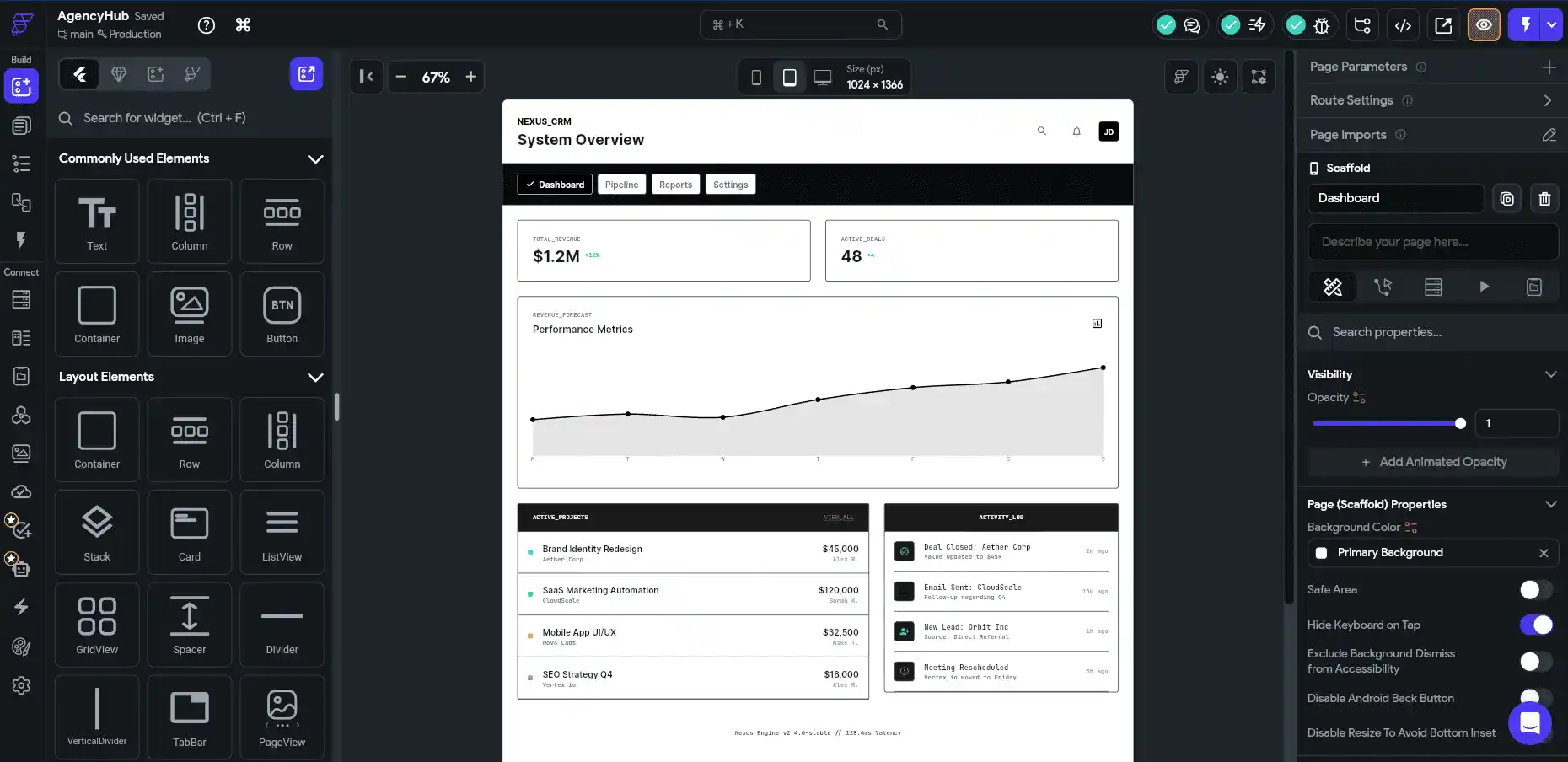
Use cases: Native mobile apps, cross-platform products, mobile-first startups.
Pricing: Free plan with limited features. Basic plan starts at $39/month. Growth plan at $80/month, and Business plan at $150/month for code export.
Pros:
- Exports clean Flutter/Dart code – no vendor lock-in.
- True native performance on iOS and Android.
- Firebase and Supabase backend integration is built in.
- Active community and extensive template library.
Cons:
- Flutter-specific knowledge helps, even in no-code mode.
- Complex state management requires coding experience.
- Backend logic still requires a separate platform.
- Limited web app capabilities compared to Bubble.
Bottom line: FlutterFlow stands apart because it exports real code. Teams that outgrow the platform can hand the codebase directly to developers.
5. Xano
Xano is a serverless backend platform. It lets non-developers build APIs, database schemas, and business logic without managing infrastructure.
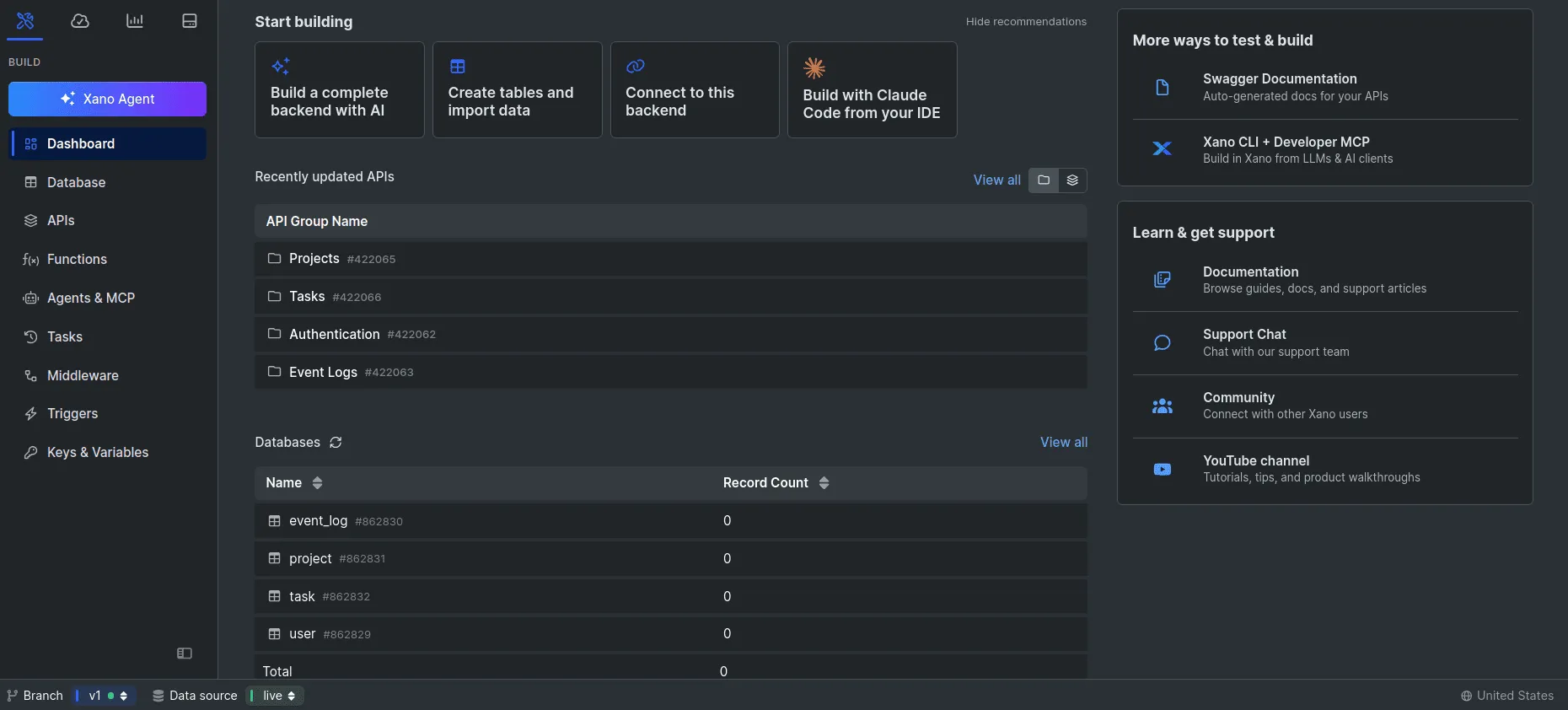
Pricing: Starts at $99/month. Enterprise plans with HIPAA compliance cost significantly more.
Use cases: Scalable APIs, complex workflows, backend for Bubble/WeWeb frontends, enterprise data systems.
Pros:
- Most powerful no-code backend available.
- HIPAA-compliant plans for healthcare applications.
- Pairs with any frontend – Bubble, WeWeb, FlutterFlow.
- Enterprise-grade scalability and security.
Cons:
- Not a full-stack solution – you need a separate frontend.
- Steep learning curve for non-technical users.
- The minimum $99/month entry point is higher than that of competitors.
- Debugging complex logic requires technical thinking.
Bottom line: Xano paired with Bubble or WeWeb is the closest no-code gets to a full custom stack. But debugging production issues still requires real technical skills.
6. Webflow
Webflow is a visual web design tool that outputs production-ready HTML, CSS, and JavaScript. It bridges the gap between design tools and traditional web development.
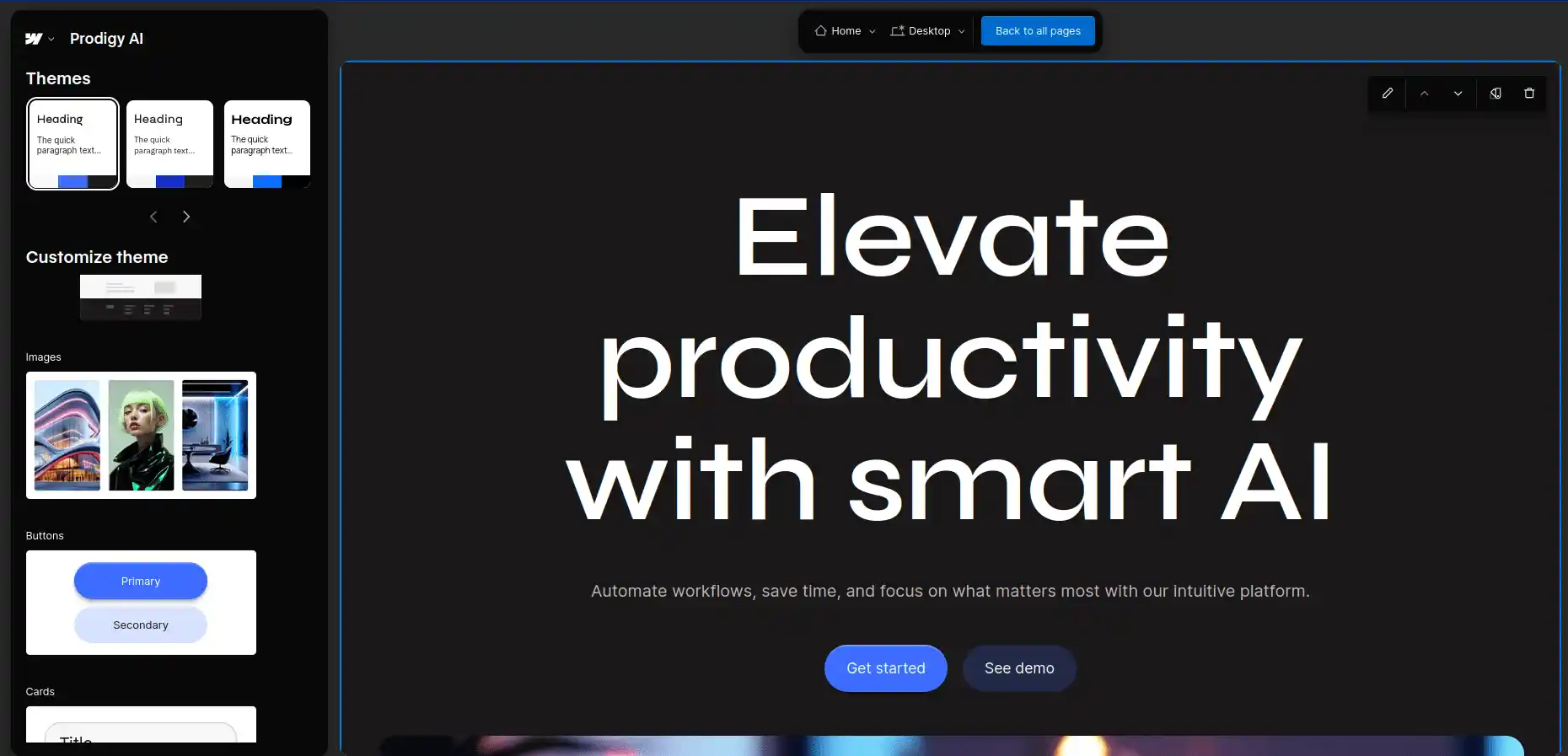
Use cases: Marketing sites, landing pages, blogs, portfolio sites, e-commerce storefronts.
Pricing: Free plan for starters. Basic plan at $25/month. Team plan at $2500/month. Custom plan available for enterprises.
Pros:
- Pixel-perfect design control without code.
- Clean, semantic code output.
- Built-in CMS for content management.
- Strong SEO capabilities out of the box.
Cons:
- Not suitable for web applications (forms, dashboards, user accounts).
- CMS item limits on lower tiers.
- Learning curve for non-designers.
- Limited dynamic functionality compared to Bubble.
Bottom line: Webflow is the gold standard for marketing websites. For application development, look elsewhere.
7. Momen
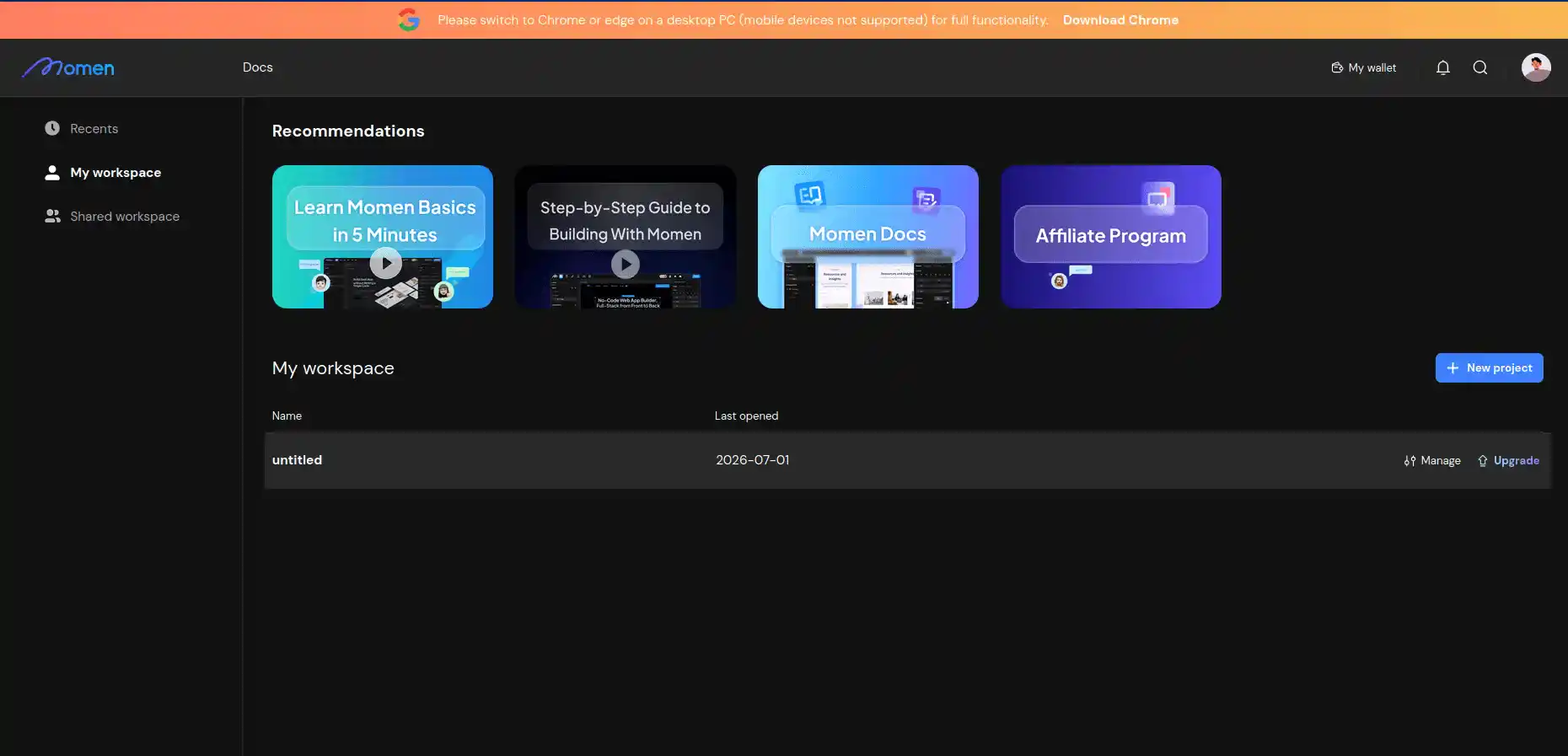
Momen is an emerging platform with native AI capabilities. It lets users build AI-powered applications – chatbots, content generators, and automation tools – without coding.
Please note that you need to use it using Chrome or edge. Else, you cannot start building your project, it does not let you do that.
Use cases: AI chatbots, content generation tools, automated workflows, AI-native products.
Pricing: Starts at $39/month plus AI credit usage. Pricing scales with AI compute consumption.
Pros:
- Native AI builder with multimodal support.
- Fastest path to shipping AI-powered features.
- Scalable architecture designed for AI workloads.
Cons:
- Newer platform with smaller community.
- Fewer third-party integrations than Bubble.
- AI credit costs can be unpredictable.
- Documentation and tutorials are still maturing.
Bottom line: Momen is the fastest route to AI features in a no-code app. For production-scale AI, a custom backend gives you control over model selection, costs, and latency.
8. Retool
Retool connects directly to your databases and APIs to build internal tools. It excels at admin panels, dashboards, and CRUD applications for operations teams.
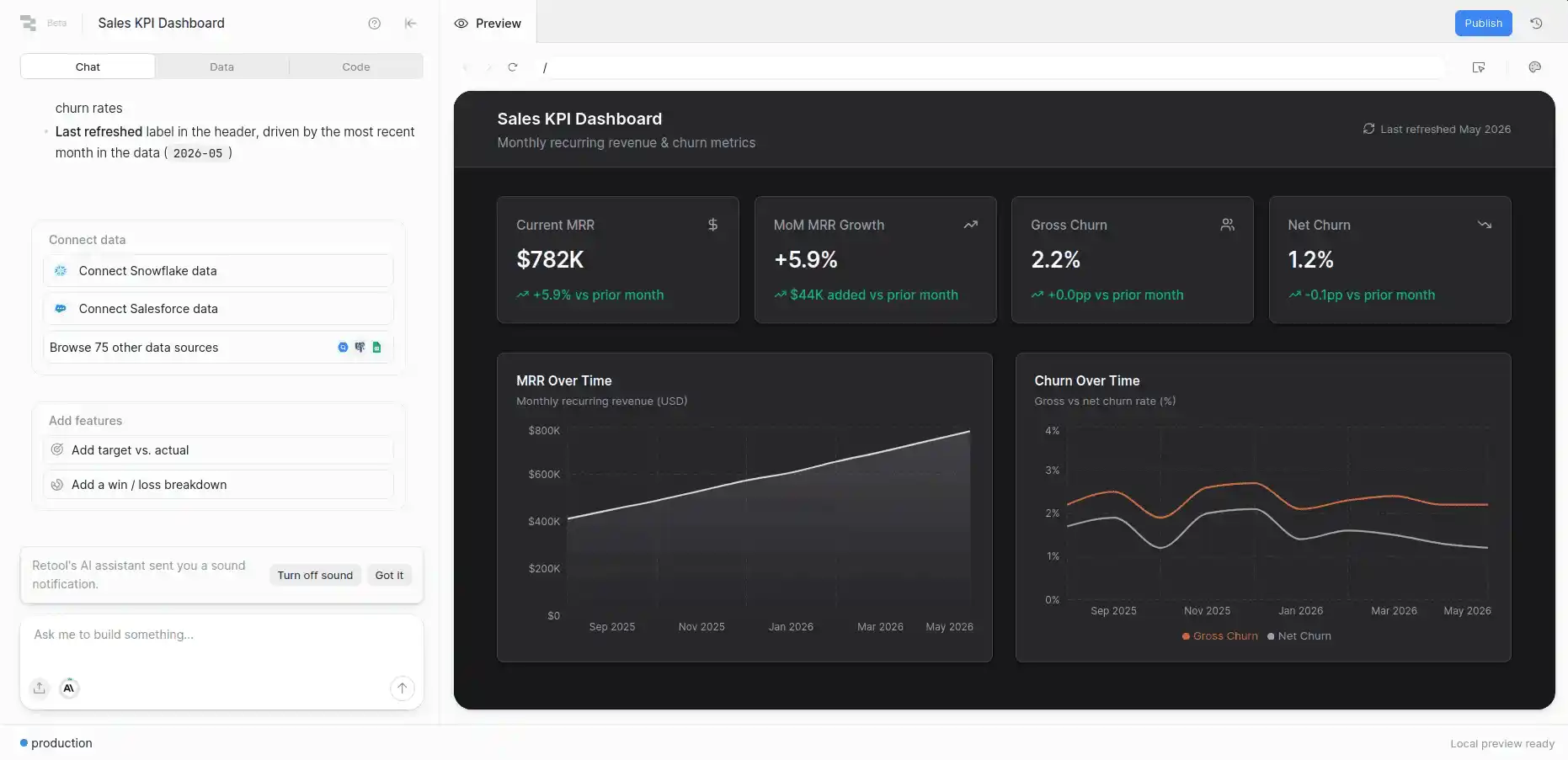
Use cases: Admin panels, operations dashboards, data management tools, internal CRUD apps.
Pricing: Free plan for up to 5 users. Team plan at $12/user/month. Business plan at $65/user/month.
Pros:
- Connects directly to PostgreSQL, MySQL, MongoDB, and 50+ data sources.
- No row limitations – scalability depends on your database.
- Pre-built components for tables, charts, forms, and workflows.
- JavaScript customization for advanced logic.
Cons:
- Internal tools only, not for customer-facing products.
- Per-user pricing scales linearly with team size.
- Requires database and API knowledge to set up.
- UI customization options are more limited than in Bubble.
Bottom line: Retool is the best option for data-heavy internal tools when your team already has databases in place. For customer-facing products, choose a different platform.
9. Adalo
Adalo lets non-developers build native mobile and web applications through a visual interface. It targets users who need a functional mobile app without the complexity of FlutterFlow.
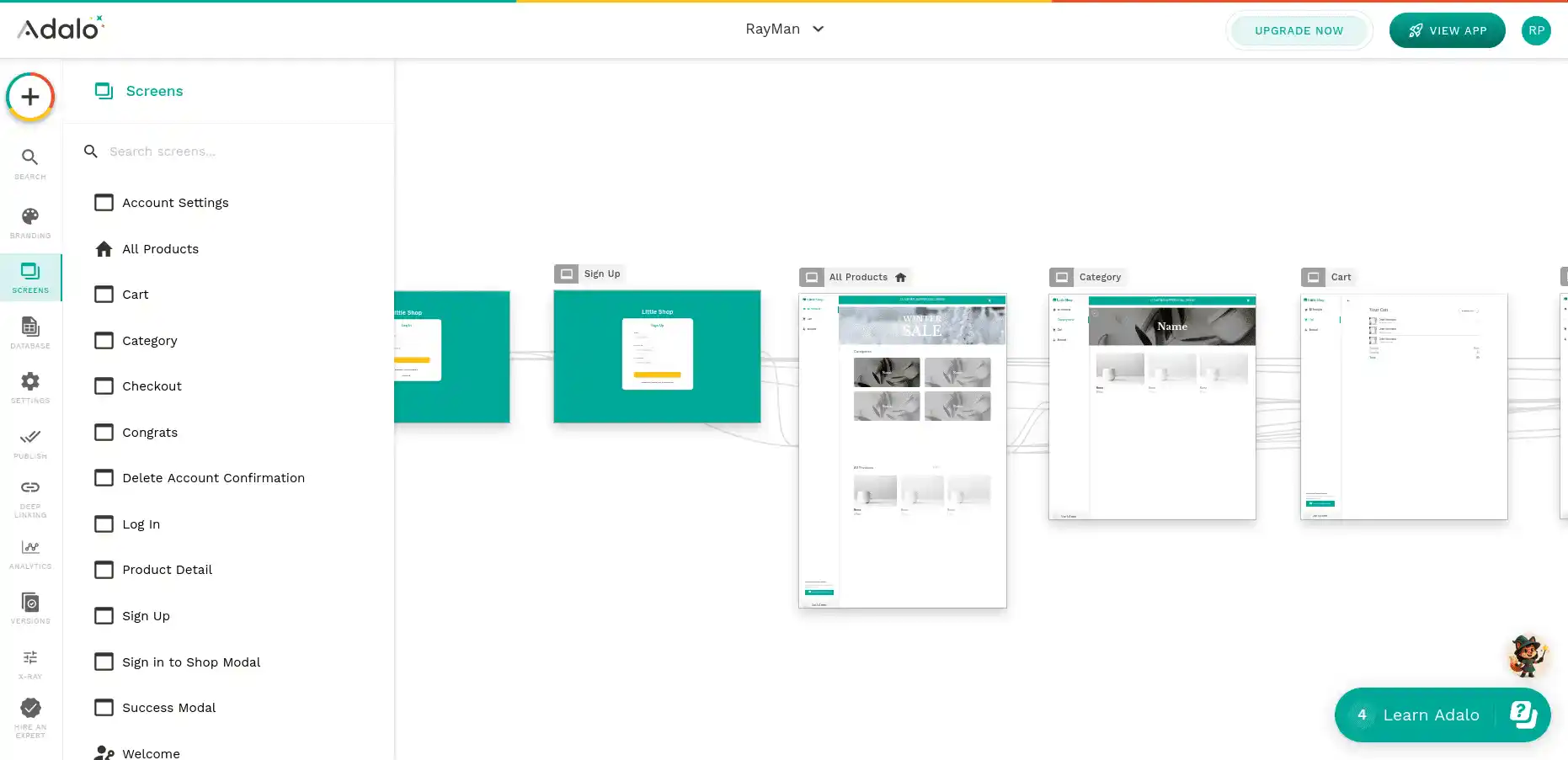
Use cases: Simple mobile apps, event apps, community platforms, booking tools.
Pricing: Free learning plan. Starter plan at $23/month. Professional plan at $33/month with custom actions.
Pros:
- Publishes directly to Apple App Store and Google Play.
- Component marketplace for pre-built features.
- Simpler learning curve than Bubble or FlutterFlow.
- Database and user authentication built in.
Cons:
- Performance is noticeably slower than FlutterFlow.
- Limited customization for complex UI designs.
- Smaller community than Bubble or Glide.
- Not suitable for data-heavy or enterprise applications.
Bottom line: Adalo works for straightforward mobile apps, event listings, community directories, or booking tools. For anything requiring performance or complexity, FlutterFlow is the better choice.
10. AppSheet (Google)
AppSheet is Google’s no-code platform that turns spreadsheet data into functional applications. It integrates natively with Google Sheets, Drive, and the broader Google Workspace ecosystem.
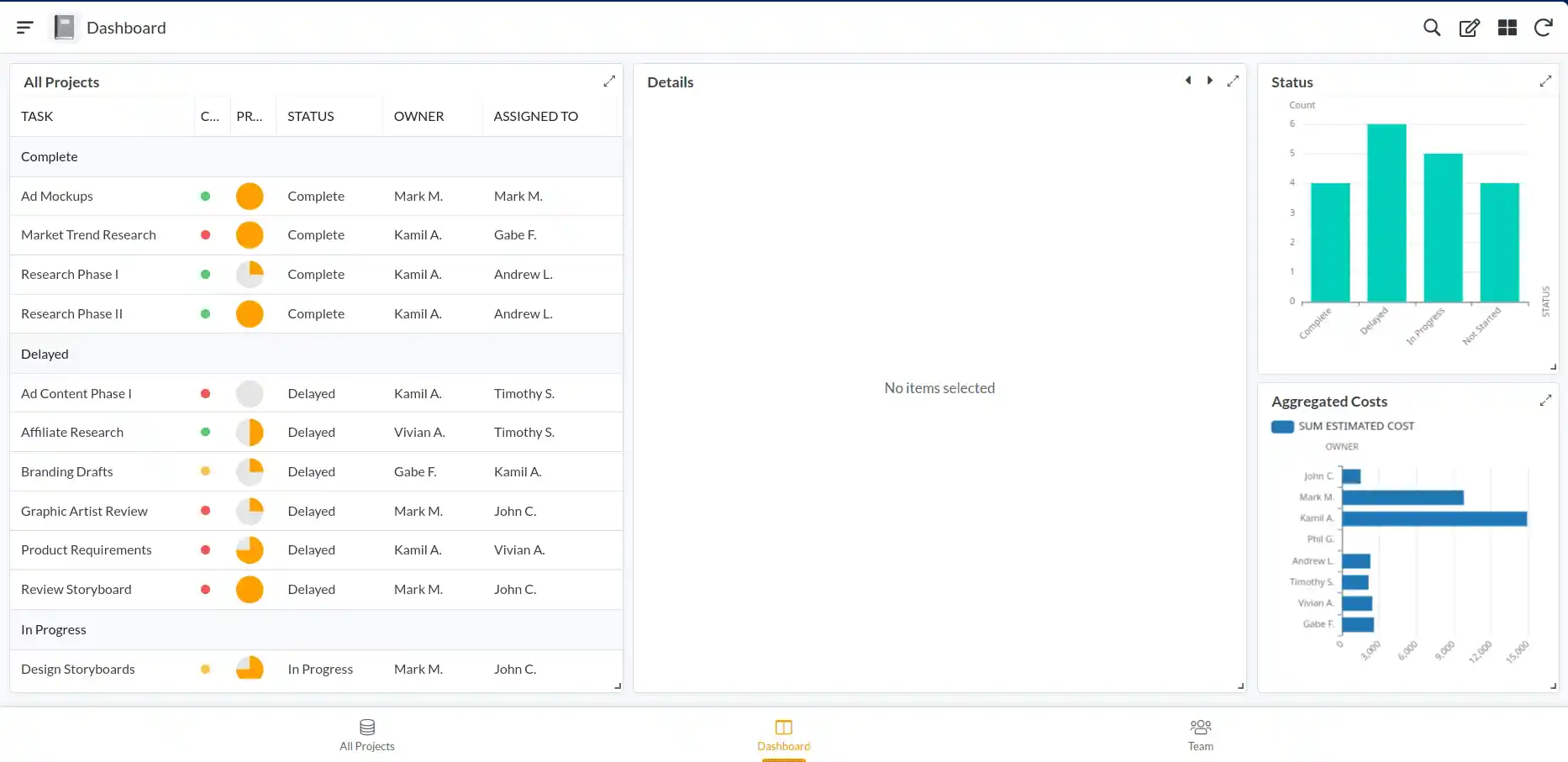
Use cases: Data collection apps, inspection tools, inventory management, field reporting.
Pricing: Free for personal use (up to 10 users). Starter at $5/user/month. Enterprise at $20/user/month.
Pros:
- Deepest Google Workspace integration of any no-code platform.
- Extremely low per-user pricing compared to competitors.
- Offline mode for field teams without reliable internet.
- AI-powered app suggestions from your existing data.
Cons:
- Limited UI customization, apps look functional, not polished.
- Row limit of 100,000 rows on most plans.
- Complex logic is harder to implement than in Bubble.
- Tied to Google ecosystem, not ideal for Microsoft shops.
Bottom line: AppSheet is the most affordable no-code option for Google Workspace teams. If your team already lives in Google Sheets, AppSheet is the fastest path to a working app.
Other Notable No-Code & Low-Code Platforms
The platforms above represent the best options for most use cases. These additional tools deserve mention for specialized needs.
Enterprise Low-Code Platforms:
| Platform | Best For | Starting Price | Key Strength |
|---|---|---|---|
| Microsoft PowerApps | Microsoft 365 teams | $20/user/month | Deep Office 365 integration |
| OutSystems | Enterprise-scale apps | Custom pricing | Full lifecycle management |
| Mendix | Collaborative development | Free tier available | Business + IT collaboration |
| Appian | Process automation | Custom pricing | Complex workflow orchestration |
Frontend & Design-to-Code Tools:
| Platform | Best For | Starting Price | Key Strength |
|---|---|---|---|
| WeWeb | Custom frontends | Free tier available | Pairs with any backend |
| Framer | Design-to-website | $15/month | Figma-like design experience |
| Airtable | Database + simple apps | Free tier available | Spreadsheet-database hybrid |
Game Development:
| Platform | Best For | Starting Price | Key Strength |
|---|---|---|---|
| GDevelop | 2D games | Free (open-source) | No coding, exports everywhere |
| Buildbox | Casual mobile games | $19.99/month | Drag-and-drop game builder |
No-Code Platform Comparison
This table gives you a side-by-side view of all eight platforms across the criteria that matter most to enterprise decision-makers.
| Platform | Best For | Starting Price | User Limit (Base Plan) | Scalability | Learning Curve | Compliance |
|---|---|---|---|---|---|---|
| Bubble | Complex web apps | $29/month | Unlimited (workload-based) | Medium | Steep (40–80 hrs) | Limited |
| Glide | Mobile internal tools | $25/month | 10 users | Low | Easy (5–10 hrs) | None |
| Softr | Client portals | $59/month | 50 users | Low-Medium | Easy (3–8 hrs) | Limited |
| FlutterFlow | Native mobile apps | $23/month | N/A (code export) | High (code export) | Medium (20–40 hrs) | Via backend |
| Xano | Backend/APIs | $99/month | N/A (backend) | High | Steep (40+ hrs) | HIPAA available |
| Webflow | Marketing websites | $25/month | N/A (site plan) | Medium | Medium (15–30 hrs) | Limited |
| Momen | AI-powered apps | $39/month | Varies | Medium-High | Medium (20–30 hrs) | Limited |
| Retool | Internal data tools | $12/user/month | 5 (free), unlimited (paid) | High (DB-dependent) | Medium (15–25 hrs) | SOC 2, HIPAA |
| Adalo | Simple mobile apps | $23/month | Unlimited (metered) | Low-Medium | Easy (10–15 hrs) | None |
| AppSheet | Workspace app creation | $5/user/month | 10 users (free) | Medium | Easy (5–10 hrs) | SOC 2 |
The Hidden Limits of No-Code Platforms
No-code platforms market simplicity. The reality is more nuanced. Here are the five limitations that break most no-code projects after 12–18 months.
Performance Hits a Wall
No-code applications average 2–3 second page load times. Custom-built applications typically achieve within a second.
A report shows that every 100ms of added latency costs 1% in sales. For an e-commerce application doing $1 million annually, a 2-second delay translates to a $200,000 revenue loss.
No-code platforms are slow because of abstraction layers and shared infrastructure. You cannot optimize what you don’t control.
Data Volume Creates Bottlenecks
Most no-code platforms choke at 100,000+ records. Glide limits data to 25,000 rows on standard plans. Bubble’s performance degrades significantly beyond 50,000 records without expensive optimization.
A CRM managing 500,000 customer records? No-code platforms simply cannot handle it. Custom databases with proper indexing, caching, and query optimization handle millions of records effortlessly.
Integration Gaps Are Inevitable
Zapier advertises 7,000+ integrations. But your on-premise ERP system isn’t one of them. Neither is your legacy payroll system or that custom warehouse management tool your company built in 2018.
Building custom API connectors requires actual code, which defeats the purpose of no-code. This integration gap is the single most common reason no-code projects stall.
Vendor Lock-In Is Expensive
Switching no-code platforms costs $50,000–$200,000 in labor and takes 8–16 weeks. Platform-specific architectures mean you cannot simply “export and re-import” your application.
One common scenario: your no-code vendor raises prices by 200%. With custom code, you own the application. With no-code, you’re trapped.
Team Scaling Gets Costly
No-code platforms charge per user. At $25–$100 per user per month, a 50-person team costs $15,000–$60,000 annually, just for platform access.
Custom development has a higher upfront cost ($50,000–$300,000). But once built, you pay only for hosting, which typically runs $200–$2,000 per month regardless of user count. The breakeven point usually hits at 10–20 simultaneous users.
No-Code vs Custom Development
The right choice depends on your timeline, user count, and growth trajectory. Let’s run the numbers.
Scenario A: Internal Tool, 5 Users, 2-Year Horizon
| Cost Component | No-Code | Custom Development |
|---|---|---|
| Platform/Build Cost | $50/month × 24 = $1,200 | 4-week build = $30,000 |
| Setup/Configuration | $2,000 | Included |
| Hosting | Included | $200/month × 24 = $4,800 |
| Total | $3,200 | $34,800 |
Winner: No-code. For small, internal tools, the math is clear.
Scenario B: Customer-Facing SaaS, 500 Users, 3-Year Horizon
| Cost Component | No-Code | Custom Development |
|---|---|---|
| Platform/Build | $100/month × 36 = $3,600 | 12-week build = $80,000 |
| Per-User Costs | $50 × 500 × 36 months = $900,000 | $0 |
| Team/Hosting | Included | $200,000/year × 3 + hosting = $610,000 |
| Total | $903,600 | $690,000 |
Winner: Custom development. The per-user pricing of no-code platforms destroys margins at scale.
Scenario C: B2B Portal, Variable Users, 5-Year Horizon
No-code costs become unpredictable over five years. Platform pricing changes, vendor lock-in accumulates, and feature limitations compound. Custom development locks in your cost structure from day one.
Winner: Custom development for any application with a 5+ year lifespan.
The tipping point is consistent: no-code wins for small teams and short timelines. Custom development wins once your user base exceeds ~100 people or your timeline extends past two years.
The Hybrid Approach That Actually Scales
The smartest teams don’t choose between no-code and custom development. They combine both.
Frontend No-Code + Custom Backend
Stack example: Bubble or WeWeb (frontend) + Xano or custom Node.js (backend) + OpenAI API
This approach gives you:
- Fast frontend iteration using visual builders.
- Scalable backend with custom logic and performance control.
- Cost efficiency no-code pricing for UI, minimal licensing for backend.
Timeline: 8–12 weeks vs 16–20 weeks for fully custom development. Cost: $60,000–$120,000 vs $150,000–$250,000 for fully custom.
The MVP-First Strategy
Many successful startups follow a two-phase approach:
Phase 1 (Weeks 0–12): Build an MVP with Bubble or Glide. Validate with real users. Learn which features matter and which don’t.
Phase 2 (Weeks 12–24): If the product gains traction, migrate to a custom stack. Use the user data and behavioral insights from Phase 1 to build exactly the right product.
This strategy reduces risk. If the product fails in Phase 1, you’ve lost $10,000 instead of $150,000. If it succeeds, you have validated requirements for a custom build.
Where HyScaler Fits In
Once your no-code application hits performance walls, vendor limits, or scaling challenges, you need a custom development partner who can:
- Reverse-engineer your no-code architecture.
- Build scalable backends compatible with your existing frontend.
- Handle API integrations your platform cannot support.
- Optimize for performance and regulatory compliance.
- Give you full ownership of your codebase.
This is precisely what we do at HyScaler. We help companies transition from no-code prototypes to production-grade systems.
How to Choose the Right Platform
If you’ve decided that no-code is right for your current needs, use this decision framework.
Quick Decision Tree
Q1: Who is your audience?
- Internal team → Glide, Retool, Softr
- External customers → Bubble, FlutterFlow, Webflow
Q2: Do you need AI features?
- Yes → Momen, Bubble (via API), Glide (native AI)
- No → Skip this filter
Q3: Is complex business logic required?
- Yes → Bubble, Xano (as backend)
- No → Softr, Glide, Webflow
Q4: Do you need a native mobile app?
- Yes → FlutterFlow (native), Glide (PWA)
- No → Bubble, Softr, Webflow
Q5: What is your expected user count at scale?
- Under 100 → Any platform works
- 100–1,000 → Bubble (budget for workload units), Retool
- Over 1,000 → Xano backend + frontend builder, or custom development
Common No-Code Mistakes (And How to Avoid Them)
At HyScaler, we’ve seen these five mistakes repeatedly across companies transitioning from no-code to custom development.
Mistake 1: “No-Code Is Always Faster”
The assumption: We’ll build in weeks instead of months.
The reality: Planning takes 2 weeks. Building takes 4–8 weeks. Testing takes 2 weeks. Integration takes 3–4 weeks. That’s 11–16 weeks, not far from a custom build timeline of 12–20 weeks.
No-code saves time on coding. It doesn’t save time on requirements, testing, or integration.
Mistake 2: “We Picked the Platform with the Most Integrations”
The assumption: 7,000 integrations means our specific systems are covered.
The reality: Your legacy ERP, custom warehouse system, or industry-specific tools probably aren’t in that list. Building custom connectors requires actual coding, the thing you chose no-code to avoid.
Mistake 3: “We Can Switch Platforms Later”
The assumption: If this platform doesn’t work, we’ll just migrate.
The reality: Platform migration costs $50,000–$200,000 and takes 8–16 weeks. Data export is often incomplete. Business logic doesn’t transfer. Plan for permanence when choosing a platform.
Mistake 4: “Our No-Code Team Can Handle Production”
The assumption: The same team that built the app can support it in production.
The reality: Performance debugging, data corruption recovery, security audits, and compliance certifications require developer expertise. No-code building skills don’t translate to production operations skills.
Mistake 5: “We’ll Start No-Code, Then Upgrade to Custom”
The assumption: No-code is a stepping stone to custom development.
The reality: You can’t “upgrade” a no-code app. You rebuild it from scratch. The no-code version and the custom version share nothing but the requirements. Plan the full trajectory from day one.
Free No-Code Development Platforms
Budget constraints shouldn’t stop you from building. These platforms offer genuinely useful free tiers — not just trials.
| Platform | Free Tier Includes | Best Free Use Case | Upgrade Trigger |
|---|---|---|---|
| Bubble | 1 app, Bubble branding, basic features | Learning and prototyping | Custom domain, removing branding |
| Glide | Personal apps, limited rows | Simple personal tools | Business use, more data |
| Softr | 1 app, 100 records, Softr branding | Testing portal concepts | Custom domain, more users |
| FlutterFlow | Unlimited projects, no code export | Design and prototyping | Code export, Firebase deploy |
| AppSheet | Up to 10 users, core features | Small team internal tools | More users, advanced features |
| Webflow | 2 projects, webflow.io subdomain | Learning, staging sites | Custom domain, CMS |
| GDevelop | Full engine, open-source | 2D game development | Cloud builds, premium assets |
| Airtable | 1,000 records/base, 5 creators | Simple databases and views | More records, automations |
| Retool | Up to 5 users, core components | Small team internal tools | More users, advanced features |
The truth about free tiers: They work for learning and prototyping. Production applications almost always require a paid plan. Budget $25–$100/month minimum for any app you plan to use in a real business context.
The Future of No-Code: AI, Market Growth, and What’s Next
No-code is not a trend. It is a fundamental shift in how software gets built. Here is where the industry is heading.
The Market Is Exploding
The global no-code development platform market was valued at $16.3 billion in 2023. Industry analysts project it will reach $65 billion by 2027. That represents a compound annual growth rate of over 28%.
Three forces drive this growth: developer shortages (1.4 million unfilled software roles in the US alone), rising software demand across every industry, and the pressure to digitize operations faster than traditional development allows.
AI Is Transforming No-Code
AI integration is the most significant shift in no-code since the category emerged. Three developments matter most:
AI-Generated Apps: Platforms like Momen and Glide now let users describe an application in plain English. The AI generates a working prototype in minutes.
AI-Powered Features: No-code apps can now include text generation, image recognition, chatbots, and data analysis through built-in AI components, no API configuration needed.
AI-Assisted Building: Bubble and FlutterFlow use AI copilots that suggest workflows, debug logic errors, and optimize database structures while you build.
Will No-Code Replace Traditional Development?
No. No-code will replace traditional development for a specific category of applications: internal tools, MVPs, simple portals, and workflow automation. These represent roughly 30–40% of all software built today.
The remaining 60–70%, operating systems, database engines, real-time systems, high-performance applications, and complex enterprise platforms, will continue to require professional developers. No-code raises the floor for what non-developers can build. It does not raise the ceiling for what software can do.
The most likely outcome: no-code handles the “long tail” of business applications that don’t justify a full development team. Professional developers focus on complex, differentiated, and performance-critical systems.
Frequently Asked Questions
What is the best no-code development platform for beginners?
Glide is the most beginner-friendly option. It transforms spreadsheet data into functional mobile apps with minimal configuration. Most users become productive within 5–10 hours. Softr is the second-best choice, especially for building web-based portals and client dashboards.
Can no-code platforms replace custom software development?
For simple internal tools and MVPs, yes. For customer-facing products at scale, no. No-code platforms face inherent limitations in performance, data volume, compliance, and customization that custom development does not. The right approach for most businesses is a hybrid: no-code for prototyping, custom development for production systems.
How much does it cost to build an app with a no-code platform?
The total cost depends on the platform and scale. A simple internal tool costs $3,000–$10,000 to set up with $500–$2,000 per month in ongoing platform fees. A customer-facing application serving 500+ users can cost $300,000+ over three years when you factor in per-user pricing, integrations, and platform limitations. By comparison, custom development typically runs $50,000–$300,000 as a one-time build with minimal ongoing costs.
Are no-code platforms secure enough for enterprise use?
Some platforms offer enterprise security features. Xano provides HIPAA-compliant plans. Retool offers SOC 2 compliance. However, most no-code platforms rely on shared infrastructure with limited security customization. For industries with strict regulatory requirements, healthcare, finance, government, custom development provides the control needed for full compliance.
What is the difference between no-code and low-code platforms?
No-code platforms require zero programming knowledge. Users build entirely through visual interfaces. Low-code platforms provide visual tools but also allow custom code for advanced logic. Low-code targets professional developers who want to accelerate development. No-code targets business users and citizen developers who have no coding background.
What is no-code development?
No-code development is a method of building software applications without writing programming code. Users create apps through visual interfaces, drag-and-drop editors, and pre-built components. The platform handles code generation, hosting, and deployment automatically.
Can I build an app with no-code?
Yes. No-code platforms let anyone build functional web and mobile applications. You can create CRMs, portals, dashboards, e-commerce stores, mobile apps, and workflow automation tools — all without writing a single line of code.
Which no-code platform is free?
Several platforms offer free tiers. Bubble, Glide, Softr, FlutterFlow, AppSheet, Webflow, Airtable, and Retool all provide free plans. These free tiers work well for learning and prototyping. Production apps typically require paid plans starting at $14–$100 per month.
Is Figma a no-code tool?
No. Figma is a design and prototyping tool. It creates visual mockups and interactive prototypes but cannot generate functional applications. To turn Figma designs into working apps, pair Figma with a no-code builder like Webflow, Bubble, or Framer.
What is the difference between no-code and low-code?
No-code platforms require zero programming knowledge. Users build entirely through visual interfaces. Low-code platforms provide visual tools but also allow custom code for advanced logic. Low-code targets developers who want to accelerate delivery. No-code targets business users with no coding background.
Can no-code platforms handle complex applications?
To a point. Bubble handles moderate complexity, SaaS MVPs, marketplaces, and multi-step workflows. For truly complex applications with custom algorithms, high concurrency, or real-time requirements, no-code platforms hit their limits. A hybrid approach (no-code frontend + custom backend) extends the range significantly.
Can no-code platforms scale for large organizations?
Scaling depends on the metric. Most platforms handle hundreds of users adequately. Beyond 1,000 concurrent users, performance and cost challenges emerge. Enterprise low-code platforms (OutSystems, Mendix, PowerApps) handle larger scale but require more technical expertise.
What is the learning curve for no-code?
It varies by platform. Glide and Softr take 5–10 hours to reach productivity. Webflow and FlutterFlow need 15–40 hours. Bubble and Xano require 40–80+ hours for proficiency. The learning curve is real — “no-code” does not mean “no learning.”
How do no-code platforms handle app deployment?
Most platforms handle deployment automatically. You click “Publish” and the platform deploys your app to their managed infrastructure. Webflow and FlutterFlow also support custom domain deployment. FlutterFlow can publish directly to Apple App Store and Google Play.
Can I build a real business with a no-code app builder?
Yes, but with caveats. Many startups have launched MVPs on Bubble and Glide that generated real revenue. However, businesses that scale beyond a few hundred users typically migrate to custom development. No-code is excellent for validating a business idea. It rarely serves as the permanent technical foundation for a growing company.
What types of applications can you build with no-code?
The range includes web applications, native mobile apps, internal business tools, client portals, CRMs, e-commerce stores, AI chatbots, workflow automation, dashboards, and simple 2D games. No-code is not suited for real-time systems, complex scientific computing, or high-performance applications.
Will no-code replace traditional software development?
No. No-code will handle roughly 30–40% of applications, internal tools, MVPs, simple portals, and automations. Complex systems, high-performance platforms, and custom enterprise software will continue to require professional developers. No-code raises the floor; it does not eliminate the need for engineering.
How is AI changing the future of no-code?
AI is transforming no-code in three ways. First, AI can generate working app prototypes from plain English descriptions. Second, no-code platforms now include built-in AI features like chatbots and content generation. Third, AI copilots help users build more efficiently by suggesting workflows and debugging logic.
What is the best no-code mobile app builder?
FlutterFlow is the best no-code mobile app builder for production-quality native apps. It exports clean Flutter code and publishes to both app stores. Glide is the best option for simpler mobile apps using Progressive Web App (PWA) technology. Adalo offers a middle ground with direct app store publishing.
What is the best no-code web app builder for 2026?
Bubble remains the most powerful no-code web app builder in 2026. It handles complex workflows, database operations, and API integrations through its visual editor. For simpler web apps, Softr offers faster setup. For marketing websites, Webflow is the clear leader.
Ready to Scale Beyond No-Code?
No-code development platforms are a valuable tool in the right context. They accelerate prototyping, reduce upfront costs, and empower non-technical teams. But they are not a permanent solution for applications that need to scale.
When you’re ready to move past platform limitations, HyScaler’s custom development team can help you build what no-code cannot.