

Table of Contents
Every business eventually faces one of the most consequential technology decisions it will make: should we build software specifically for our needs, or use a ready-made solution that already exists?
The answer is rarely obvious, and choosing incorrectly can cost hundreds of thousands of dollars, slow your team down for years, or leave you permanently constrained by a vendor’s roadmap.
This guide was built to give you a clear, data-backed framework for making that decision, whether you are a startup founder, a mid-market CFO, a CTO evaluating options, or an operations leader tired of software workarounds.
We will cover every dimension that matters: definitions, real costs, pros and cons, industry examples, a step-by-step decision framework, and answers to the questions business leaders ask most often.
By the time you finish reading, you will know exactly which path is right for your business and why.
What Is Custom Software?
Custom software, also called bespoke software or tailor-made software, is an application designed, developed, and deployed specifically for a single organization.
It is built from scratch (or near-scratch) by a team of developers who work closely with your business to understand your unique processes, goals, and constraints.
Unlike mass-market products, custom software is engineered to fit your organization like a perfectly tailored suit.
Every feature, workflow, data model, and user interface is shaped around how your business actually operates, not how a software vendor assumes most businesses operate.
Key Characteristics of Custom Software
- Built from scratch for one specific organization
- 100% aligned with internal workflows and business logic
- Fully owned by the commissioning company (intellectual property)
- Scalable and modifiable at any time without vendor permission
- Integrated by design with existing tools and data systems
- Takes 3–18 months to develop, depending on complexity
Real-World Examples of Custom Software
- Walmart’s proprietary supply chain and inventory management system handles billions of SKUs across thousands of stores.
- Delta Air Lines’ custom flight scheduling and crew management platform is not an off-the-shelf tool that could match the complexity.
- Amazon’s warehouse automation software is built to integrate robotics, fulfillment, and logistics in real time.
- Internal CRM systems built by financial institutions to meet strict regulatory compliance requirements.
What Is Off-the-Shelf Software?
Off-the-shelf software, also called commercial off-the-shelf (COTS) software, packaged software, or ready-made software, is a pre-built application developed by a vendor and sold to a wide range of customers.
It is designed to address the most common needs of a broad audience rather than the specific needs of any single organization.
Think of off-the-shelf software like buying a suit from a department store.
It fits most people reasonably well, it is immediately available, and it is far cheaper than commissioning a tailor.
But it may not fit perfectly, and if your body shape is unusual, you may struggle to find anything that works.
Key Characteristics of Off-the-Shelf Software
- Pre-built and available immediately (deploy within days or weeks)
- Lower upfront cost (development costs shared across many customers)
- Maintained, updated, and supported by the vendor
- Wide user community, documentation, and third-party tutorials
- Limited customization, primarily cosmetic or configuration-based
- Vendor controls the roadmap, pricing changes, and discontinuation
Real-World Examples of Off-the-Shelf Software
- Microsoft Office Suite: Word, Excel, PowerPoint (document creation and productivity)
- Salesforce CRM platform used by businesses of all sizes for sales and customer service
- QuickBooks accounting software for small to medium-sized businesses
- Asana / Monday.com project management tools with broad applicability
- Slack is a team communication platform used across industries
- SAP ERP enterprise resource planning for large organizations
Side-by-Side Comparison: Custom vs. Off-the-Shelf
The table below provides a structured overview of how both approaches compare across the dimensions that matter most for business decision-making.
| Dimension | Custom Software | Off-the-Shelf Software |
|---|---|---|
| Initial Cost | High ($20K–$1M+) | Low–Medium ($0–$500/user/mo) |
| Time to Deploy | 3–18 months | Days to weeks |
| Fit to Business | 100% tailored | 70–90% fit (at best) |
| Scalability | Unlimited – built to grow | Vendor plan limits apply |
| Customization | Fully flexible | Limited options |
| Integration | Designed in from day one | May need middleware/workarounds |
| Security Control | Full ownership | Vendor-managed |
| Maintenance | Internal or outsourced | Vendor-managed |
| Long-term Cost | Lower (no recurring fees) | Can exceed custom over 3–5 yrs |
| Competitive Edge | Strong (proprietary IP) | Minimal (competitors use the same) |
| Support Community | Internal/dev partner | Large user community + docs |
| Risk of Vendor Lock-in | None | High |
Note: These are generalizations.
Individual products and projects can vary.
Always evaluate your specific context using the decision framework in Section 7.
Custom Software: Pros and Cons
Advantages of Custom Software
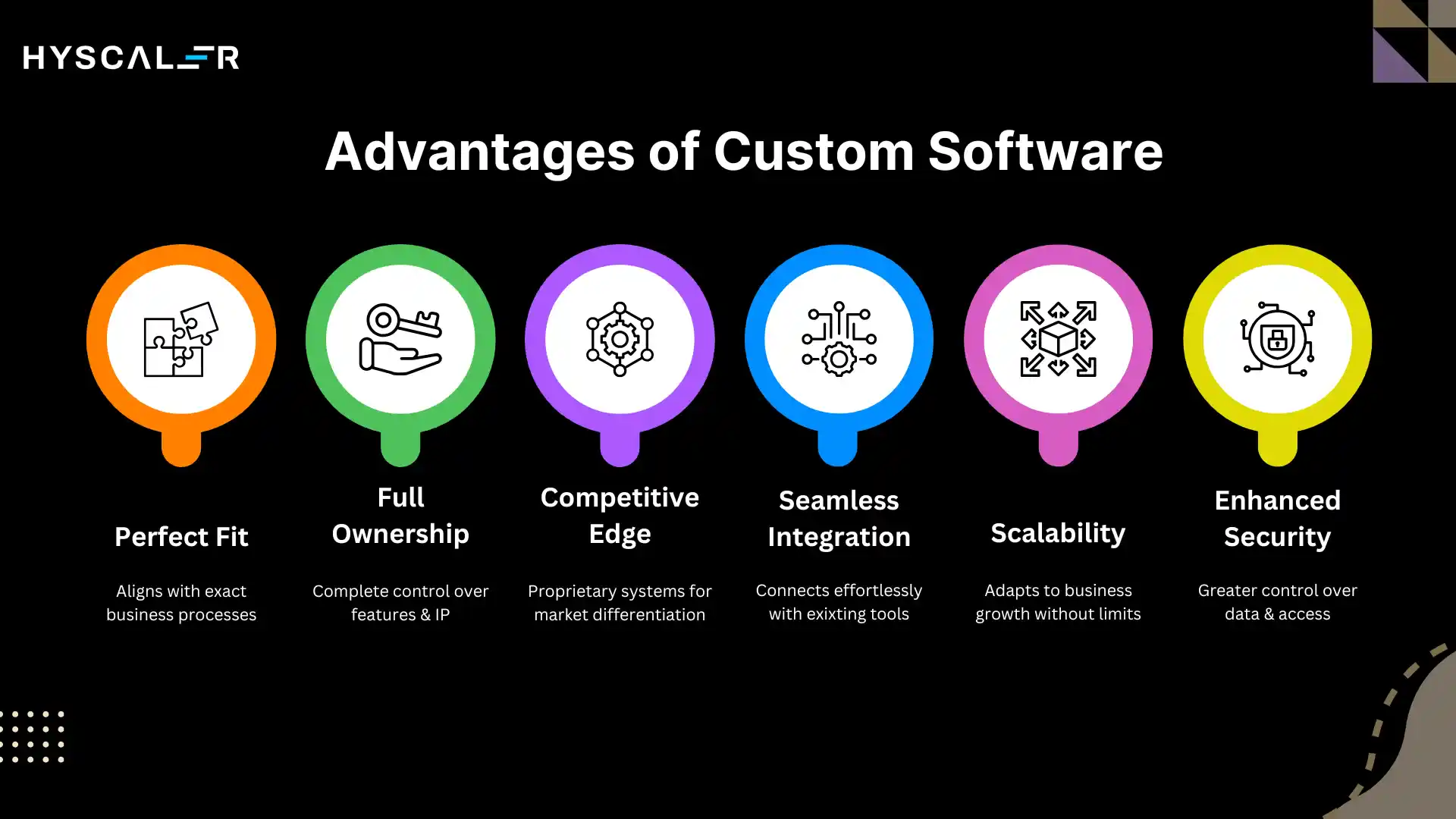
Perfect Fit for Unique Business Processes
Custom software is purpose-built to mirror your exact workflows, business logic, and data structure.
There are no forced workarounds, no features you pay for but never use, and no processes you have to abandon because the software cannot support them.
This precise alignment translates directly into operational efficiency and productivity gains.
Full Ownership and Control
When you commission custom software, you own the intellectual property.
You control every feature, every security protocol, every update, and every integration.
You are never at the mercy of a vendor’s pricing changes, product discontinuation, or strategic pivots.
This ownership is especially valuable for mission-critical systems.
Competitive Differentiation
Off-the-shelf software, by definition, is available to your competitors too.
When your entire industry uses the same CRM or ERP, there is no software-driven differentiation.
Custom software encodes your most efficient workflows into proprietary systems that competitors cannot simply purchase and replicate.
It becomes a genuine competitive moat.
Seamless Integration
Custom software is designed from the ground up to integrate with your existing tools, databases, and infrastructure.
There is no need for expensive middleware, complex API workarounds, or manual data transfers between systems.
Integration is a design feature, not an afterthought.
Scalability Without Limits
As your business grows, your custom software grows with it.
You can add new modules, expand user capacity, introduce new features, and adapt to changing regulations all without being constrained by a vendor’s pricing tiers or feature roadmap.
Enhanced Security
Custom software offers superior security control.
Because it is not a widely distributed product, it is a less attractive target for mass cyberattacks.
You also control exactly what data is stored, where it is stored, and who can access it critical for regulated industries like healthcare, finance, and defense.
Disadvantages of Custom Software
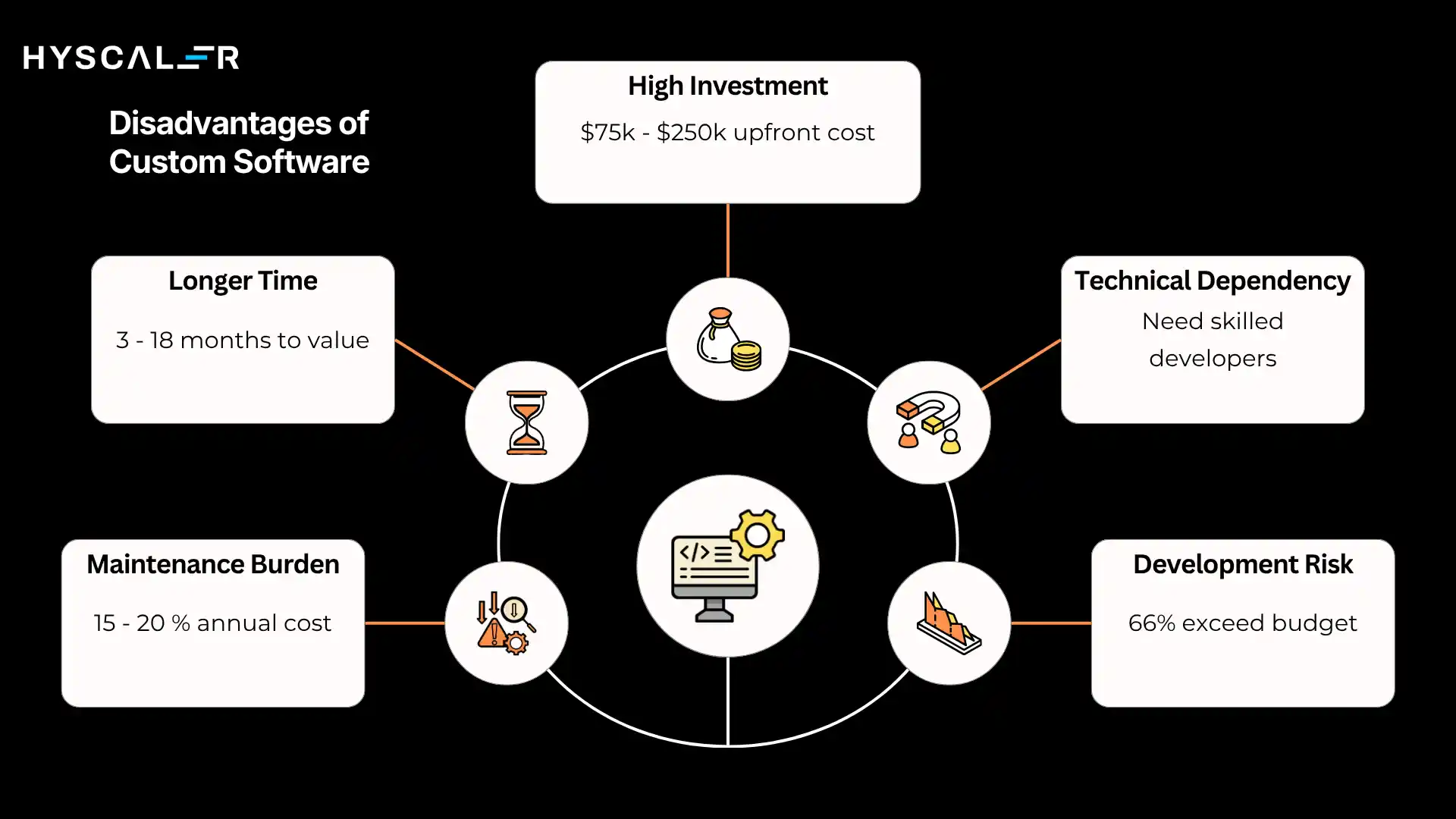
High Upfront Investment
The most significant barrier is cost.
According to 2025 market data, most custom software projects range from $75,000 to $250,000 on average, with enterprise systems regularly exceeding $1 million.
This is a substantial upfront commitment compared to a monthly SaaS subscription.
Longer Time to Value
Custom software takes time, typically 3 to 18 months, depending on complexity.
During that development period, your business must continue operating with existing tools.
This delay can be a significant disadvantage when speed to market is a priority.
Ongoing Maintenance Responsibility
Unlike off-the-shelf software, where the vendor handles updates and patches, custom software requires your organization (or a development partner) to manage maintenance.
Industry benchmarks suggest annual maintenance costs typically run 15–20% of the initial development investment.
Development Risk
Industry research shows that approximately 66% of software projects exceed their original budgets by an average of 27%.
Scope creep, requirement changes, and technical challenges are common.
Selecting the right development partner and investing in a thorough discovery phase dramatically reduces this risk.
Dependency on Technical Expertise
You need skilled software developers, either in-house or through a trusted partner, not just to build the software, but to maintain it ongoing.
If you sever ties with your original development team without proper knowledge transfer, supporting the system can become difficult.
Off-the-Shelf Software: Pros and Cons
Advantages of Off-the-Shelf Software
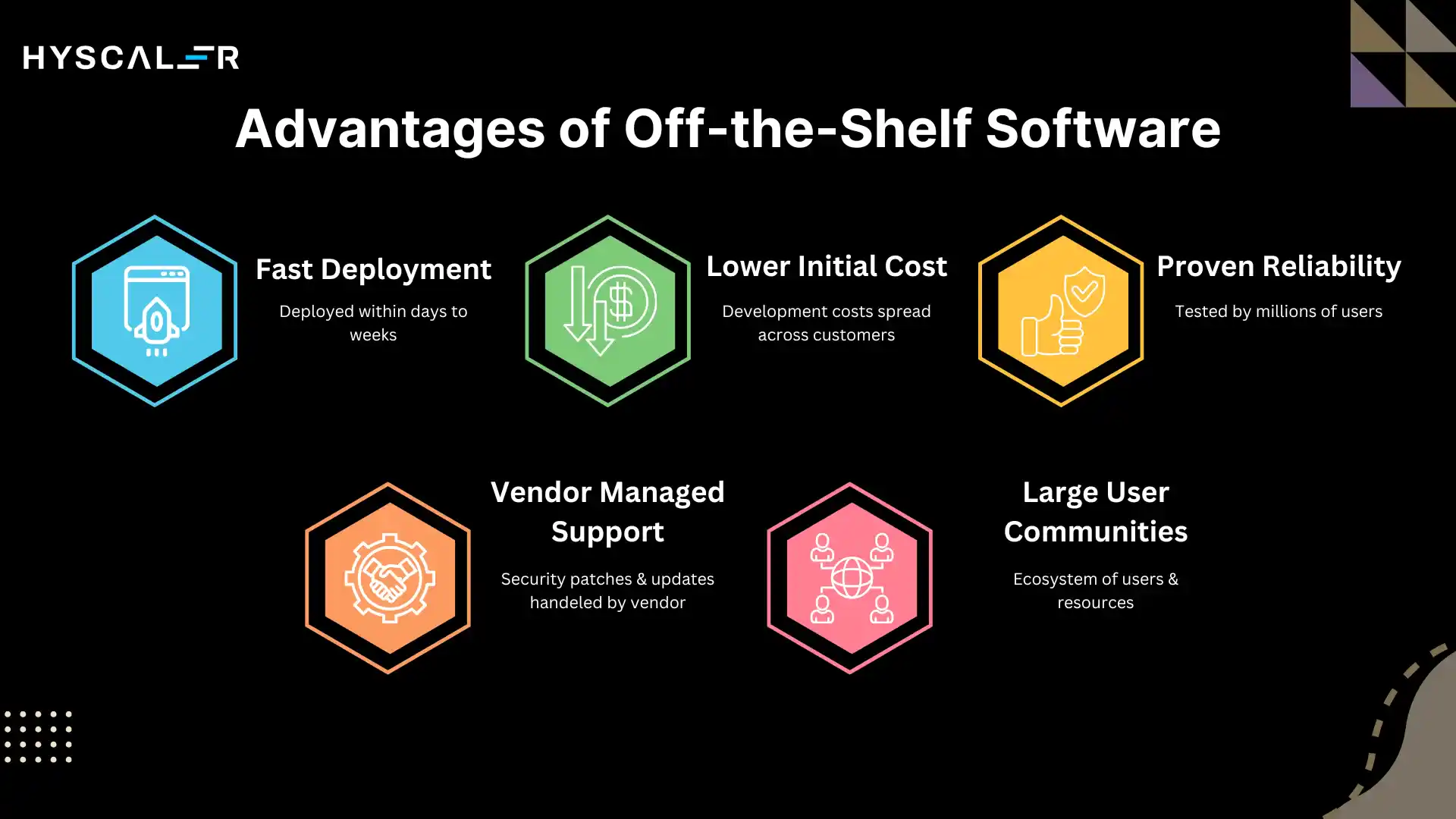
Fast Deployment
Off-the-shelf software can be deployed within days to weeks.
If your business needs a solution immediately for a new team, a rapid process improvement, or a pilot program, packaged software removes the months-long wait for custom development.
Lower Initial Cost
Because development costs are spread across thousands of customers, the per-organization cost of off-the-shelf software is dramatically lower than custom development.
Monthly subscription models also reduce upfront capital requirements, making them attractive for startups and budget-conscious businesses.
Proven Reliability
Popular off-the-shelf solutions have been tested by millions of users across thousands of organizations.
Bugs are found and fixed rapidly.
The software’s stability and reliability are backed by a real-world track record that no brand-new custom build can match on day one.
Vendor-Managed Support and Updates
Security patches, compliance updates, and feature improvements are handled entirely by the vendor.
Your internal IT team does not carry this burden.
Many vendors also publish public roadmaps so you can anticipate upcoming features.
Large User Communities
Major platforms like Salesforce, SAP, or Microsoft 365 have enormous ecosystems of users, third-party integrations, training resources, and certified consultants.
When you encounter a problem, help is readily available through forums, documentation, and professional networks.
Disadvantages of Off-the-Shelf Software
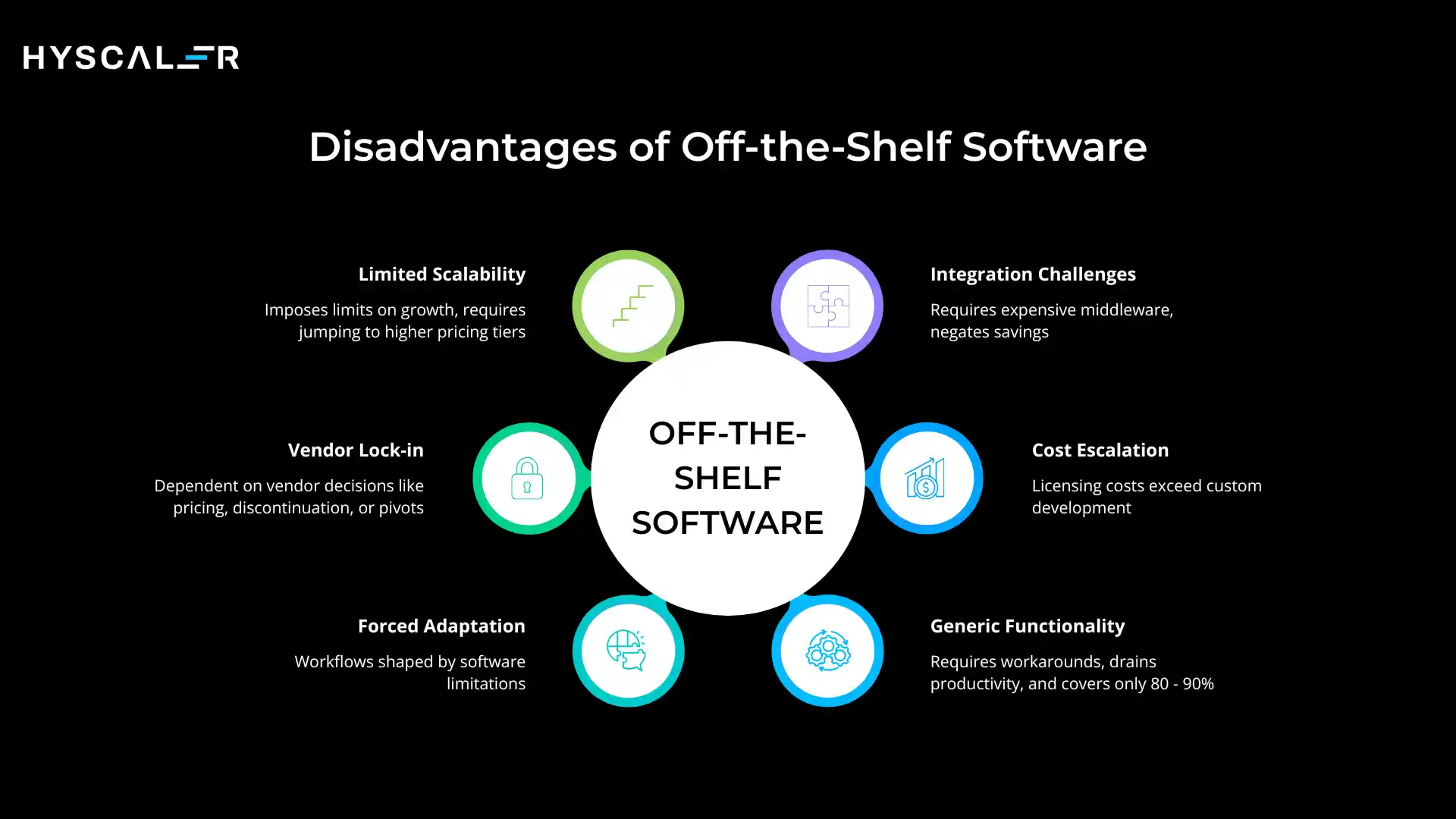
Generic Functionality: The 80% Problem
A well-chosen off-the-shelf solution might cover 80–90% of your requirements.
The remaining 10–20% can become the source of constant friction workarounds, manual processes, and inefficiencies that quietly drain productivity across your entire organization.
Forced Process Adaptation
Off-the-shelf software does not adapt to your processes; your team adapts to the software.
Over time, your workflows become shaped by the tool’s limitations rather than by what is actually optimal for your business.
This is one of the most insidious and underestimated costs of packaged software.
Vendor Lock-In
When your operations depend on a vendor’s platform, you are exposed to their pricing decisions, product discontinuation, acquisition by another company, or strategic pivots.
Switching platforms later is painful and expensive, sometimes more expensive than building custom software from the start.
Limited Scalability
Many off-the-shelf solutions impose limits on user counts, data volumes, or feature access that require jumping to higher and much more expensive pricing tiers.
As your business scales, the cost-per-user economics can shift dramatically, eroding the initial cost advantage.
Integration Challenges
Connecting off-the-shelf tools to your existing systems often requires expensive middleware, third-party integration platforms (like Zapier or MuleSoft), or custom API development, partially negating the cost savings of the packaged solution.
Long-Term Cost Escalation
Research shows that for organizations with 100+ users, licensing costs for commercial software can exceed the equivalent custom development investment within 2–3 years, particularly with enterprise per-user pricing models.
Total Cost of Ownership: A Realistic Financial Model
The most common mistake in this decision is comparing the initial price of off-the-shelf software to the upfront cost of custom development.
That comparison is fundamentally misleading.
The correct metric is Total Cost of Ownership (TCO) over a 3–5 year horizon.
Custom Software Cost Breakdown (2025–2026 Benchmarks)
| Project Type | Complexity | Estimated Cost Range | Timeline |
|---|---|---|---|
| MVP / Simple App | Low | $5,000 – $50,000 | 1–3 months |
| Medium Business App | Medium | $50,000 – $200,000 | 3–8 months |
| Enterprise System | High | $200,000 – $1M+ | 8–18 months |
| SaaS Platform | Very High | $150,000 – $1.5M+ | 12–24 months |
Additional cost drivers include team location (U.S. rates: $100–$200/hr; Eastern Europe: $40–$70/hr; South Asia: $25–$50/hr), project management overhead (10–15% of total budget), QA and testing (15–20%), and annual maintenance (15–20% of initial build cost).
Off-the-Shelf Software Cost Components
- Monthly/annual licensing fees (per user or flat rate)
- Onboarding and implementation costs
- Training and change management
- Integration and middleware expenses
- Premium support tiers
- Feature add-ons and module upgrades
- Migration costs when switching platforms
The 5-Year TCO Comparison (Illustrative Example)
Consider a 100-person organization evaluating a mid-tier SaaS CRM at $150/user/month versus a custom CRM at $180,000 to build:
- Off-the-shelf (Year 1): $180,000 in licensing + $30,000 implementation = $210,000
- Custom (Year 1): $180,000 development + $27,000 maintenance = $207,000
- Off-the-shelf (Year 3 cumulative): ~$630,000+ (license increases typical)
- Custom (Year 3 cumulative): ~$261,000 (maintenance only after year one)
By Year 3, the custom solution is often significantly cheaper on a total-cost basis while delivering superior fit and eliminating workaround costs that off-the-shelf solutions create but rarely account for in ROI models.
The Decision Framework: How to Choose
The right choice is not about which option is universally better.
It is about which option is better for your specific situation.
Use this framework to evaluate your context across the dimensions that matter most.
Decision Matrix
| Choose Custom Software When… | Choose Off-the-Shelf When… |
|---|---|
| Your workflows are highly unique | Your needs are standard and common |
| You need tight security/compliance | You have a limited or tight budget |
| Long-term ROI matters more than speed | Speed of deployment is critical |
| You want a competitive moat | You need to validate an idea (MVP) |
| Integration with legacy systems is needed | A wide user community matters to you |
| You can invest $50K+ upfront | You have fewer than 50 users initially |
| You operate in a niche/specialized industry | Your industry is well-served by vendors |
Step-by-Step Evaluation Process
- Define the problem clearly: Before evaluating tools, articulate the specific business problem you are solving. Many organizations jump to software selection when the real issue is a process or data problem.
- Map your requirements: categorize each requirement as ‘standard’ (solved by existing tools) or ‘unique’ (proprietary to your business). If more than 30% of requirements are unique, lean toward custom.
- Calculate TCO over 5 years, including all costs: licensing, implementation, training, integration, maintenance, and opportunity costs of workarounds.
- Assess your risk tolerance: Custom development carries execution risk; off-the-shelf carries vendor dependency risk. Which risk is more tolerable for your business?
- Evaluate your technical capacity: Do you have (or can you hire) developers to maintain custom software long-term? If not, you need a reliable development partner.
- Consider a hybrid approach: many successful organizations use off-the-shelf software for standard functions (accounting, email, HR) while investing in custom software for the processes that differentiate them.
The Hybrid Approach: Best of Both Worlds
The binary choice between custom and off-the-shelf is a false dichotomy for many businesses.
A well-architected hybrid strategy uses off-the-shelf solutions for commodity functions (email, accounting, basic project management) while investing in custom development for the workflows and data systems that create genuine competitive advantage.
For example, a logistics company might use QuickBooks for accounting (off-the-shelf) while building a proprietary route optimization and dispatch system (custom) that competitors cannot replicate.
This approach minimizes total cost while maximizing differentiation where it matters.
Industry-Specific Considerations
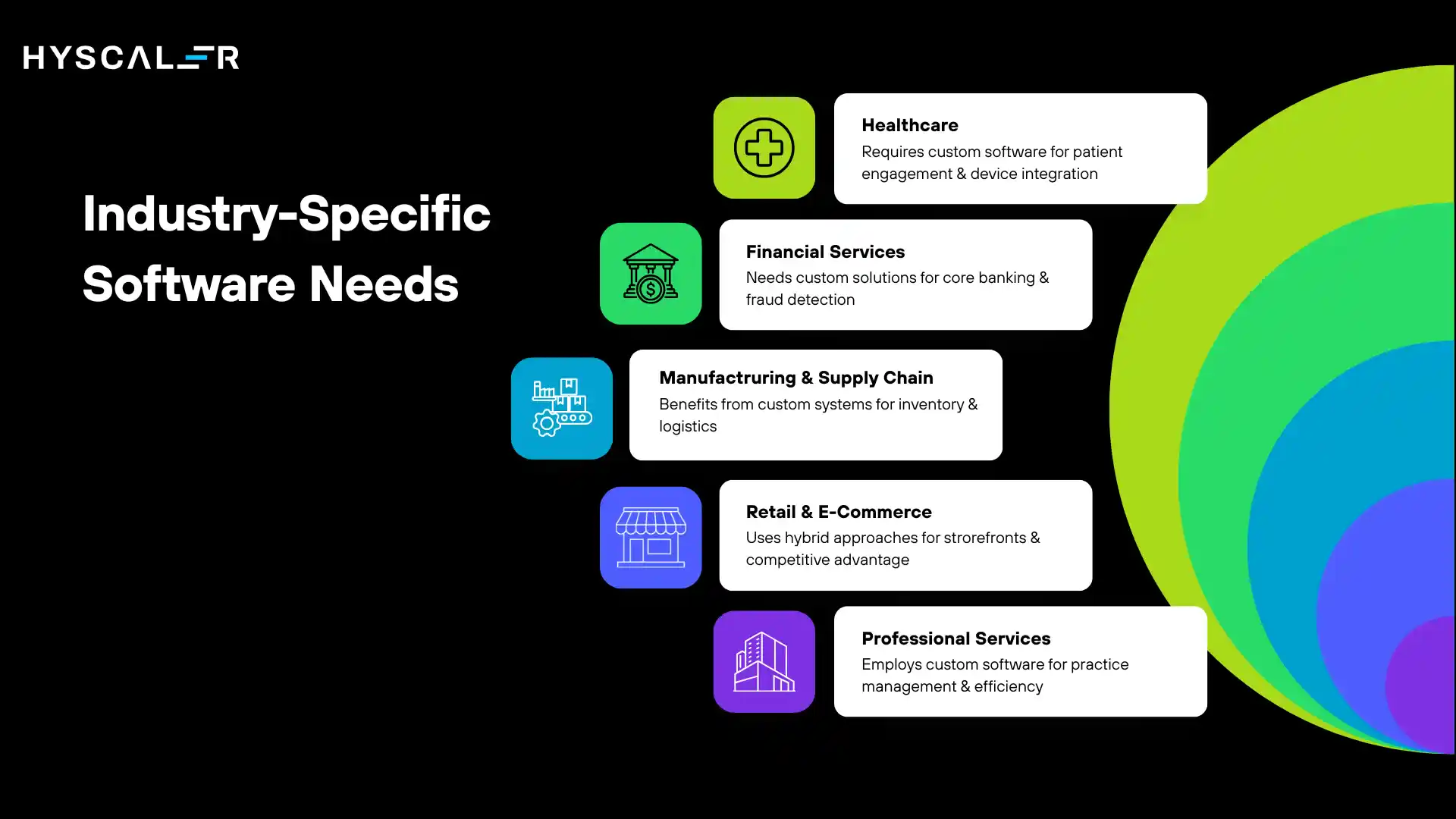
Healthcare
Healthcare organizations face strict regulatory requirements (HIPAA in the U.S., GDPR in Europe). Off-the-shelf EHR systems like Epic or Cerner serve most clinical needs, but hospitals and specialty practices often require custom software for patient engagement, specialized workflows, and integration with proprietary medical devices.
Financial Services
Banks, insurance companies, and fintech firms operate under intense regulatory scrutiny and face sophisticated cyber threats.
Custom software is prevalent for core banking systems, fraud detection, compliance reporting, and proprietary trading platforms.
However, off-the-shelf solutions remain dominant for HR, project management, and communication.
Manufacturing and Supply Chain
Large manufacturers like Walmart and Amazon have famously built custom inventory, logistics, and supply chain systems that would be impossible to replicate with any off-the-shelf solution at the scale required.
Smaller manufacturers often start with off-the-shelf ERP systems and supplement with custom modules as their processes mature.
Retail and E-Commerce
The retail sector sees one of the clearest cases for hybrid approaches.
Off-the-shelf platforms like Shopify or WooCommerce serve standard storefront needs, while custom software powers recommendation engines, loyalty programs, and demand forecasting models that drive genuine competitive advantage.
Professional Services
Law firms, consulting agencies, and marketing agencies typically begin with off-the-shelf project management and CRM tools.
As they scale and their service delivery models become more refined, purpose-built practice management software offers significant efficiency gains.
The Role of AI in This Decision (2026 Perspective)
Artificial intelligence is reshaping both sides of this equation. Off-the-shelf platforms are rapidly embedding AI features.
Salesforce has Einstein AI, Microsoft 365 has Copilot, and virtually every major vendor is integrating generative AI capabilities into their products.
This makes out-of-the-box software significantly more capable than it was even two years ago.
At the same time, custom software development itself is becoming faster and less expensive thanks to AI-assisted coding tools.
What might have taken 12 months to build in 2022 can now be achieved in 6–8 months, improving the ROI case for custom development for businesses that previously couldn’t justify the investment.
For businesses evaluating this decision in 2026 and beyond, the AI question is not just ‘does this software have AI features?’ It is: ‘Does this software allow us to apply AI to our unique data and proprietary workflows in ways that create lasting competitive advantage?’ Off-the-shelf AI features are available to your competitors.
Custom AI systems trained on your data are not.
Common Mistakes to Avoid
Mistake 1: Comparing Upfront Costs Only
The initial license fee versus development quote comparison is the most common and most dangerous mistake.
Always model Total Cost of Ownership over 3–5 years, including integration costs, workaround costs, and scaling costs.
Mistake 2: Choosing Off-the-Shelf Without Mapping Requirements
Many businesses purchase off-the-shelf software before fully documenting their requirements.
A tool that covers 80% of needs sounds attractive until you realize the missing 20% represents your most important processes.
Mistake 3: Underestimating Custom Software Maintenance
Custom software is not a one-time investment.
Budget 15–20% of the initial development cost annually for maintenance, updates, and feature additions.
Ignoring this creates technical debt that compounds over time.
Mistake 4: Ignoring Vendor Lock-In Risk
Organizations that become deeply integrated with a single vendor’s ecosystem using their data formats, APIs, and processes often find that switching platforms later costs more than building custom software would have cost initially.
Always evaluate portability before committing to a platform.
Mistake 5: Starting Custom Development Without a Discovery Phase
Jumping directly from ‘we need custom software‘ to ‘start coding’ without a structured discovery phase is the most common cause of budget overruns.
A proper discovery phase mapping requirements, defining architecture, and creating detailed specifications typically costs $5,000–$30,000 but saves multiples of that in development cost and rework.
FAQs
What is the difference between custom software and off-the-shelf software?
Custom software is built specifically for one organization and tailored to its unique workflows, while off-the-shelf software is a pre-built product sold to many customers to address common, generalized needs. Custom software offers a perfect fit and full ownership; off-the-shelf offers faster deployment and lower initial cost.
How much does custom software development cost in 2025?
Custom software development typically ranges from $5,000 for a simple MVP to over $1 million for complex enterprise systems. The average mid-range business application falls between $50,000 and $250,000. Annual maintenance costs run approximately 15–20% of the initial build cost.
When should a business choose custom software over off-the-shelf?
Choose custom software when your business processes are highly unique, when security or compliance demands full control, when you have 100+ users and long-term ROI matters, or when your competitive advantage depends on proprietary workflows. If your needs are standard and the budget is tight, start with off-the-shelf.
Is off-the-shelf software always cheaper than custom software?
No, not when evaluated over 3–5 years. While off-the-shelf has a lower upfront cost, recurring licensing fees, integration costs, and the productivity loss from workarounds can make it more expensive than custom software over a multi-year period, especially for larger organizations.
What is vendor lock-in, and why does it matter?
Vendor lock-in occurs when your business becomes so dependent on a specific software vendor’s platform, data formats, or APIs that switching to another solution is prohibitively expensive. This gives the vendor pricing power and can expose you to risk if they change their product strategy, raise prices, or discontinue the product.
Can I use both custom and off-the-shelf software in my business?
Yes, this is the recommended hybrid approach for most mid-size and enterprise organizations. Use off-the-shelf solutions for commodity functions like email, basic accounting, and HR. Invest in custom software for the workflows and systems that directly create competitive advantage or require specialized integration.
How long does custom software development take?
Development timelines vary significantly by scope: a simple MVP can be delivered in 1–3 months, a medium business application in 3–8 months, and a complex enterprise system in 8–18 months or longer. A thorough discovery phase before development begins significantly improves timeline accuracy.
What are the biggest risks in custom software development?
The primary risks include budget overruns (66% of projects exceed budgets by an average of 27%), scope creep, delays, and dependency on a development partner. These risks are substantially mitigated by investing in a proper discovery phase, selecting an experienced development partner, and maintaining active project oversight.
Does AI change the custom vs. off-the-shelf decision?
Yes. AI is making off-the-shelf platforms more capable through embedded features, while also making custom development faster and more cost-effective. Businesses should evaluate not just whether AI features exist in a platform, but whether those features can be applied to their proprietary data and workflows, something custom software enables far more effectively.
What is the best first step if I’m unsure which to choose?
Start by documenting your specific requirements and categorizing them as standard (solvable by existing tools) or unique (proprietary to your business). Then calculate the Total Cost of Ownership for both options over five years. If more than 30% of your requirements are unique, or if your team spends more than 10 hours per week on software workarounds, custom development is worth a serious evaluation.