
Table of Contents
Microsoft has rebranded its AI image generator, formerly known as Bing Image Creator, into Image Creator from Designer. Learn what’s new and what’s not.
Image Creator from Designer: Microsoft’s new name for its AI image generator
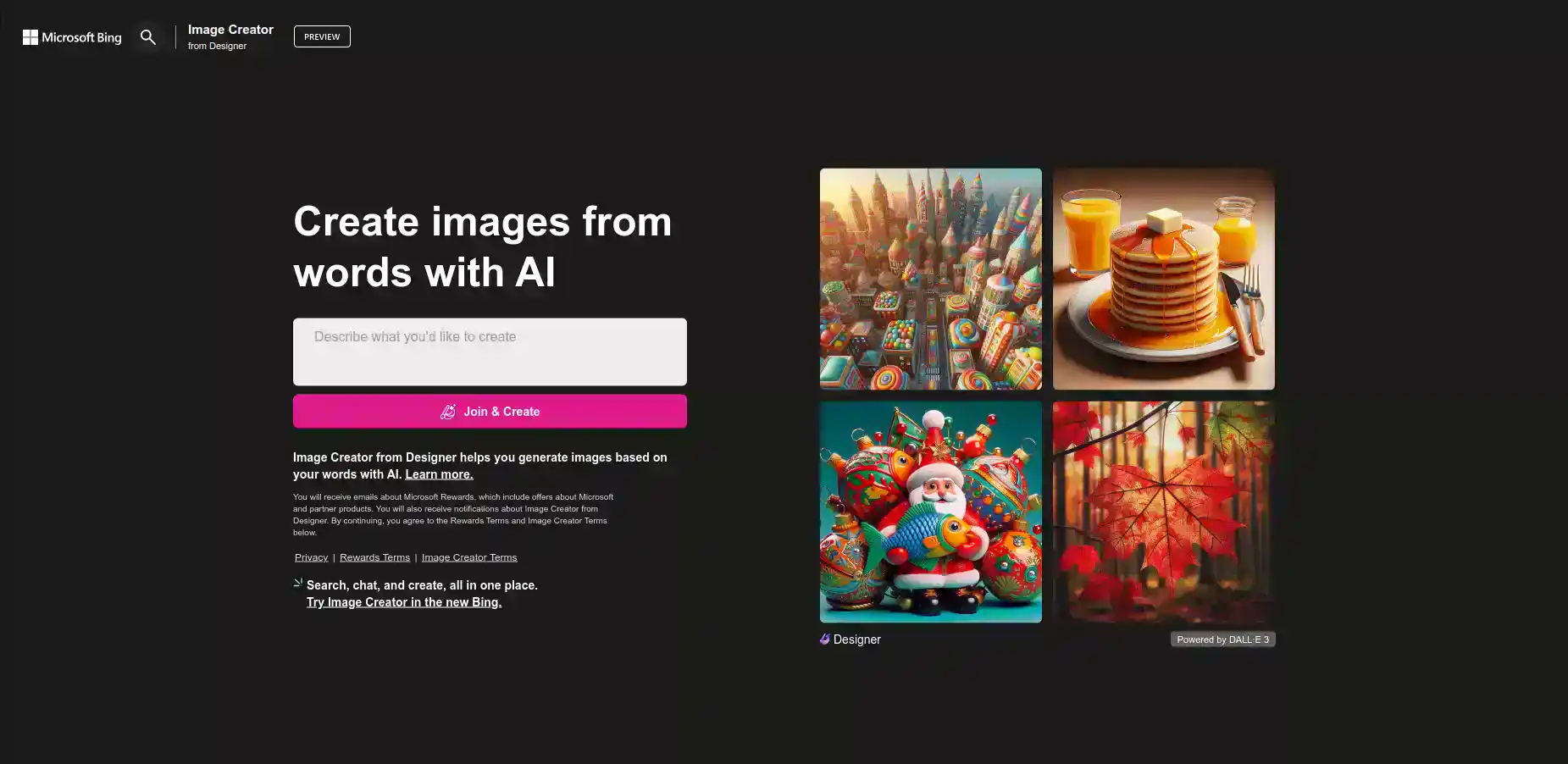
Microsoft has changed the name of its AI image generator, which was previously called Bing Image Creator. The new name is Image Creator from Designer, which reflects its connection to Microsoft’s graphic design app, Designer.
What is an Image Creator from a Designer?
Image Creator from Designer is an AI image generator that can create high-quality images from text prompts. It uses DALL-E 3, an advanced generative AI development services model that can generate realistic and diverse images from natural language inputs.
Image Creator from Designer can be used for various purposes, such as generating tattoos, logos, icons, illustrations, memes, and more. It can also be used for fun and entertainment, such as generating images of imaginary animals, celebrities, or scenes.
Image Creator from Designer was launched in March, as part of Microsoft’s rebranding of Bing Search into Copilot, an AI companion that can help users with information, questions, and conversations. However, the AI image generator kept its original name, Bing Image Creator, until recently.
What has changed and what has not?
The only thing that has changed about the AI image generator is its name. Everything else, such as its appearance, function, and website, remains the same.
If you visit the Image Creator from Designer website, you will see the same interface and features as before, except for the new name and logo at the top left corner. You can still enter any text prompt and see the AI-generated images in seconds.
If you use Copilot to ask for an image, you will also get the same results as before, except for the new name and logo at the bottom left corner of the image. You can still ask Copilot to generate an image for you by typing “draw me a picture of” followed by your desired prompt.
The only announcement that Microsoft made about the name change was a brief mention in a blog post earlier this week, where the main news was the launch of Copilot Pro, a premium subscription service for Copilot users.
What are the benefits of Copilot Pro?
Copilot Pro is a new service that offers enhanced features and benefits for Copilot users, including Image Creator from Designer.
Copilot Pro users can enjoy improved AI image creation with Image Creator from Designer, such as faster generation, higher quality, and landscape format. They can also get 100 boosts per day, which are ways to optimize their AI image generation experience. Previously, the limit was 25 boosts per week.
Copilot Pro users can also get better assistance from Copilot, such as more relevant and useful responses, personalized suggestions, and feedback options. They can also get priority access to the latest AI models and features that Copilot offers, such as the Copilot GPTs, which are custom AI models that users can create and train with their own data and preferences.
Copilot Pro costs $20 per month, and it is available for anyone who wants to upgrade their Copilot experience.
If you want to try Microsoft Designer, the graphic design app that Image Creator from Designer is based on, you can do so for free with a Microsoft account. Image Creator from Designer Choice is also free to use on its website, or through Copilot. For more tips, tools, and inspiration on photo designing, visit designers-choice.
Learn how to use the image creator from designer with this article: How To Generate Images in Bing AI: How To Use Bing AI Image Generator