

Table of Contents
Most browsers are built around a simple trade: you get a free product, and advertisers get a detailed picture of what you do online. DuckDuckGo’s browser takes a different approach. It blocks much of that tracking by default, pairs it with a search engine that doesn’t build a profile of you, and now adds optional DuckDuckGo AI tools designed with privacy in mind.
This guide explains how the DuckDuckGo Private Browser works in 2026, what DuckDuckGo AI actually does, where its privacy protections stop, and how it compares with Chrome, Brave, Firefox, and Tor. You’ll also find a short setup guide at the end.
What is DuckDuckGo Private Browser? DuckDuckGo Private Browser is a free, privacy-focused web browser that blocks third-party trackers, offers private search, limits tracking cookies, and lets you erase browsing data with its Fire Button. It also includes optional DuckDuckGo AI features, such as Duck.ai, for chatting with third-party AI models more privately.
What Is DuckDuckGo Private Browser?
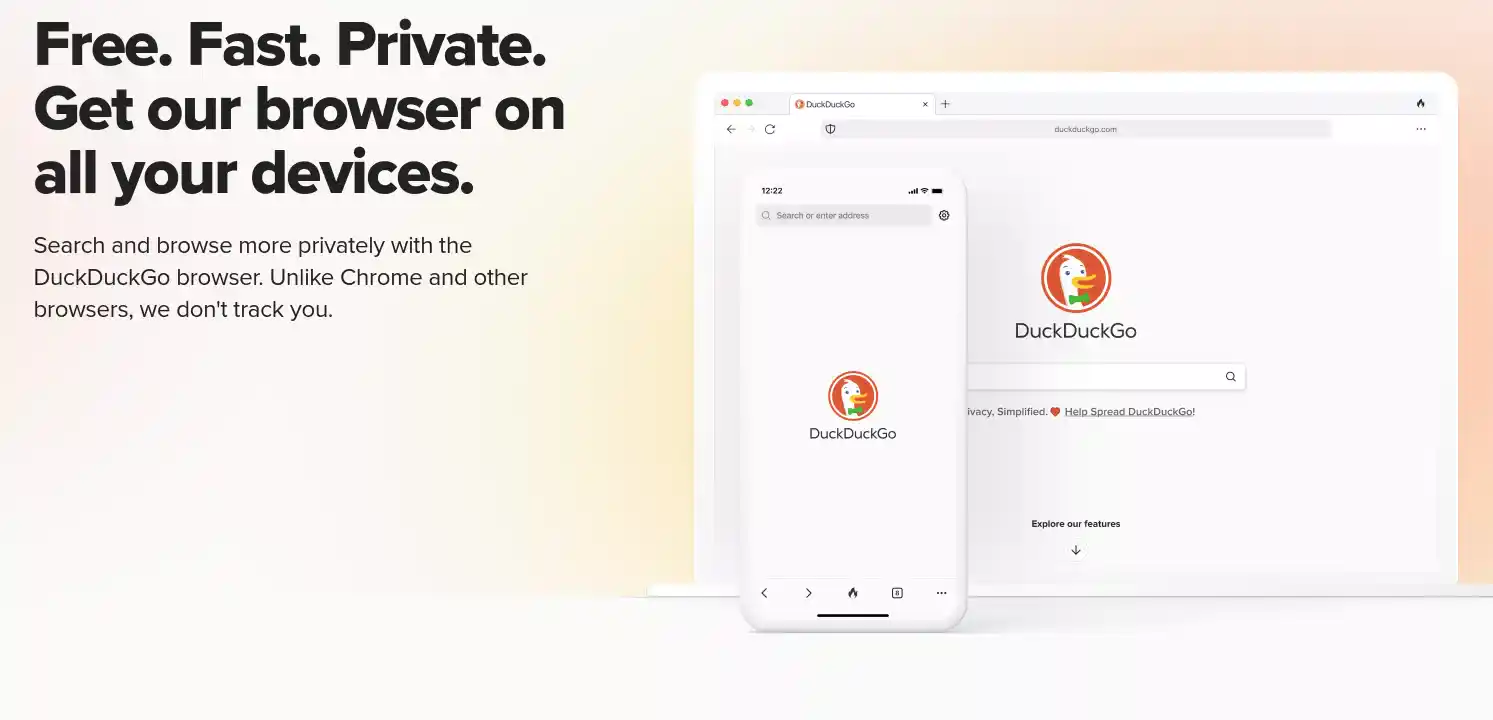
DuckDuckGo Private Browser is a free browser for Windows, macOS, iOS, and Android. Its defaults are built around reducing tracking, so you don’t have to hunt through menus or install extensions to get a baseline level of protection.
One point trips up many people: DuckDuckGo Search and DuckDuckGo Browser are separate products. The search engine works in any browser, including Chrome, Safari, and Firefox, with no installation. The browser is a standalone app that uses DuckDuckGo Search by default and adds protections that work across every site you visit, not just when you search.
Both are free. DuckDuckGo has historically earned its revenue from privacy-respecting search ads, which are based on the words you type rather than a profile of your past behavior, along with affiliate arrangements and, more recently, an optional paid subscription that bundles extra privacy and AI services.
Key Features of DuckDuckGo Private Browser
The feature set is deliberately compact. Availability can vary slightly between desktop and mobile, so check the settings on your own device.
Private Search Without a Search History Profile
Conventional search engines often tie your queries to an account, device, or advertising profile, then use that history to personalize results and ads. DuckDuckGo Search doesn’t build that profile. Your searches aren’t linked to an identity, which means there’s no long-running record of what you looked up to be sold, leaked, or subpoenaed.
Built-in Tracker Blocking
When you open a page, dozens of background requests can load from advertising and analytics companies. DuckDuckGo blocks many third-party trackers before they load and limits cross-site tracking, which is how advertisers follow you from a shoe store to a news site to a social feed. A practical side effect is that pages often load faster.
Fire Button: Clear Browsing Data Instantly
The Fire Button is a single control that closes your tabs and erases history, cookies, and cached site data. It’s useful on shared devices, or after a research session you’d rather not leave behind. You can choose whether it clears everything or only the current tab’s data.
Fireproofing Websites
Clearing everything can be annoying if it also signs you out of every account. Fireproofing lets you pick sites, such as your email or a bank, whose data survives the Fire Button, while everything else is wiped.
Cookie Pop-up Protection
The browser tries to handle supported cookie consent banners automatically, choosing the most private option available. It won’t catch every banner, but it removes a good share of the daily clicking.
Email Protection
DuckDuckGo offers free @duck.com addresses that forward to your real inbox. They strip out many hidden trackers from incoming email and let you create disposable addresses for signups, so a leaked or sold address doesn’t reveal your main one.
App Tracking Protection (Android)
On Android, this feature extends protection beyond the browser. It blocks many third-party trackers that other apps on your phone try to contact in the background. It’s an Android-specific feature and isn’t available in the same form on other platforms.
Smarter Encryption and Link Tracking Protection
The browser upgrades connections to HTTPS where a secure version of a site exists, and it removes tracking parameters from supported links, such as the long strings tacked onto URLs by email campaigns and social platforms.
What Is DuckDuckGo AI? Understanding Duck.ai and Search Assist
DuckDuckGo AI is split into two different tools, and it helps to keep them separate.
What Is Duck.ai?
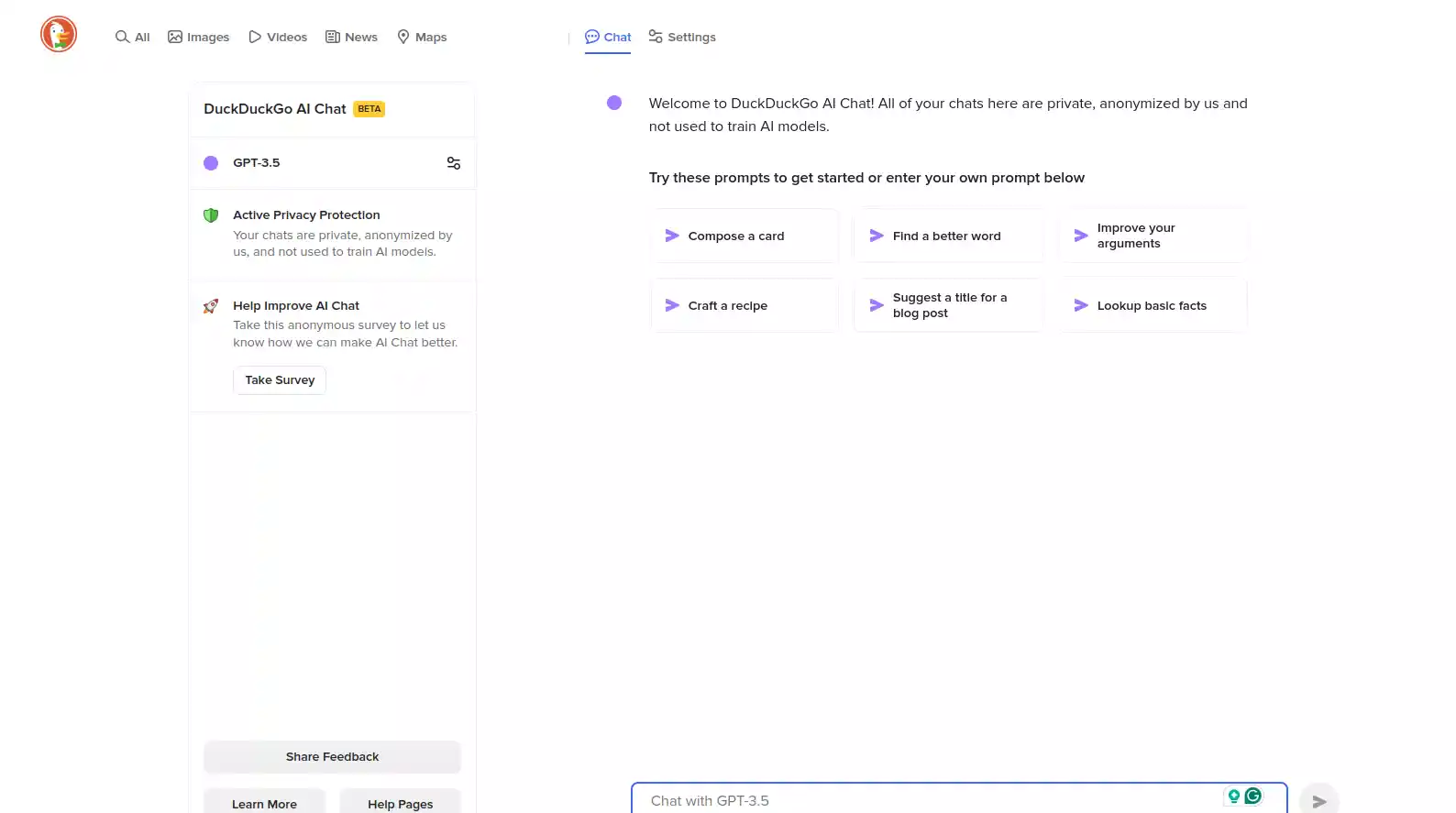
Duck.ai is the chat tool within DuckDuckGo AI that gives you access to AI models built by other companies, routed through DuckDuckGo’s privacy layer. You can open it at duck.ai or from inside the browser. It’s typically available without creating an account, which is unusual in a space where most chatbots ask you to sign up first.
People use it much as they’d use any general-purpose chatbot: drafting and editing text, summarizing articles, brainstorming ideas, explaining unfamiliar topics, and working through problems. The difference lies in how your requests travel, which the next section covers.
Which AI Models Are Available on Duck.ai?
DuckDuckGo AI doesn’t run one model of its own. It offers a rotating selection from several providers, and the lineup has changed considerably since the service launched in 2024, when it included GPT-3.5, Claude 3 Haiku, Llama 3, and Mixtral. Because the list changes often, check the model picker inside Duck.ai for exactly what’s available today. Here’s how the choices are generally organized:
| Provider | What to expect |
|---|---|
| OpenAI | General-purpose models for writing, analysis, and everyday questions |
| Anthropic | Claude models, often favored for long-form writing and careful reasoning |
| Mistral AI | Open-weight options from a European developer |
| Tinfoil-hosted models | Models run in a setup designed so that even the hosting layer can’t see your prompts |
Several models are free, subject to usage limits. DuckDuckGo subscribers get access to more advanced models and larger allowances. Which models fall on which side of that line can change, so confirm the current split before choosing a plan.
What Is DuckDuckGo Search Assist?
Search Assist is a different feature. Instead of opening a chat, it adds a short AI-generated answer at the top of some search results. It draws on web sources and links to them, so you can verify the answer or read the originals. If you’d rather not see it, Search Assist can be turned off or adjusted in search settings.
Duck.ai vs Search Assist: What Is the Difference?
| Duck.ai | Search Assist | |
|---|---|---|
| Main purpose | Open-ended AI conversation | Quick AI-assisted answers inside search |
| How you use it | Type prompts and follow-ups | Type a normal search query |
| Models | Choose from several third-party models | Generated answer, no model choice needed |
| Sources | Depends on the model and your prompt | Links to the web pages behind the answer |
| Best for | Writing, brainstorming, explaining | Fast explanations while searching |
In short, use Search Assist when you want a quick answer with sources, and Duck.ai when you want a back-and-forth conversation or help producing something.
How to Use Duck.ai in the DuckDuckGo Browser
- Open the DuckDuckGo Browser, or go to duck.ai in any browser.
- Choose an available AI model.
- Type a question or prompt.
- Read the response, and check anything important against a reliable source.
- Ask follow-up questions, or switch models to compare answers.
- Delete or manage your chat history when you’re done.
How Does DuckDuckGo Protect Your AI Conversations?
It helps to think of DuckDuckGo’s privacy as three layers: search privacy (no profile of your queries), browser privacy (reduced tracking across sites), and AI privacy (protections around your prompts). The first two are about what companies learn from your browsing. The third is about what happens to the things you type into a chatbot, which are often far more personal.
IP Address and Metadata Anonymization
When you send a prompt through Duck.ai, DuckDuckGo forwards it to the model provider in a way that strips identifying details, including your IP address. The provider sees a request coming from DuckDuckGo, not from you. That matters because it separates your prompt from your identity, though it doesn’t change what the prompt itself says.
No AI Training on Your Conversations
DuckDuckGo states that conversations aren’t used to train its own or its providers’ models, and it has agreements with providers that restrict how they can use the data they receive.
Zero Data Retention Agreements
Those agreements also require providers to delete prompts and responses within set timeframes. DuckDuckGo documents a small number of exceptions, such as limited retention for abuse prevention or legal compliance. “Zero retention” is the aim, but it’s worth reading the current privacy terms rather than assuming it means data is never held for any reason.
Local Chat History and Encrypted Sync
DuckDuckGo doesn’t store your conversations on its servers by default. Recent chats can be saved locally on your device so you can return to them. If you want them on multiple devices, an optional Sync & Backup feature stores them with end-to-end encryption. You can delete individual chats or clear your history whenever you want.
What Happens When You Upload Files or Use Voice Chat?
File uploads and voice features involve additional processing. Uploaded files go through a separate moderation process, and voice input has to be converted to text. Both are covered by DuckDuckGo’s documentation, and both deserve a closer read before you use them with anything sensitive.
A Practical Example: How Duck.ai Handles a Prompt
Suppose you ask Duck.ai to summarize a personal document.
- You submit the prompt.
- DuckDuckGo removes identifying metadata such as your IP address.
- The anonymized request goes to the selected AI provider.
- The provider generates a response under its agreement with DuckDuckGo.
- The response returns to you, and the chat can be kept locally if you choose.
A caution: anonymizing the request doesn’t anonymize what’s inside it. If a document contains your name, address, or health details, those details travel with it. Think carefully before uploading sensitive material to any AI service.
Understanding the Terms
The vocabulary around AI privacy is easy to blur, so here is what each phrase actually promises:
- Anonymous requests: your identity and IP address are separated from the prompt.
- No model training: your conversations aren’t used to improve AI models.
- Zero data retention: providers delete prompts and responses quickly, with documented exceptions.
- Local chat history: chats saved on your device, not on DuckDuckGo’s servers.
- End-to-end encrypted backups: synced chats that DuckDuckGo itself can’t read.
These are separate protections, and one doesn’t imply the others.
Is DuckDuckGo Private Browser Really Private?
Yes, within limits. The browser offers real protection against tracking, but “private” doesn’t mean “anonymous,” and DuckDuckGo says so itself.
What DuckDuckGo Protects You From
- Third-party tracking across websites.
- Search history collection by DuckDuckGo.
- Many tracking cookies.
- Tracking links and URL parameters.
- Unwanted browsing data lingering on your device.
What DuckDuckGo Cannot Protect You From
- Sites you log into, which know who you are.
- Information you choose to share, such as forms and posts.
- Your internet provider, which can still see network activity.
- Many browser fingerprinting techniques.
- Malware, phishing, and compromised websites.
- Network-level identification, since the browser doesn’t hide your IP address from sites you visit.
That last point is a common misunderstanding. DuckDuckGo hides your IP address from AI providers in Duck.ai, but the browser itself doesn’t hide it from the websites you open. For that, you’d need a VPN or Tor.
DuckDuckGo Browser vs Incognito Mode
Incognito or private windows mainly stop your browser from saving history, cookies, and form data locally. They don’t stop websites, advertisers, or your network from seeing your activity. DuckDuckGo goes further by blocking trackers and protecting search, which is why it addresses more of the actual tracking problem.
DuckDuckGo vs Other Private Browsers: Which Is Better?
There’s no single best privacy browser. It depends on what you’re trying to protect and how much effort you want to put in.
| Browser | Main strength | Main limitation | Best for |
|---|---|---|---|
| DuckDuckGo | Simple, privacy-focused defaults | Limited customization | Everyday private browsing |
| Brave | Strong built-in controls, Chromium extensions | More settings to configure | Privacy-conscious power users |
| Firefox | Customization and solid privacy options | Some protections need setup | People who want flexibility |
| Tor Browser | Network anonymity, fingerprinting resistance | Slower, some sites break | Strong anonymity needs |
| Chrome | Compatibility and extensions | Weaker privacy defaults | Google ecosystem users |
DuckDuckGo vs Google Chrome
DuckDuckGo gives you tracker blocking and private search out of the box. Chrome offers the largest extension library and tight integration with Google services. Neither is automatically safer against every threat; you’re mostly choosing between privacy defaults and convenience.
DuckDuckGo vs Brave
Both block trackers by default. Brave is built on Chromium, so it supports Chrome extensions and offers more advanced controls, while DuckDuckGo is simpler and needs less configuration.
DuckDuckGo vs Firefox
Firefox is highly customizable and has strong tracking protection, though getting the strictest settings may take some tweaking. DuckDuckGo is more opinionated and easier to start with.
DuckDuckGo vs Tor Browser
These solve different problems. DuckDuckGo reduces everyday commercial tracking. Tor routes traffic through multiple relays to hide your network location, which matters for journalists, activists, and anyone facing serious surveillance risks. If strong anonymity is the goal, DuckDuckGo isn’t a substitute for Tor.
Which Should You Choose?
| If you want… | Consider |
|---|---|
| Simple everyday privacy | DuckDuckGo |
| More customization | Firefox |
| Privacy with Chromium extensions | Brave |
| Strong network anonymity | Tor Browser |
| Google ecosystem compatibility | Chrome |
Pros and Cons of DuckDuckGo Private Browser
Advantages
- Free browser and private search.
- Built-in tracker blocking.
- Simple, approachable privacy controls.
- A convenient Fire Button.
- Optional private AI conversations.
- Available on desktop and mobile.
Limitations
- Not a complete anonymity solution.
- Smaller extension ecosystem than mainstream browsers.
- Some advanced features require a subscription.
- Protections vary by feature and platform.
- AI responses can still be wrong, so verify anything that matters.
How to Get Started With DuckDuckGo Private Browser
- Download the browser from the official DuckDuckGo website or your device’s app store.
- Install it and open it.
- Set DuckDuckGo as your default search engine and, if you like, your default browser.
- Review the privacy and tracker-blocking settings.
- Configure the Fire Button and add Fireproof Sites for accounts you want to stay signed in to.
- Turn optional AI features on or off to suit you.
- Try Duck.ai with a harmless, non-sensitive prompt to see how it works.
Is DuckDuckGo Private Browser Worth Using in 2026?
For most people, yes. It’s a sensible choice if you want solid everyday privacy without managing a long list of settings, and its Duck.ai option is appealing if you’d like to use AI models without handing over an account and a trail of identifying data.
It’s a weaker fit if you rely on a large set of browser extensions or need advanced customization. And if your situation requires strong anonymity, pair it with a VPN or use Tor instead.
Conclusion
DuckDuckGo’s browser gives you meaningful privacy protection with very little effort: private search, tracker blocking, an easy way to clear your data, and sensible defaults. DuckDuckGo AI adds a second layer, anonymizing your prompts and restricting how providers handle them.
The key is to keep those two ideas apart. Browser privacy limits how you’re tracked while browsing. AI privacy limits what happens to your prompts. Neither makes you invisible online. Used with realistic expectations, though, DuckDuckGo is a practical, balanced option for everyday private browsing. You can download it from the official DuckDuckGo website or your device’s app store, and try Duck.ai at duck.ai.
FAQ
Does DuckDuckGo hide your IP address?
Not in the browser. Websites you visit can still see your IP address. DuckDuckGo does remove it from requests sent to AI providers through Duck.ai.
Can DuckDuckGo see your browsing history?
The browser is designed to keep history on your device, and DuckDuckGo says it doesn’t build a profile of your searches. Your internet provider and the sites you visit can still see your activity.
Does Duck.ai require an account?
No. You can use it without signing up, although some advanced models and higher limits require a subscription.
Can Duck.ai conversations be recovered?
If you delete a chat that was saved locally, it’s gone from your device. If you use encrypted Sync & Backup, delete the chat from your synced history as well.
Can you turn off DuckDuckGo AI features?
Yes. Search Assist and other AI features can be adjusted or disabled in settings.
Is DuckDuckGo available on Windows and Mac?
Yes. The browser is available on Windows, macOS, iOS, and Android.