

Table of Contents
Conversational AI for customer support has crossed a critical threshold in 2026: it no longer just deflects tickets, it resolves them.
If you’re still running keyword-based chatbots or making customers wait six hours for an email reply, you’re competing against businesses that answer in four minutes, 24/7, at a fraction of your cost.
This guide breaks down everything: what conversational AI actually is (versus old-school chatbots), the market data that should shape your strategy, the exact use cases driving ROI, how to choose a platform, and a clear implementation roadmap.
What Is Conversational AI for Customer Support?
Conversational AI is a technology layer that enables computers to understand, process, and respond to human language in a natural, contextual way.
In customer support, it powers chatbots, virtual agents, and voice assistants that handle real customer problems, not just FAQs at scale.
The keyword is conversational.
Earlier generations of support automation relied on decision trees: if a customer typed “return,” the bot showed return policy text.
Conversational AI works differently; it uses large language models (LLMs) and natural language processing (NLP) to understand intent, maintain context across a multi-turn conversation, access live systems, and take action, not just answer.
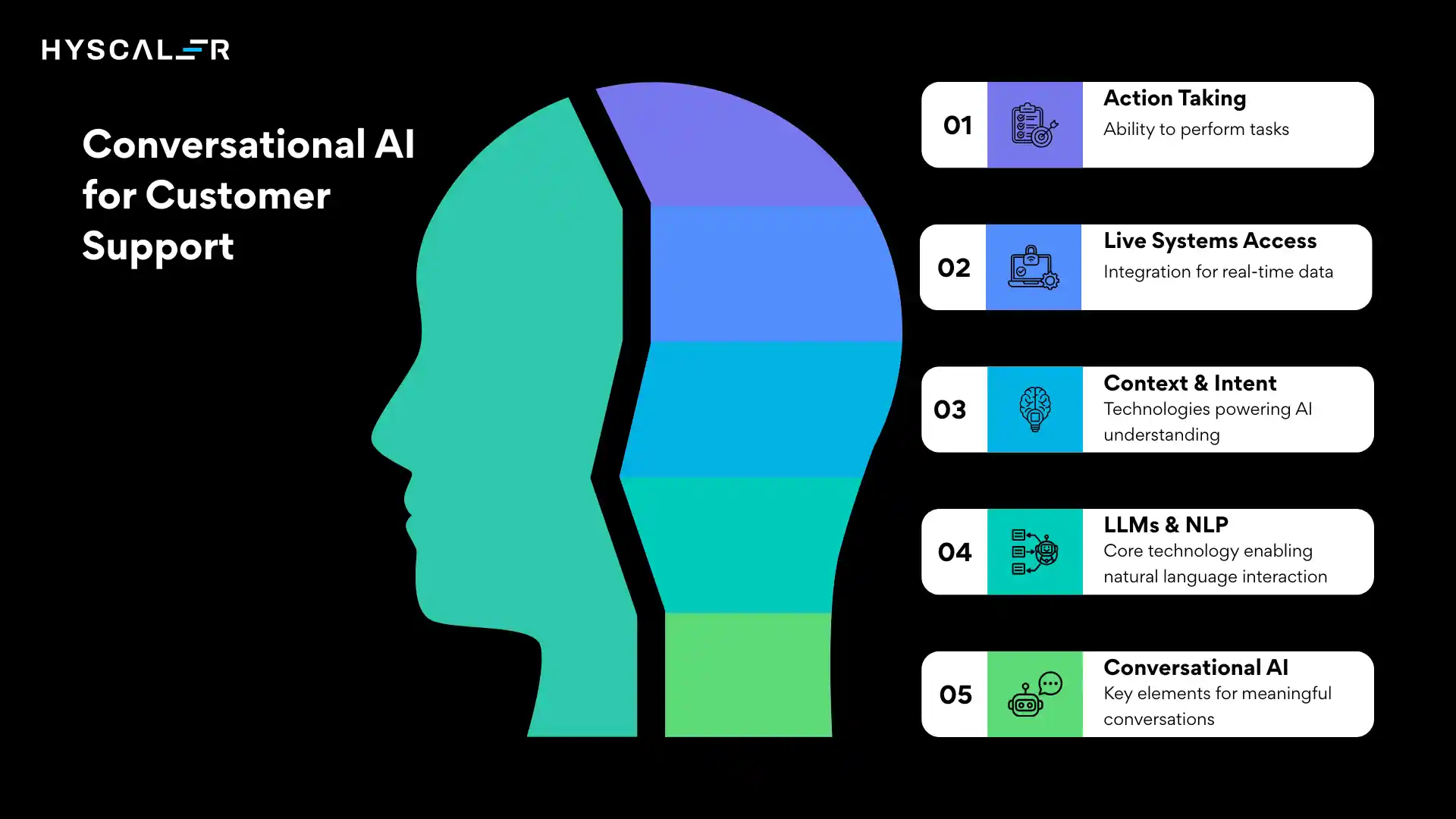
| Quick example: A customer says. “I ordered the blue jacket last Tuesday, but got the green one. I need it before Friday.” A conversational AI agent parses the date, cross-references the order, identifies the error, checks inventory, initiates a replacement, and confirms delivery all without a human agent. A keyword chatbot would just show the returns policy. |
Conversational AI vs. Traditional Chatbot: Key Differences
| Feature | Traditional Chatbot | Conversational AI |
|---|---|---|
| Language understanding | Keyword matching | NLP / LLM intent recognition |
| Conversation context | None (stateless) | Full multi-turn memory |
| Can take action | Read-only | Looks up orders, issues refunds, and escalates |
| Handles ambiguity | Falls to the agent | Asks clarifying questions |
| Learns from conversations | Static scripts | Continuous improvement |
| Resolution rate | 15–25% | 76–92% (routine queries) |
| Setup complexity | Low | Medium (no-code platforms available) |
The Numbers That Prove the Case
Business cases are won with data.
Here are the most reliable 2026 statistics on conversational AI in customer support drawn from Gartner, Zendesk, Freshworks, and real company deployments.
| $15.1B Global AI customer service market size in 2026, Markets And Markets | $80B Projected contact center labor cost reduction from AI in 2026, Gartner | 68% Drop in cost per interaction after AI deployment ($4.60 → $1.45) Freshworks |
| 92% Resolution rate for routine queries with AI agents Kodif | 74% Reduction in first response time in year one Industry avg | 340% Average first-year ROI from AI customer support, Multiple sources |
| The trust gap to keep in mind: While 93% of marketing leaders believe AI understands customer needs, only 53% of consumers agree. And 79% of Americans still prefer interacting with a human for complex issues. The winning strategy is hybrid: AI for speed and volume, humans for empathy and nuance. |
Top Use Cases for Conversational AI in Customer Support
Knowing where to deploy conversational AI is as important as knowing how.
These are the six use cases with the highest and fastest returns.
| Use Case | What AI Does | Typical Volume |
|---|---|---|
| Order tracking & status | Resolves in seconds with zero agent involvement | 40–60% of all tickets |
| Returns & refunds | Checks eligibility, initiates return, and sends confirmation end-to-end | 15–25% of tickets |
| Account & password support | Password resets, login issues, and account verification | 10–15% of tickets |
| Product & pre-sales questions | Answers specs, comparisons, and availability turn support into revenue | 10–20% of tickets |
| Appointment scheduling | Captures inquiries, checks availability, books 24/7 | Varies by industry |
| Multilingual & 24/7 support | 80+ languages, automatic detection, near-native fluency | Global expansion |
How Conversational AI for Customer Support Actually Works
Understanding the technology makes you a better buyer.
Here is what happens under the hood in a modern AI customer support agent.
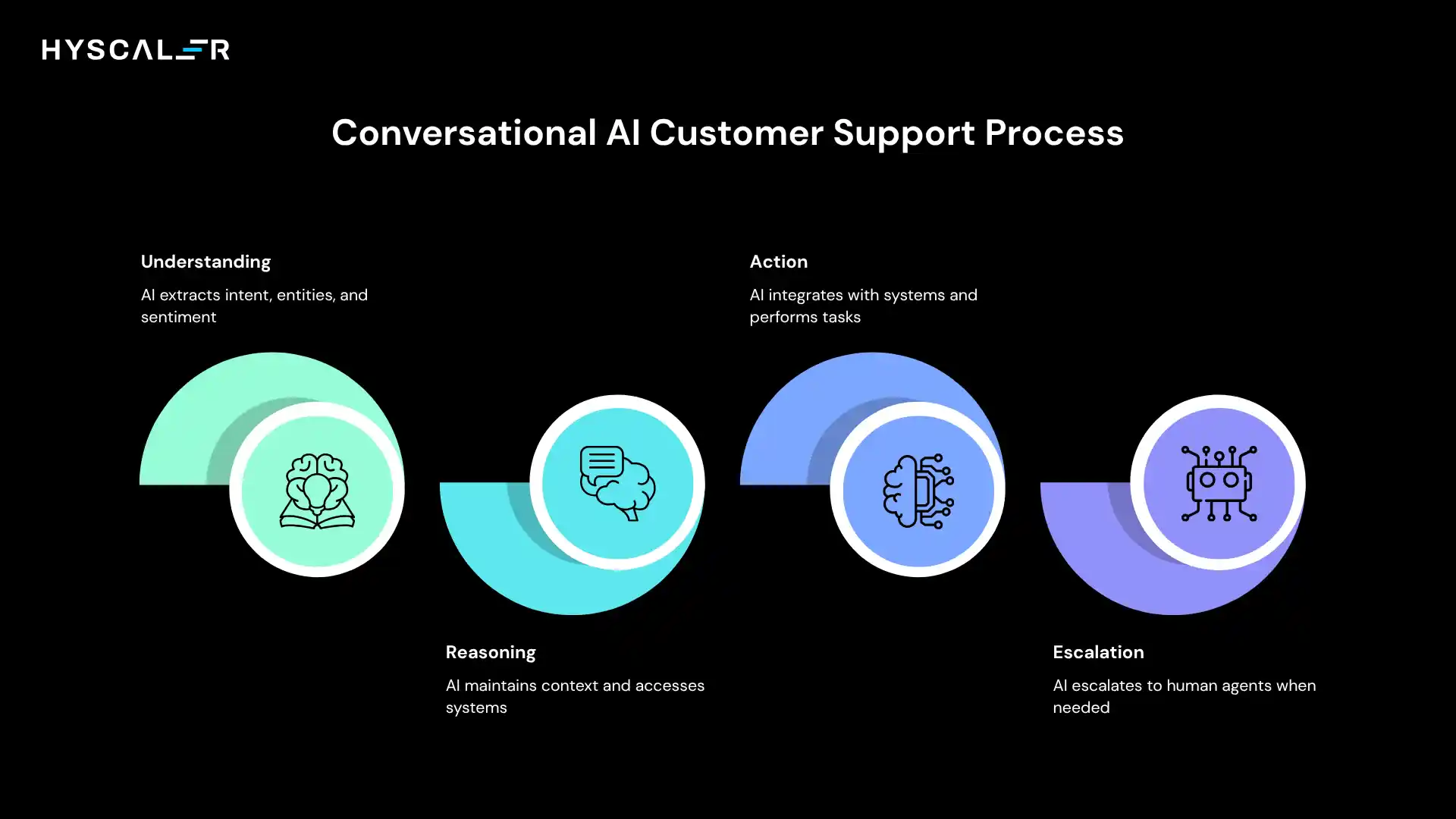
Layer 1: Understanding NLP & LLMs
When a customer sends a message, the AI processes the text using natural language understanding (NLU) to extract intent (“I want a refund”), entities (“order #12345, blue jacket”), and sentiment (frustrated, urgent).
Modern systems use large language models, the same underlying technology as GPT-4 and Claude, achieving 92% accuracy in understanding customer intent versus 65–70% for older keyword-based bots.
Layer 2: Reasoning Context and Memory
Unlike a stateless FAQ bot, a conversational AI or AI Voicebot system maintains the full context of a conversation.
If a customer says, “I want to return it,” the system remembers they mentioned an order three messages earlier.
It also simultaneously accesses your CRM, order management system, and knowledge base to deliver an accurate, personalized response.
Layer 3: Action Integrations and Workflows
This is what separates conversational AI from a smart search box.
Modern platforms connect to your existing stack via APIs: Shopify, Salesforce, Zendesk, HubSpot, and more.
The AI doesn’t just answer, it can update records, trigger workflows, issue store credit, schedule callbacks, and hand off to a human agent with the full conversation context attached.
Layer 4: Escalation Human Handoff
When the AI detects frustration, a query beyond its confidence threshold, or an explicit request for a human, it escalates gracefully, passing the full context so the agent never has to ask “can you describe the issue again?” This seamless transition is what customers care about most.
| Key metric to track: Containment rate, the percentage of conversations fully resolved by AI without human escalation. Best-in-class is 75–85%. If yours is below 50%, the problem is usually a knowledge-base gap, not the AI platform. |
Top Conversational AI Platforms for Customer Support (2026)
The market is crowded.
Here is an honest breakdown of the leading platforms by use case and company size.
| Platform | Best For | Key Strength | Pricing Tier |
|---|---|---|---|
| Intercom Fin | SaaS/tech companies | Deep product context, Slack-like UX | Mid–Enterprise |
| Zendesk AI | Large support teams | Best-in-class routing and ticketing | Mid–Enterprise |
| Freshdesk Freddy AI | SMBs scaling fast | Easy setup, strong omnichannel | SMB–Mid |
| ChatMaxima | WhatsApp-heavy markets | No-code, broad social channel coverage | SMB |
| FastBots.ai | Document-heavy knowledge bases | Train on your own docs instantly | SMB–Mid |
| Salesforce Einstein | Salesforce-centric enterprises | Deepest CRM integration available | Enterprise |
No platform wins on all dimensions.
The right choice depends on your existing stack, ticket volume, top channels (web, WhatsApp, voice), and whether you need a no-code setup or deep custom development.
How to Implement Conversational AI: A 6-Step Roadmap
Most failed deployments aren’t technology failures; they’re strategy failures.
Here is the implementation roadmap that separates the 25% of companies with fully integrated AI from the 75% still in pilot mode.
| 1 | Audit your ticket data (before you buy anything): Export 3–6 months of support tickets and categorize by type. Identify the top 10–15 query types by volume. If they’re routine and data-driven (order status, FAQs, account issues), AI will resolve them at scale. Complex, emotional, or one-off queries should stay with humans. This audit defines your AI scope and sets realistic containment rate targets. |
| 2 | Choose a platform that fits your stack: Don’t pick a platform because it has the best demo; pick the one with the deepest integration to your CRM and order management system. A conversational AI that can’t look up a real order can’t resolve a real query. Prioritize native integrations over third-party middleware. |
| 3 | Build and train your knowledge base: Your AI is only as good as the information you give it. Feed it your help center articles, past resolved tickets, product documentation, and FAQs. Modern platforms can scrape your entire website automatically. Plans for ongoing curation of knowledge bases need quarterly reviews. |
| 4 | Define escalation rules carefully: Set clear triggers for human handoff: keywords like “cancel account,” “fraud,” or “lawyer”; low confidence scores; and repeated failures. The handoff experience is where customers judge the entire AI deployment. Ensure the agent receives a full conversation transcript and customer history automatically. |
| 5 | Launch with a subset of channels, not all at once: Start with your website chat widget before rolling out to WhatsApp, email, and voice. Observe real conversations, catch edge cases, and refine the knowledge base before scaling. Most teams reach a stable 70%+ containment rate within 6–8 weeks of live traffic. |
| 6 | Measure the six metrics that matter: Track weekly during months 1–3, then monthly: containment rate, CSAT (AI-handled vs. human-handled), first response time, escalation rate, resolution rate, and accuracy rate. These six numbers tell you exactly where the AI is working and where the knowledge base needs work. |
What ROI Should You Actually Expect?
Here are real numbers from documented deployments, not vendor marketing projections.
| Company / Type | Result | Timeframe |
|---|---|---|
| Klarna (Fintech) | 2/3 of all conversations handled by AI; $40M profit improvement projected | First year |
| NIB Health Insurance | 60% cost reduction in customer service; $22M saved | 12 months |
| Average e-commerce brand | 76–92% resolution rate; cost per interaction down from $4.60 to $1.45 | Post-deployment avg |
| SMB service business | 60–80% of previously unanswered calls now captured; bookings up 40% | First 3 months |
| Average across industries | 340% first-year ROI; $3.50 returned per $1 invested | Year 1 |
The Bottom Line for Conversational AI for Customer Support
Businesses that implement AI for 80%+ of routine interactions see a 30% reduction in total operating costs.
AI-driven upselling during support interactions adds an average of 15–25% revenue per customer.
Both together explain the 340% ROI figure.
Ready to deploy conversational AI for your support team?
See how our platform handles your top ticket types, no engineers required.
FAQs
What is conversational AI for customer support?
Conversational AI for customer support uses NLP, large language models, and machine learning to automate interactions. Unlike basic chatbots, it understands intent, maintains context, integrates with live systems, and resolves complex queries without human help.
How much does conversational AI reduce customer support costs?
AI cuts support costs from $4.60–$6.00 per interaction to $0.50–$1.45 (68–92% savings). Gartner projects $80B in contact center savings by 2026, while automating 80%+ of queries reduces overall support costs by ~30%.
Does conversational AI replace human customer support agents?
Gartner found that only 20% of companies reduced headcount after adopting conversational AI. Most use it to handle routine queries while agents focus on complex, high-value interactions. 95% plan to retain human agents, the hybrid model performs best.
What is the difference between a chatbot and conversational AI?
Traditional chatbots rely on decision trees and keywords, while conversational AI uses large language models to understand context, intent, and multi-turn conversations. It handles open-ended queries, accesses real data, and takes actions, achieving 76–92% resolution vs. 15–25% for basic bots.
Which industries benefit most from conversational AI in customer support?
Telecom leads at 95% adoption, followed by banking (92%) and healthcare (79%). High-volume sectors like e-commerce, insurance, travel, and SaaS see strong ROI, often within 90 days for businesses handling 100+ interactions/month.
How long does it take to implement conversational AI for customer support?
With no-code tools, basic deployments go live in 1–2 weeks. Full rollouts take 4–8 weeks, with most teams reaching 70%+ containment within 6–8 weeks of launch.