

Table of Contents
Most businesses start with off-the-shelf tools, and for standard needs like payroll or email, that is the right call. Trouble begins when your core operations depend on workflows those tools were never designed for: disconnected systems, manual re-entry, spreadsheets holding critical processes together, or subscription bills that grow faster than your revenue.
Custom software solutions are applications designed and built around the specific workflows, integrations, and goals of one business or user group, rather than a general-purpose feature set. This guide helps you decide whether building makes sense, how to run the project, what to budget, how long to plan for, and how to choose and manage a development partner. It is written for business owners weighing the investment and for technology leaders who will own requirements, architecture, security, and delivery.
Quick answer: Build custom software when a workflow is central to how you compete or operate, existing products cannot support it, and the long-term cost of workarounds exceeds the cost of building. Start with discovery, ship a focused first release, budget for ongoing maintenance, and own the code.
What Are Custom Software Solutions?
Custom software is built to fit your organization instead of asking your organization to fit the software. It can be a customer portal, an internal operations platform, an integration layer connecting systems you already run, or a full product you sell to others.
How Custom Software Differs from Off-the-Shelf Software
The differences come down to five things:
- Purpose. Off-the-shelf products serve a broad market. Custom software serves one defined set of needs.
- Workflows. Packaged tools give you predefined features you configure. Custom builds start from your actual process.
- Ownership and licensing. With packaged products, you license access. With custom work, ownership depends on your contract, which is why we cover it in detail below.
- Integration. Custom software can be designed around the systems you already use, rather than depending on whatever connectors a vendor offers.
- Maintenance. Vendors maintain packaged products. For custom software, you or your contracted team carry that responsibility.
Common Examples of Custom Business Software
- Customer relationship management platforms shaped around a unique sales cycle, such as long-running B2B deals with multi-party approvals.
- Enterprise resource planning systems that unify finance, procurement, and operations where standard ERP modules fall short.
- Inventory and supply chain tools that combine warehouse data, supplier lead times, and demand signals in one view.
- Workforce management systems for scheduling, attendance, and compliance rules specific to your industry.
- Customer and partner portals where clients track orders, submit documents, or manage accounts without emailing your team.
- Industry-specific applications such as dispatch for logistics, case management for legal teams, or telemedicine for healthcare providers.
- AI-powered automation platforms that route documents, answer routine requests, or flag anomalies across your existing systems.
When Should a Business Build Custom Software Instead of Buying It?
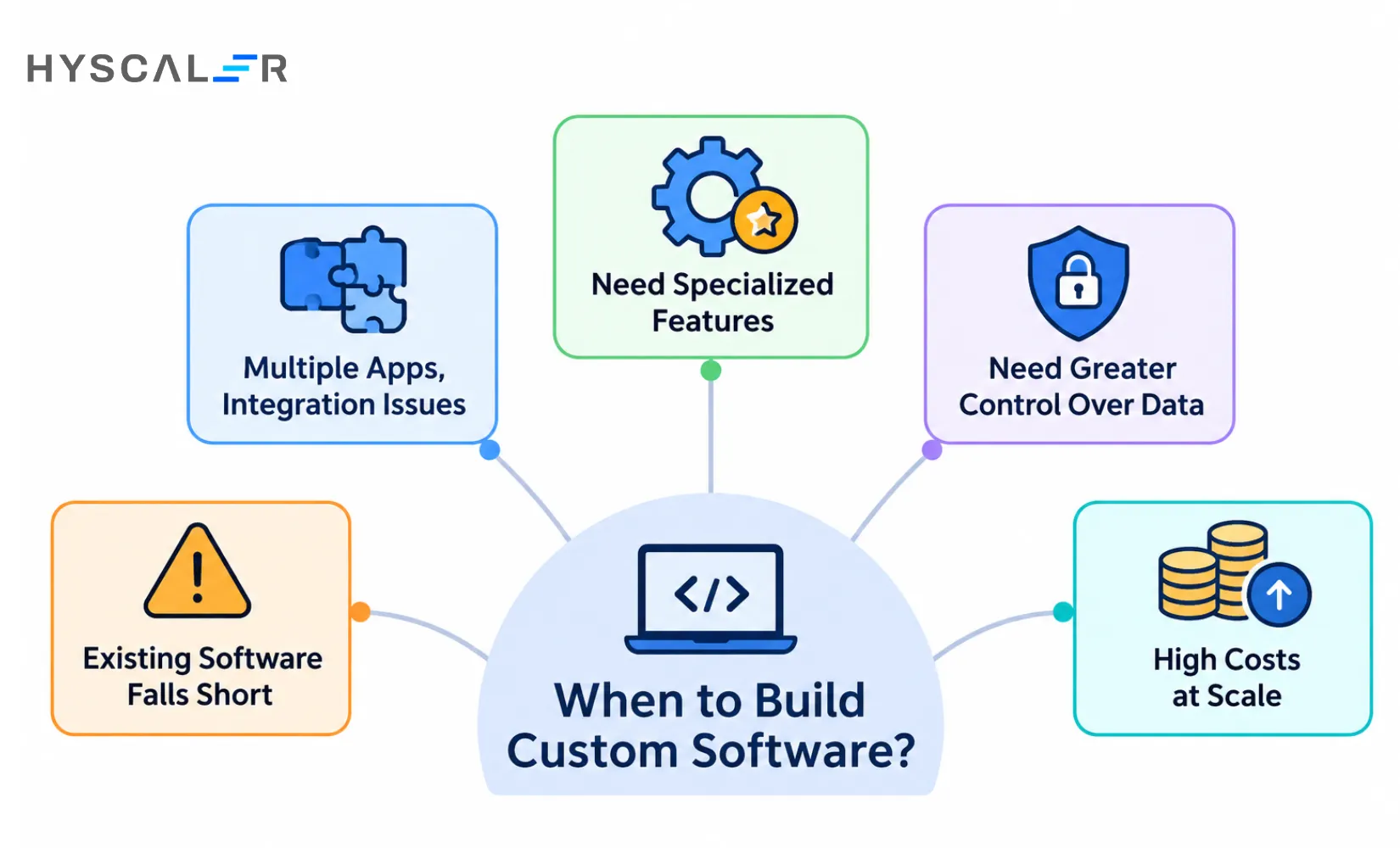
Custom development is justified in specific situations, not as a default. Here are the five we see most often.
Your Existing Software Cannot Support Critical Workflows
Imagine a logistics company that needs dispatch, route planning, and live delivery tracking to work as one flow. If it runs three separate products and moves data between them by hand, every delivery carries avoidable delays and errors. When a critical workflow cannot be supported even with configuration and add-ons, that is a strong signal.
Multiple Applications Create Integration Problems
When your ERP, CRM, accounting, and inventory systems do not share data cleanly, people become the integration layer. They copy figures between screens, reconcile mismatches, and chase down which number is correct. The cost shows up as slower reporting, duplicate records, and decisions made on stale data. Sometimes a purpose-built integration layer or operations platform solves this more cheaply than replacing everything.
Your Business Needs Specialized Features
Proprietary pricing logic, regulated industry workflows, or customer-facing experiences that set you apart are rarely available in packaged form. If the capability is part of why customers choose you, owning it has strategic value.
You Need Greater Control Over Data and Software
Some organizations need precise control over access rules, data residency, deployment environments, or how the system changes over time. Custom software lets you make those choices directly, although you also take on the responsibility to implement them well.
Existing Software Becomes Expensive at Scale
Per-user pricing, add-on modules, customization fees, and integration costs can climb steeply as headcount or volume grows. Run the numbers over five years. For some businesses, the crossover point where building becomes cheaper arrives sooner than expected. For others, it never does.
Custom Software vs. Off-the-Shelf Software vs. SaaS
These categories overlap. SaaS describes how software is delivered and licensed (hosted and subscription-based), while off-the-shelf describes how it is packaged (ready-made for a broad audience). Many products are both. The table treats them separately to make trade-offs easier to see.
| Evaluation factor | Custom software | Off-the-shelf software | SaaS |
|---|---|---|---|
| Initial investment | Usually higher | Varies | Usually lower |
| Time to implement | Longer | Shorter | Usually shortest |
| Workflow flexibility | High | Limited to available customization | Depends on provider |
| Integration | Can be purpose-built | Depends on APIs and connectors | Depends on provider integrations |
| Ownership | Set by your IP agreement | Vendor-owned product | Vendor-owned platform |
| Maintenance | You or a contracted team | Shared, varies by product | Mostly provider-managed |
| Scalability | Designed around your requirements | Depends on product | Depends on plan and architecture |
| Long-term costs | Development and operating costs | License and implementation costs | Recurring subscription costs |
A Simple Framework for Choosing the Right Approach
- Choose off-the-shelf when your requirements are standard and a mature product already covers them.
- Choose SaaS when speed matters and you prefer the provider to manage infrastructure and updates.
- Choose custom software when a critical workflow needs capabilities no available product delivers.
- Choose a hybrid when standard tools handle most needs, but a few workflows need custom development or integration. This is often the most economical answer.
A useful test: list your ten most important workflows and mark each as standard, adaptable, or unique. If most are standard, buy. If your unique workflows are the ones that drive revenue or margin, build those and buy the rest.
What Are the Benefits of Building Custom Software?
The benefits are real, but they are outcomes you have to earn through good scoping and execution, not automatic results.
Better Alignment With Business Processes
Teams stop adapting their work to fit a tool. A claims team, for instance, can have screens that follow its actual review sequence instead of a generic ticket queue.
Improved Operational Efficiency and Automation
Repetitive steps such as data entry, approvals, and status updates can be automated around your rules. Gains are largest where staff currently spend hours on manual handoffs.
Seamless Integration With Existing Systems
A single application can pull from your ERP, push to your CRM, and reconcile with accounting, so information is entered once and flows everywhere it is needed.
Greater Control Over Security and Data
You decide how authentication, permissions, logging, and data storage work. That control is valuable, but custom software is not automatically more secure. Security depends on how well it is designed, built, tested, and maintained.
Scalability and Flexibility
Architecture can be shaped around your expected growth in users, data, and features, and changed as the business changes, without waiting on a vendor roadmap.
Long-Term Product Ownership and Differentiation
When the software is part of what you sell, owning it lets you evolve it as a competitive asset. Keep in mind that ownership also means owning the upkeep, and that custom is not automatically cheaper over the full lifecycle.
How to Build Custom Software Solutions: 8 Essential Steps
Most guides describe what developers do at each stage. Here, each step also lists what you should receive, so you can judge whether the project is on track.
Step 1: Define Business Requirements and Objectives

Start with the problem, not the feature list. Identify who is affected, which workflows are involved, what constraints apply (budget, regulation, deadlines), and what success looks like in numbers. Useful tools include gap analysis (current state versus desired state) and SMART goals that are specific, measurable, and time-bound.
Deliverable: A business requirements document with measurable objectives and a baseline for the metrics you want to improve.
Step 2: Conduct Discovery and Feasibility Analysis
Discovery combines user and stakeholder research with technical investigation. Interview the people who will use the system, observe how work actually happens, review existing systems and data sources, and compare build-versus-buy options. This is also where integration risks should surface, not after development begins.
Deliverable: A discovery report, feasibility assessment, risk register, and initial roadmap.
Step 3: Plan the Architecture and Technology Stack
Decide how the system will be structured: components, database design, APIs, integrations, hosting, security controls, and scaling approach. Choose technologies based on your team’s ability to support them, hiring availability, and long-term viability, not novelty.
Deliverable: Architecture diagrams, an integration plan, a security approach, and documented technology decisions with reasons.
Step 4: Design the UI/UX and Prototype

Map user journeys, sketch wireframes, and build clickable prototypes of critical workflows so users can react before engineers write production code. Visual identity work, including a logo design if the product is customer-facing, belongs here too. Collaboration tools such as an online Kanban board help stakeholders and designers track feedback in one place.
Deliverable: Approved designs and an interactive prototype validated with real users.
Step 5: Develop the Software Iteratively
Build in short cycles, prioritizing features that deliver the most value first. Review working software at the end of each cycle rather than waiting for a big reveal. Use version control, code review, and automated tests from the start.
Deliverable: Working software increments after each sprint, plus release candidates.
Step 6: Test Functionality, Performance, and Security
Testing should cover unit and integration testing, full system testing, performance under realistic load, accessibility, and security. Finish with user acceptance testing, where the people who will use the software confirm it supports their work.
Deliverable: Test reports, resolved defects, and a signed acceptance decision.
Step 7: Deploy and Launch the Application

A launch is more than flipping a switch. Prepare production infrastructure, migrate data, configure monitoring and alerts, train users, and agree on a rollout plan with a tested rollback procedure. Hosting choices matter here: a web hosting service may suit smaller applications, while larger systems typically run on cloud infrastructure with automated pipelines. Whichever you pick, evaluate each hosting provider on reliability, support, and scalability. Our DevOps engineering team handles this stage for clients who want a managed release process.
Deliverable: A production release, deployment documentation, and a rollback plan.
Step 8: Maintain, Monitor, and Improve
Launch is the start of operations. Monitor usage and performance, resolve incidents, patch dependencies, and plan enhancements based on real feedback. Without a maintenance plan, software quietly accumulates technical debt and security exposure.
Deliverable: A maintenance plan, operational dashboards, and an improvement roadmap.
Agile vs. Waterfall: Which Development Methodology Should You Choose?
| Factor | Agile | Waterfall |
|---|---|---|
| Planning | Iterative | Mostly upfront |
| Requirements | Can evolve | Usually fixed early |
| Delivery | Incremental | Sequential |
| Feedback | Frequent | At defined milestones |
| Best suited for | Evolving or uncertain requirements | Stable, well-defined requirements |
Most modern projects use Agile, but hybrids are common: a fixed discovery and architecture phase followed by iterative delivery. Choose based on how certain your requirements are and how much oversight your governance requires.
How Much Does Custom Software Development Cost?
There is no universal price. Cost depends on functionality, complexity, integrations, architecture, security requirements, team composition, and ongoing support.
For a third-party reference point, the Clutch software development pricing page reported an average reviewed project cost of roughly $132,480 with an average duration of about 13 months, and listed company hourly rates commonly between $25 and $49. Treat these as marketplace benchmarks, not predictions for a US custom application. Your scope, location of your team, and risk profile can push your number well above or below them.
Key Factors That Affect Development Costs
- Number of features and modules
- Complexity of business logic
- Number and difficulty of integrations
- UI/UX depth and number of user roles
- Security and regulatory requirements
- Team composition and seniority
- Infrastructure and hosting
- Testing depth and ongoing maintenance
Custom Software Development Cost Breakdown
| Cost component | What it covers |
|---|---|
| Discovery and planning | Requirements, feasibility, project roadmap |
| UI/UX design | User research, wireframes, prototypes |
| Development | Frontend, backend, APIs, database |
| Integrations | ERP, CRM, payment systems, third-party APIs |
| Quality assurance | Functional, security, and performance testing |
| Deployment | Infrastructure, data migration, release |
| Maintenance | Monitoring, updates, support, improvements |
How to Estimate Your Software Development Budget
Start with a simple relationship:
Development cost = estimated hours × blended hourly rate
Then add the items that formula misses: discovery, infrastructure, third-party licenses, data migration, deployment, and post-launch operating costs. Ask each vendor to break their estimate down by component so you can compare proposals fairly.
Plan a contingency reserve based on how uncertain your scope is. A well-defined project with few integrations needs less than one with legacy systems and unclear requirements. Be wary of any source that treats a single percentage as an industry standard.
How to Reduce Custom Software Development Costs
- Prioritize a focused MVP and defer nice-to-have features.
- Reuse proven frameworks and components instead of building everything.
- Test complex integrations early, when problems are cheapest to fix.
- Avoid customization where an existing tool already does the job.
- Deliver iteratively so you can stop or redirect based on evidence.
- Plan maintenance and infrastructure costs before launch, not after.
How Long Does It Take to Build Custom Software?
Timelines depend on scope and complexity. The table below offers planning ranges to help you frame conversations with vendors. These are editorial estimates, not verified market averages, and your actual timeline will depend on scope, team capacity, integrations, compliance, and release strategy.
Estimated Development Timeline by Project Complexity
| Project category | Planning estimate |
|---|---|
| Simple internal application | 1–3 months |
| Business web application | 3–6 months |
| SaaS MVP or customer portal | 3–8 months |
| Multi-module business platform | 6–12 months |
| Complex enterprise platform | 9–18+ months |
Factors That Can Delay Software Development
- Unclear or shifting requirements
- Slow stakeholder decisions and approvals
- Complex integrations with legacy systems
- Data migration surprises
- Security and compliance reviews
- Scope expansion mid-project
- Insufficient testing that forces rework
How to Deliver Software Faster Without Sacrificing Quality
Release an MVP first, run design and backend work in parallel where dependencies allow, validate ideas with prototypes before building them, automate builds and tests through CI/CD, and hold short, regular reviews with decision-makers so questions are answered in days instead of weeks.
What Technologies Are Used to Build Custom Software?
You do not need to pick technologies yourself, but you should understand the layers so you can ask good questions.
Frontend Technologies
These power what users see and touch in web and mobile interfaces. Choose based on performance needs, accessibility, and how easily you can hire people who know them. If you also need native apps, our software development services cover web and mobile.
Backend and API Technologies
The backend holds business logic and exposes APIs that connect your software to other systems. Maintainability and clear documentation matter more here than trendy frameworks. For larger builds, product engineering services help structure the platform for the long term.
Databases and Data Engineering
Relational databases suit structured transactional data, while NoSQL options fit flexible or high-volume data. Planning pipelines and migration early prevents painful surprises later. Our data engineering services support this layer.
Cloud Infrastructure and DevOps
Cloud hosting, containers, CI/CD, monitoring, and infrastructure automation determine how reliably you can release and run your software. Strong DevOps practices shorten release cycles and reduce production incidents.
Security and Compliance Considerations When Building Custom Software
Security belongs in every phase, not just a final test.
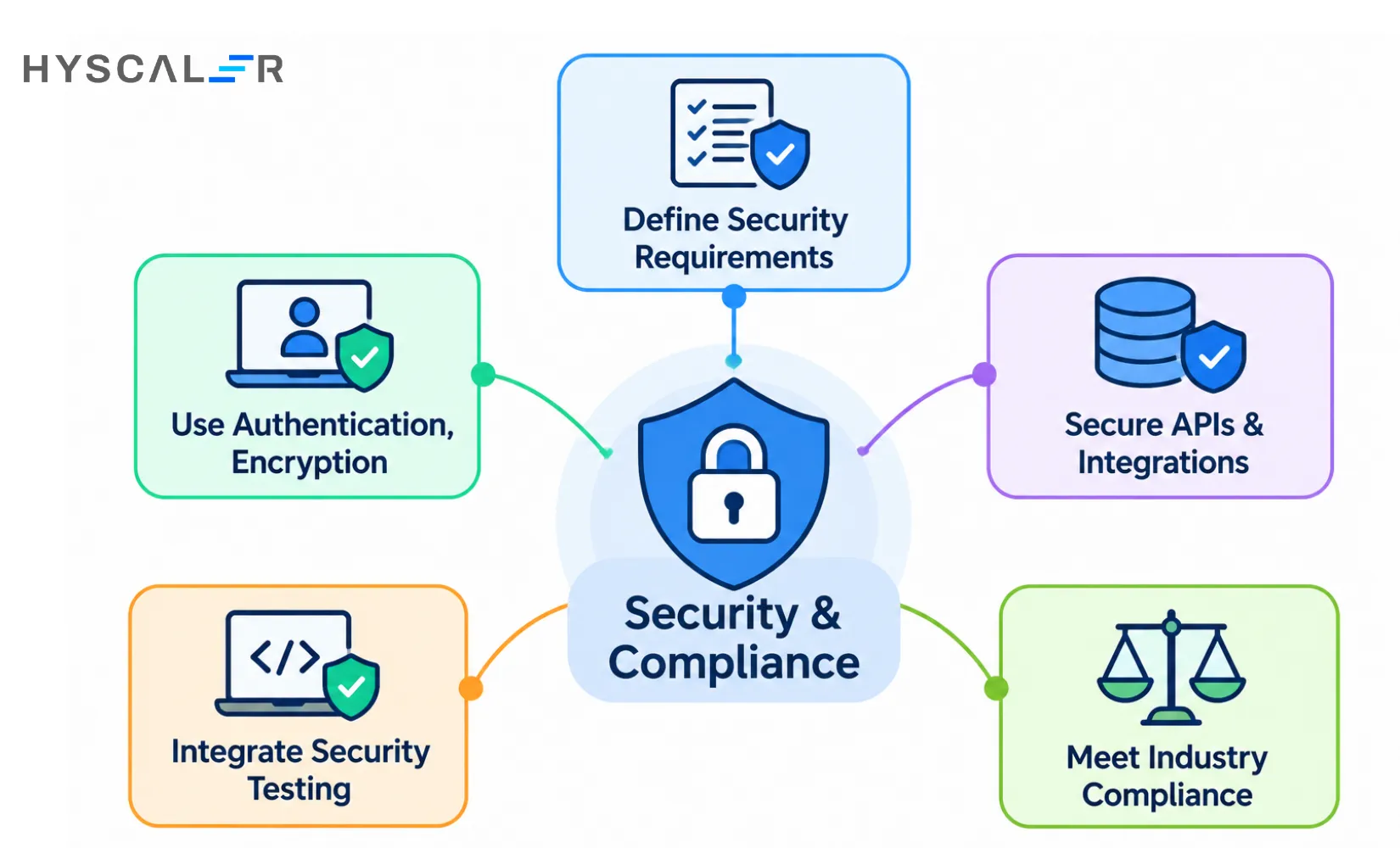
Define Security Requirements During Discovery
Identify what data you handle, who can access it, which regulations apply, and what a breach would cost. These answers shape architecture and budget.
Implement Authentication, Authorization, and Encryption
Use proven identity approaches, enforce least-privilege access, and encrypt data in transit and at rest. Avoid inventing your own cryptography.
Secure APIs, Databases, and Third-Party Integrations
Every integration is a potential entry point. Validate inputs, limit permissions, rotate credentials, and review the security posture of third-party services you connect to.
Integrate Security Testing Into the Development Lifecycle
Run dependency scanning, code analysis, and penetration testing as routine parts of delivery. The NIST Secure Software Development Framework is a widely used reference for secure development practices.
Address Industry-Specific Compliance Requirements
Several US frameworks may apply depending on your organization, data, and activities:
- HIPAA for covered healthcare entities and their business associates
- SOC 2 as an assurance framework for service organizations
- CCPA/CPRA for applicable businesses handling California residents’ data
- PCI DSS for environments that handle payment card data
Whether any of these apply to you depends on your specific circumstances, so confirm with qualified compliance or legal advisers early.
How to Choose the Right Custom Software Development Company
Your partner shapes quality, speed, and long-term risk. Evaluate candidates on evidence, not polish.
Evaluate Relevant Technical Experience
Look for work in your domain and with similar complexity, including comparable integrations and compliance needs.
Review Previous Projects and Case Studies
Ask for specifics: what was the problem, what was delivered, and what changed for the client. Speak to references directly.
Understand Their Development and Testing Process
Ask how they plan sprints, review code, test, and handle defects. A mature partner can describe the process clearly and show examples of artifacts such as test reports.
Evaluate Communication and Project Management
Clarify who your day-to-day contact is, how often you will see working software, how risks are escalated, and what time zones and tools are involved.
Clarify Pricing, Deliverables, and Contract Terms
Compare proposals on scope, not just price. Look for defined milestones, acceptance criteria, change-request procedures, and payment tied to delivered work.
Confirm Source Code and Intellectual Property Ownership
Put ownership in writing. Your contract should clarify who owns source code, custom components, designs, and documentation, and how third-party and open-source licenses are handled. Also confirm that you control the repositories, cloud accounts, deployment pipelines, and production credentials, and that handover includes documentation your team or another vendor could use.
Evaluate Post-Launch Support and Maintenance
Ask about service levels, incident response, monitoring, and how ongoing improvements are scoped and priced. Our IT services and solutions cover managed support after launch.
Vendor evaluation checklist
- Relevant case studies and verified references
- Clear process and sample deliverables
- Security practices and compliance experience
- Written IP ownership and handover terms
- Defined milestones and acceptance criteria
- Post-launch support and service levels
Common Mistakes to Avoid When Building Custom Software
- Starting without validated requirements. Building on assumptions is the fastest way to build the wrong thing.
- Packing too much into the first release. A smaller launch gets feedback sooner.
- Ignoring integration requirements. Surface them in discovery.
- Treating security as a final step. Retrofitting is slower and riskier.
- Choosing technology without long-term support in mind. Obscure stacks are hard to staff.
- Underestimating maintenance costs. Software needs ongoing care.
- Leaving ownership undefined. Resolve it in the contract before work starts.
- Skipping user acceptance testing. The people doing the work should confirm it works.
How to Measure the Success of Custom Software
Success means business outcomes, not just a finished build. Capture baseline performance before development begins so you can show improvement afterward.
| Business objective | Suggested KPI |
|---|---|
| Improve operational efficiency | Average task completion time |
| Reduce manual work | Hours spent on repetitive processes |
| Improve accuracy | Error and rework rate |
| Improve system integration | Failed integration transactions |
| Improve user adoption | Monthly active users and feature adoption |
| Improve customer experience | Customer satisfaction and task completion rate |
| Improve reliability | Uptime and incident frequency |
| Control operating costs | Cost per transaction or workflow |
Custom Software Project Planning Checklist
Before you approach vendors, write down your answers to these:
- Business problem and target outcome
- Target users and their key workflows
- Functional requirements, ranked by priority
- Systems to integrate with and data requirements
- Security and compliance obligations
- Estimated budget and contingency
- Delivery milestones
- Acceptance criteria
- Who owns maintenance after launch
Build Custom Software That Supports Your Business Goals
Successful custom software starts with a clearly defined business problem, a realistic scope, sound architecture, and a plan for long-term ownership. Get those four right and the technology choices become far easier.
If your business needs software that fits its workflows, integrates with existing systems, and supports future growth, explore HyScaler’s custom software development services. Our team can help you plan, design, build, and maintain solutions aligned with your requirements. You can also book a call to talk it through with an engineer.
FAQ
What is the difference between custom software and bespoke software?
The terms are used interchangeably in most business contexts. Both describe software built for a specific organization’s needs rather than a mass market.
Can small businesses afford custom software development?
Often yes, if the scope is focused. Starting with an MVP that solves one high-value workflow keeps the initial investment manageable and lets you expand once the value is proven.
Is custom software more expensive than SaaS?
Upfront, usually. Over time, it depends on scale. Subscription fees recur and can grow with users, while custom software carries ongoing maintenance and hosting costs. Compare the five-year total cost of ownership, not just the first-year price.
Can custom software integrate with an existing ERP or CRM?
Yes, typically through APIs, webhooks, middleware, or approved data-exchange methods. Feasibility depends on what the existing system exposes, access permissions, data formats, and security rules, so assess it during discovery.
Who owns the source code of custom-built software?
It depends on your agreement and applicable law. Establish ownership or usage rights for code, designs, and documentation in writing before development starts, and clarify third-party and open-source licensing.
Should businesses build an MVP before developing a full application?
In most cases, yes. An MVP tests your core assumptions with real users, reduces upfront risk, and gives you evidence for deciding what to build next.
What happens after custom software is launched?
Operations begin: monitoring, bug fixes, security patches, dependency updates, user support, and a continuing roadmap of improvements. Budget and assign responsibility for these from the start.
Can AI be integrated into custom business software?
Yes, for use cases such as document processing, workflow automation, search, and forecasting. Success depends on data readiness, clear use cases, and governance for how models are monitored and used.