
Table of Contents
Web Development has come a long way since its founding.
Websites have become so lively and interactive, the once static websites are now fully customized, moving, breathing machines.
Each interaction you make with them makes the whole website feel real and vibrant.
But what is web development?
Let’s understand that through this guide.
Whether you’re considering a career change, looking to build your own online presence, or simply curious about the technology that powers the internet, this comprehensive guide will walk you through everything you need to know.
What Is Meant by Web Development?
Web development refers to the process of building, creating, and maintaining websites and applications that run on web browsers.
It involves everything from simple static pages displaying text and images to complex, interactive platforms.
At its core, this field involves writing code that tells browsers how to display content, process user interactions, and communicate with servers.
It’s a multidisciplinary practice that combines creativity with technical problem-solving, bringing digital experiences to life for billions of users worldwide.
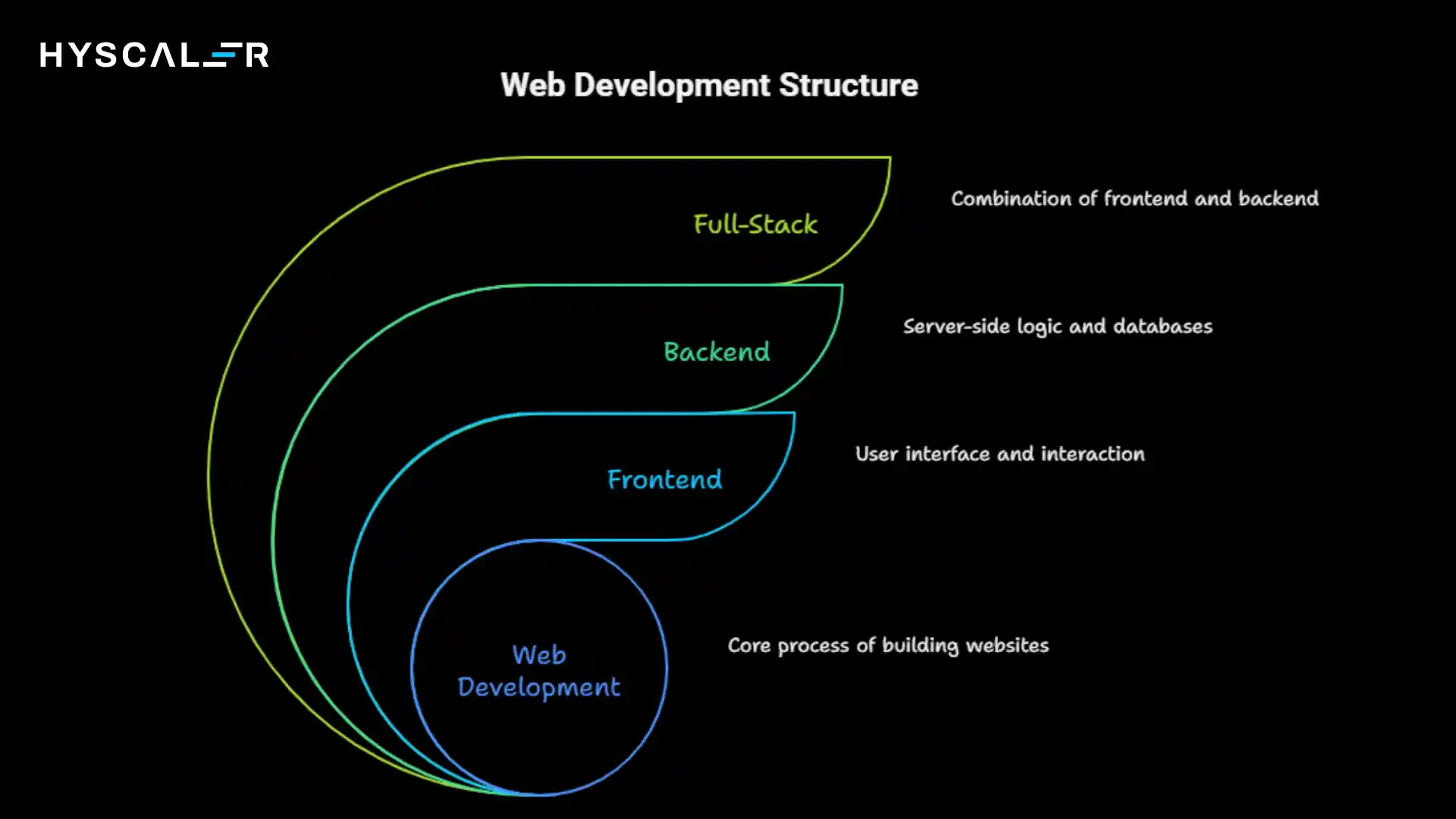
The field is typically divided into three main areas:
Frontend (what users see and interact with), backend (server-side logic and databases), and full-stack (combining both).
Each plays a crucial role in creating functional, engaging online experiences.
How Can I Start Web Development?
Starting your journey in this field is more accessible than ever before.
The first step involves understanding HTML (Hyper Text Markup Language), which structures content on web pages.
Think of it as the skeleton of a website.
Next comes CSS (Cascading Style Sheets), which handles visual styling and layout.
This is what makes websites look attractive and professional.
Once you’re comfortable with these foundational technologies, JavaScript becomes your next priority.
This programming language adds interactivity and dynamic functionality to websites, allowing you to create responsive features like dropdown menus, form validations, and real-time updates.
Begin with free resources like free Code Camp, MDN Web Docs, or The Odin Project.
These platforms offer structured learning paths that take you from absolute beginner to job-ready.
Practice constantly by building small projects, a personal portfolio, a landing page for a fictional business, or a simple calculator.
The key is consistent, hands-on practice rather than just watching tutorials.
Essential Web Development Skills
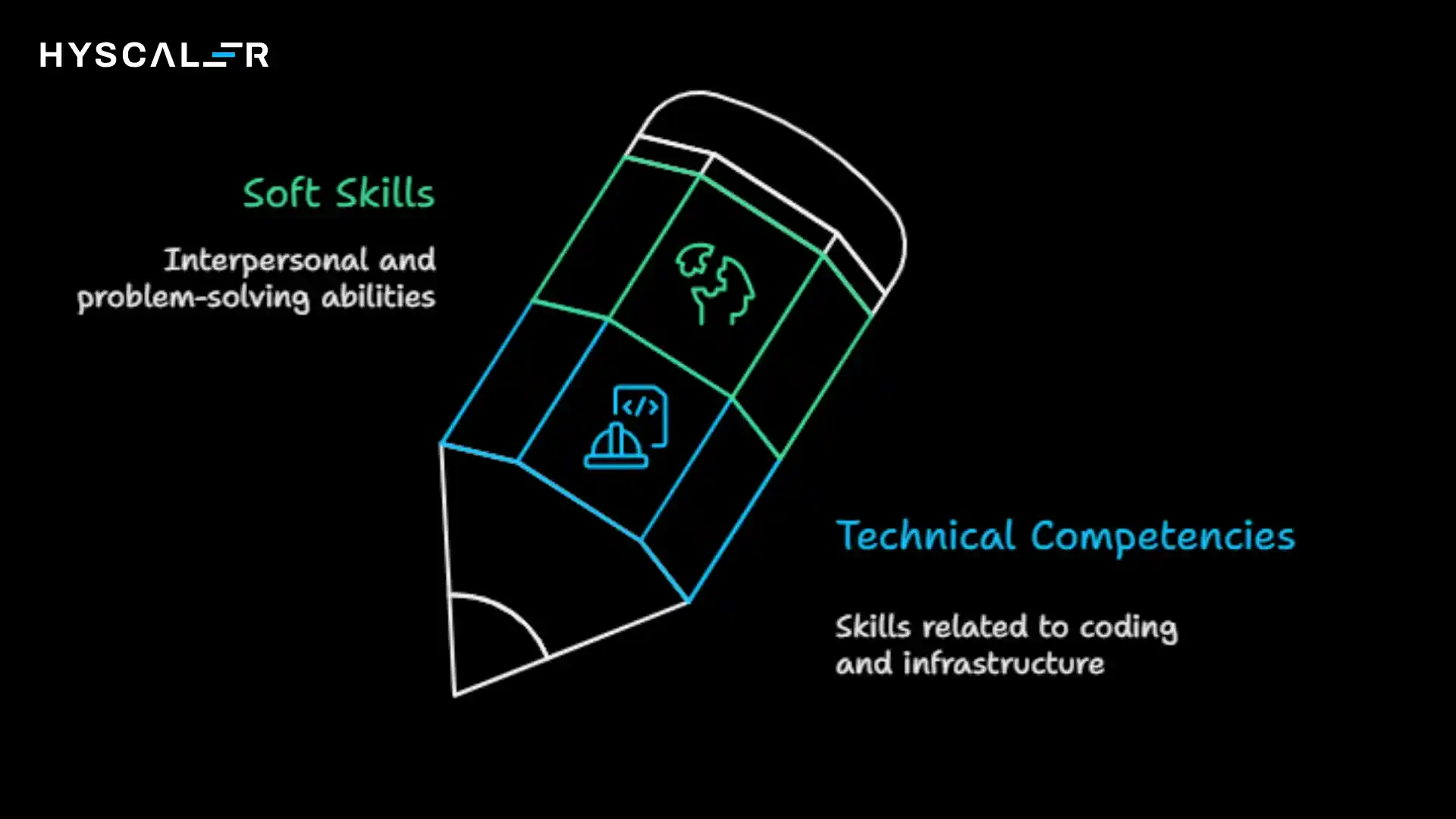
Success in this field requires a blend of technical abilities and soft skills.
Here are the competencies that matter most:
Technical Competencies:
- Proficiency in HTML, CSS, and JavaScript
- Understanding of responsive design principles for mobile and tablet compatibility
- Version control using Git and GitHub for tracking code changes
- Knowledge of at least one backend language like Python, JavaScript (Node.js), PHP, or Ruby
- Database management with SQL or NoSQL systems
- API integration and RESTful services
- Basic understanding of web security practices
Soft Skills:
- Problem-solving ability to debug issues and optimize performance
- Attention to detail for catching errors and ensuring pixel-perfect designs
- Communication skills for collaborating with designers, clients, and other developers
- Time management to handle multiple projects and meet deadlines
- Continuous learning mindset as technologies evolve rapidly
The most successful professionals combine technical expertise with strong communication and adaptability.
You’ll often need to explain technical concepts to non-technical stakeholders or learn new frameworks on short notice.
Web Development Tools
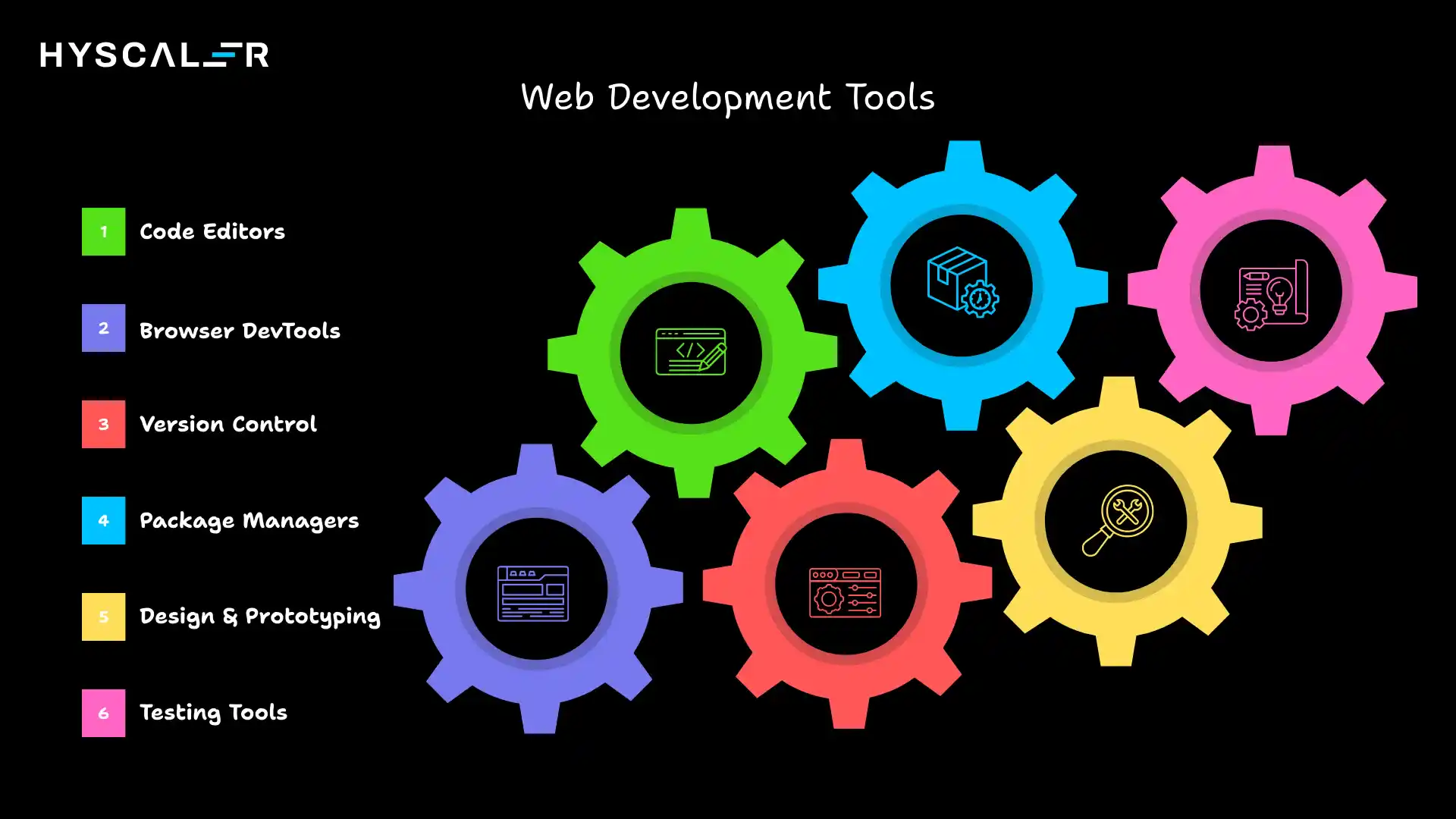
Modern developers rely on an ecosystem of powerful tools that streamline workflow and enhance productivity:
Code Editors
Visual Studio Code leads the pack as the most popular editor, offering extensive customization, built-in Git integration, and thousands of extensions. Alternatives include Sublime Text and JetBrains WebStorm.
Browser DevTools
Chrome DevTools, Firefox Developer Tools, and similar utilities help you inspect HTML elements, debug JavaScript, monitor network requests, and test responsive designs directly in the browser.
Version Control
Git remains the industry standard for tracking changes, while GitHub, GitLab, and Bitbucket provide cloud-based repositories for collaboration and code storage.
Package Managers
npm (Node Package Manager) and Yarn help you install, update, and manage libraries and dependencies efficiently.
Design and Prototyping
Figma and Adobe XD allow designers and developers to collaborate on mockups and prototypes before writing code. Additionally, many pre-built templates and development builders are now available, helping teams significantly speed up the development process.
Testing Tools
Jest, Cypress, and Selenium automate testing to ensure your code works correctly across different scenarios and browsers.
These tools work together to create an efficient development environment.
Most are free and have extensive documentation and community support.
Web Development Software and Technologies
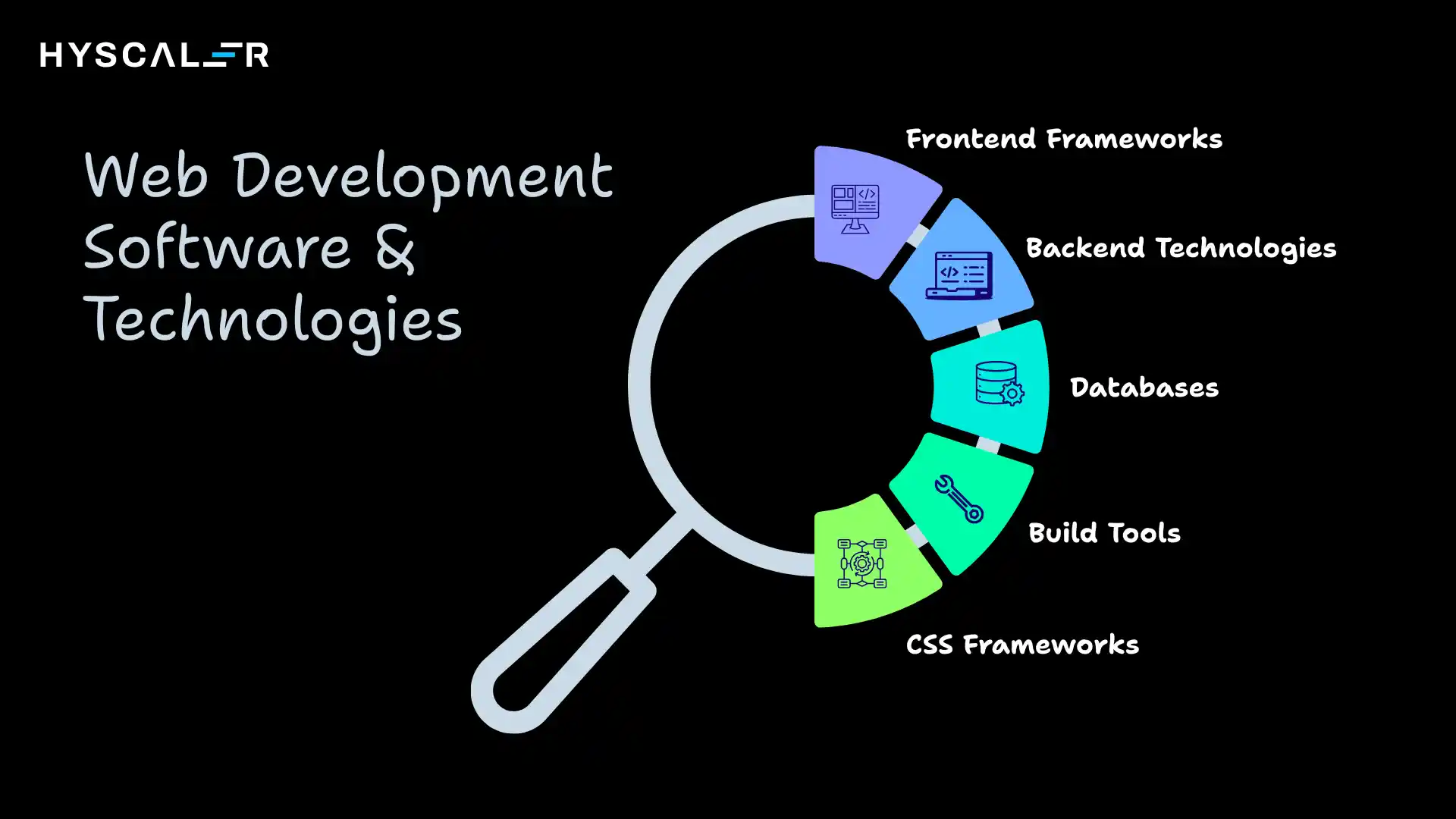
The software and frameworks you choose depend on your project requirements and career goals:
Frontend Frameworks
React, developed by Meta, dominates for building interactive user interfaces. Vue.js offers a gentler learning curve while remaining powerful. Angular, backed by Google, provides a complete solution for large enterprise applications.
Backend Technologies
Node.js allows you to use JavaScript on the server side. Python with Django or Flask offers rapid development and clean syntax. PHP powers platforms like WordPress, while Ruby on Rails emphasizes convention over configuration.
Databases
PostgreSQL and MySQL handle relational data with structured tables. MongoDB and Firebase provide flexible NoSQL solutions for unstructured data.
Build Tools
Webpack and Vite bundle your code for production, optimizing file sizes and load times.
CSS Frameworks
Tailwind CSS has surged in popularity for utility-first styling, while Bootstrap remains a quick solution for responsive layouts.
Choosing the right stack often depends on project scale, team expertise, and performance requirements.
Many developers start with the popular MERN stack (MongoDB, Express, React, Node.js) or the tried-and-true LAMP stack (Linux, Apache, MySQL, PHP).
Your Web Development Roadmap
Following a structured path helps you progress efficiently from beginner to professional:
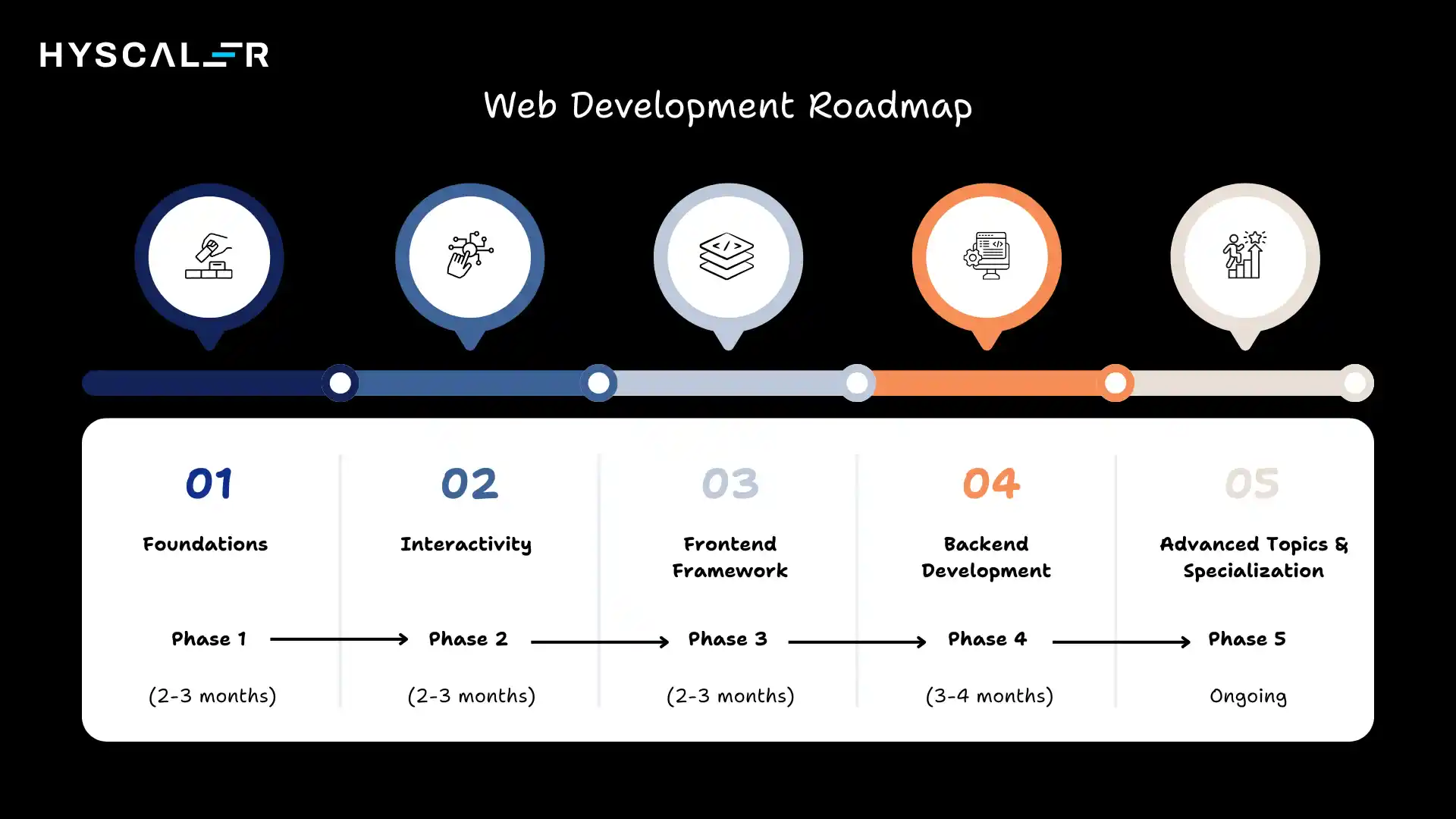
Phase 1: Foundations (2-3 months)
Master HTML and CSS by building static websites. Learn semantic HTML for accessibility and CSS Flexbox/Grid for modern layouts. Create 5-10 simple projects like landing pages and portfolio sites.
Phase 2: Interactivity (2-3 months)
Dive deep into JavaScript fundamentals, variables, functions, loops, and DOM manipulation. Build interactive projects like a to-do list app, quiz application, or weather dashboard using APIs.
Phase 3: Frontend Framework (2-3 months)
Choose React, Vue, or Angular and complete their official tutorials. Rebuild previous projects using your chosen framework to understand component-based architecture and state management.
Phase 4: Backend Development (3-4 months)
Learn Node.js with Express or another backend language. Understand RESTful API design, authentication, and database integration. Build full-stack applications with user registration, data persistence, and CRUD operations.
Phase 5: Advanced Topics and Specialization (Ongoing)
Explore TypeScript for type safety, testing frameworks, deployment platforms like Vercel or AWS, performance optimization, web security, and progressive web apps. Consider specializing in areas like e-commerce, mobile-responsive design, or real-time applications.
Throughout this journey, maintain a GitHub profile showcasing your projects.
This serves as your portfolio when applying for positions.
Choosing a Web Development Company
When looking for professional services or seeking employment, evaluating companies carefully ensures a good fit:

Portfolio Quality
Review their previous work for design aesthetics, functionality, and user experience. Do the sites load quickly? Are they mobile-friendly? Do they showcase modern design principles?
Technology Stack
Ensure they use current, well-supported technologies rather than outdated systems. Companies using modern frameworks demonstrate commitment to best practices.
Client Testimonials
Look for reviews on platforms like Clutch, Google, or industry-specific directories. Pay attention to comments about communication, deadline adherence, and post-launch support.
Team Expertise
Check if they have specialists in different areas, designers, frontend and backend developers, project managers, and quality assurance testers.
Development Process
Professional companies follow agile methodologies, provide regular updates, and involve clients in key decisions, guided by a clear website design strategy throughout the project lifecycle.
Support and Maintenance
Quality companies offer ongoing support, security updates, and performance monitoring after launch.
Whether you’re hiring or job-seeking, cultural fit matters. Look for companies whose values align with yours and who foster continuous learning and innovation.
Compelling Web Development Projects to Build
Hands-on projects accelerate learning more than any tutorial.
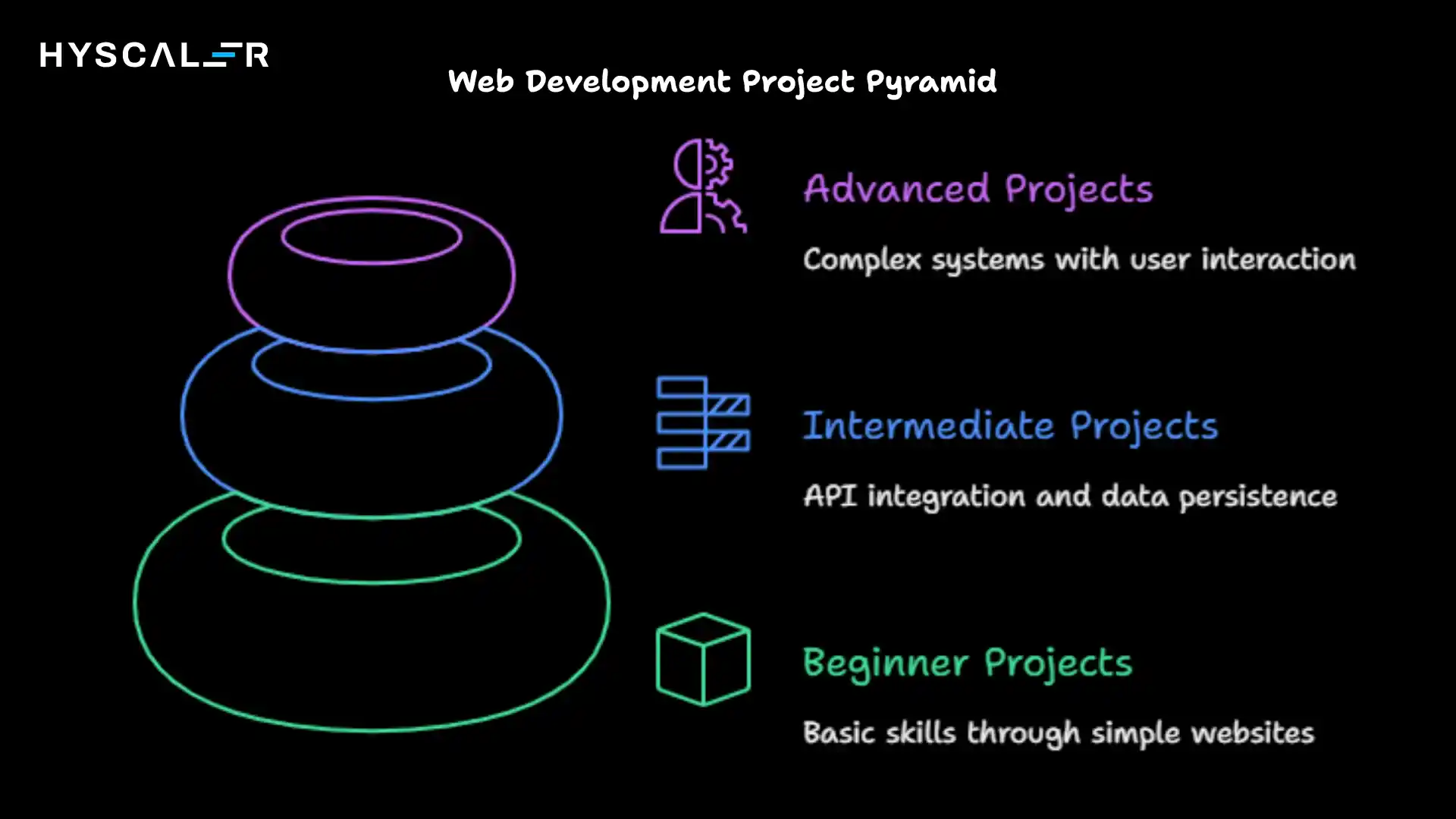
Here are ideas organized by skill level:
Beginner Projects:
- Personal portfolio website showcasing your skills and projects
- Restaurant menu page with appealing layout and images
- Tribute page to someone you admire
- Survey form with validation
- Technical documentation page
Intermediate Projects:
- Todo list application with local storage persistence
- Weather app fetching data from OpenWeatherMap API
- Recipe finder connecting to food APIs
- Expense tracker with charts and statistics
- Quiz application with score tracking
Advanced Projects:
- E-commerce store with shopping cart, payment integration, and user accounts
- Social media dashboard aggregating multiple platforms
- Real-time chat application using WebSockets
- Project management tool with drag-and-drop functionality
- A blog platform with a content management system
Each project should be deployed online using services like Netlify, Vercel, or GitHub Pages — or through reliable website hosting for more control over your environment. This demonstrates your ability to take projects from development to production, a skill employers highly value.
Web Development App Considerations
Building applications for the web has distinct advantages and challenges compared to native mobile apps:
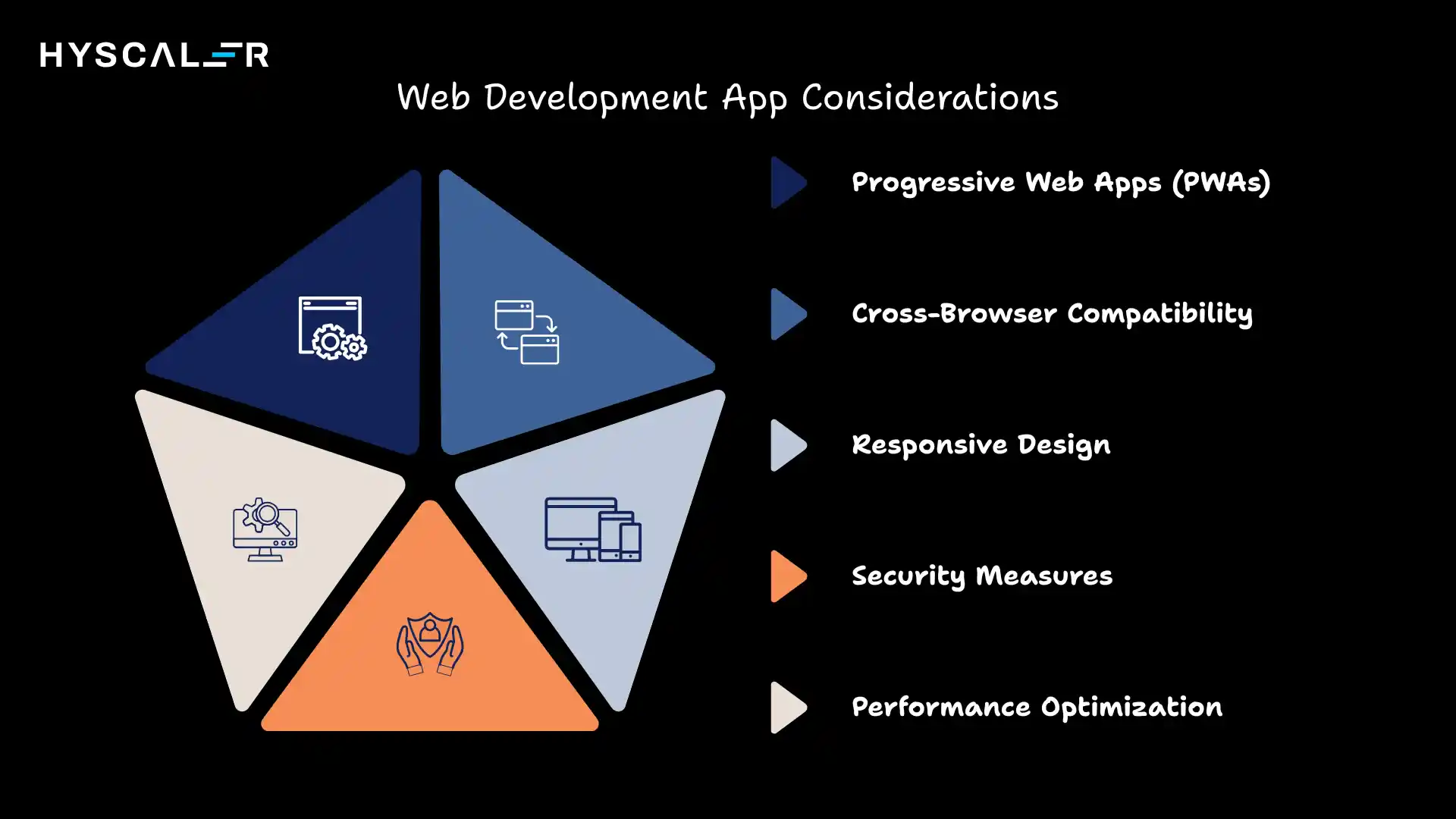
Progressive Web Apps (PWAs) bridge the gap between websites and native applications. They offer offline functionality, push notifications, and can be installed on devices, all while being accessible through browsers. Companies like Twitter and Starbucks have successfully deployed PWAs to reduce development costs while maintaining user engagement.
Responsive Design remains critical. Your application must work seamlessly across desktop computers, tablets, and smartphones. Use mobile-first design principles and test thoroughly on various devices and screen sizes.
Performance Optimization directly impacts user retention. Applications must load quickly, even on slower connections. Techniques include lazy loading images, minimizing JavaScript bundles, implementing caching strategies, and optimizing database queries.
Cross-Browser Compatibility ensures your app works correctly in Chrome, Firefox, Safari, and Edge. While modern browsers have standardized many features, subtle differences still exist that require testing and sometimes workarounds.
Security Measures protect user data and maintain trust. Implement HTTPS, validate inputs to prevent SQL injection and cross-site scripting attacks, use secure authentication methods, and keep dependencies updated.
The advantage of web apps lies in their accessibility, no installation required, automatic updates, and platform independence.
However, they may have limitations in accessing device features compared to native apps.
Conclusion
The field offers exciting opportunities for creative problem-solvers who enjoy continuous learning.
With dedication and structured practice, you can build the skills needed to create impactful digital experiences.
Start with the fundamentals, build projects consistently, and engage with the vibrant community of developers online.
The journey from beginner to professional developer is challenging but achievable, and the digital world needs talented individuals ready to shape the future of the internet.
FAQ
What exactly do web developers do?
Web developers design, build, and maintain websites and web applications. They write and debug code, ensure functionality and performance, and collaborate with designers to deliver smooth user experiences.
What are the 5 steps to coding?
Whether building a feature or solving a problem, effective coding follows this approach:
Understand the Problem
Plan Your Solution
Write the Code
Test Thoroughly
Refactor and Optimize
These steps promote thoughtful, maintainable code rather than jumping straight to implementation. Even experienced developers follow this cycle, though they may execute steps more quickly with practice.
Is web development coding?
Yes, coding is fundamental to this field. Developers write instructions in various programming languages that browsers and servers execute. HTML and CSS, while sometimes called markup and styling languages rather than “programming languages,” still involve writing code. JavaScript, Python, PHP, and other languages require logical thinking and algorithmic problem-solving typical of programming. However, the field also involves design thinking, user experience considerations, project management, and communication skills that extend beyond pure coding.
What are the 5 stages of website development?
The typical website creation process follows these phases:
Planning and Discovery
Design
Development
Testing and Quality Assurance
Launch and Maintenance.
Some models include additional stages like content creation or marketing, but these five form the core development lifecycle.
Will AI replace web developers?
AI tools are enhancing developers’ work, not replacing them. They handle repetitive tasks like boilerplate code, bug detection, and code suggestions, boosting productivity. However, understanding business needs, system design, security, and creative problem-solving still require human expertise. Developers who use AI and focus on higher-level thinking will stay in high demand.
What are the 5 levels of developer?
Developer roles usually progress as responsibility and impact grow, not just years of experience. It starts with Junior Developers who learn and work under guidance, moves to Mid-Level Developers who work independently, and then Senior Developers who design systems and solve complex problems. Lead Developers/Tech Leads guide teams and set technical direction, while Principal or Staff Engineers influence architecture and strategy across the organization.